4. Web Configuration
AirLive N.MINI User’s Manual
32
Reset After completing the settings on this page, click Apply changes
button to save the settings.
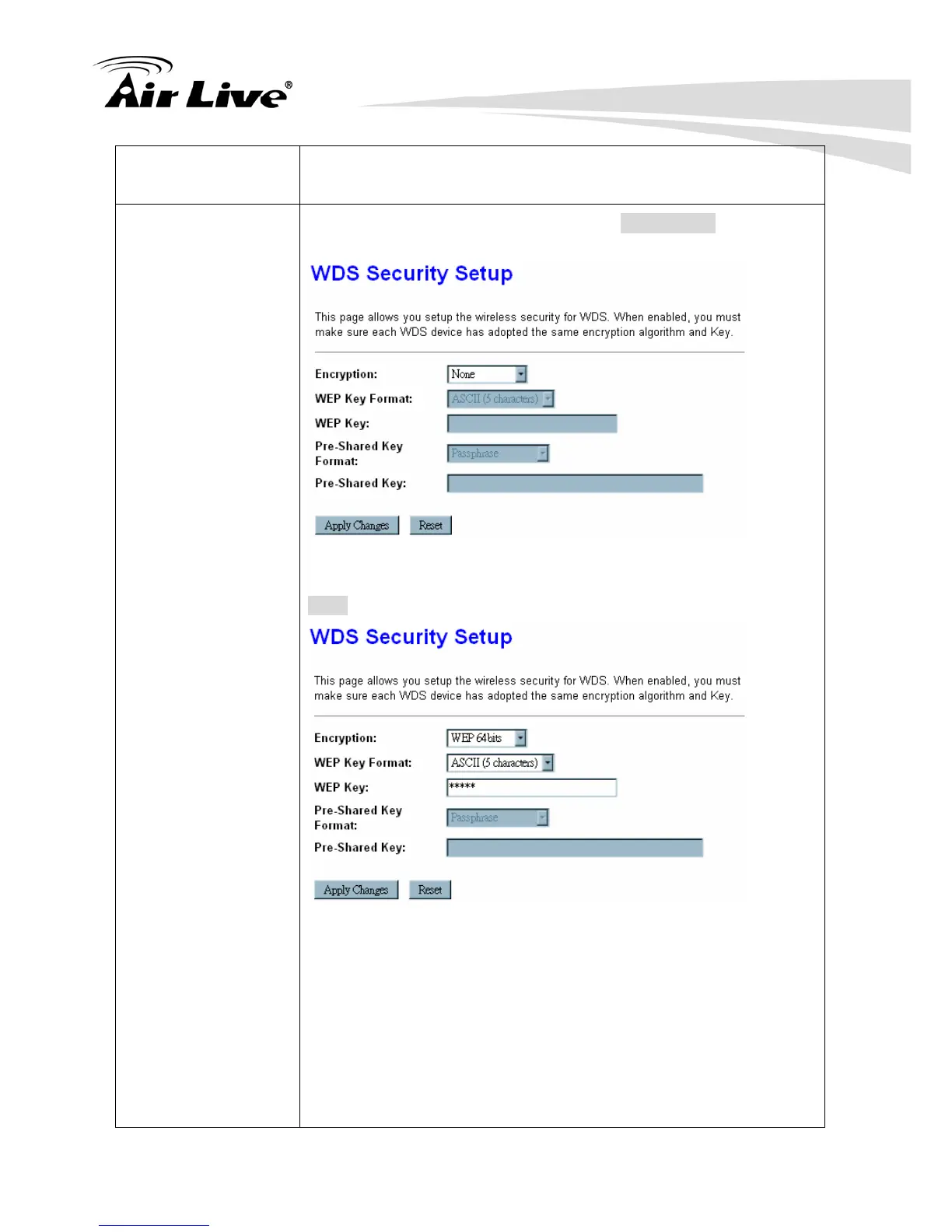
Set Security Enable the WDS function and then click Set Security button to set
up the WDS security.
Encryption: Select the encryption type None, WEP 64 bits, WEP
128 bits, and WPA2 from the pull-down menu.
WEP
WEP Key Format: For WEP 64 bits and WEP 128 bits encryption
type, the selection of WEP Key Format are Hex and ASCII.
WEP Key: If select Hex if you are using hexadecimal numbers
(0-9, or A-F).
Select ASCII if you are using ASCII characters (case-sensitive).
Hexadecimal (WEP 64 bits): 10 Hex characters (0~9, a~f).
Hexadecimal (WEP 128 bits): 26 Hex characters (0~9, a~f).
ASCII (WEP 64 bits): 5 ASCII characters (case-sensitive).



 To Next Page