4. Web Configuration
31
AirLive N.MINI User’s Manual
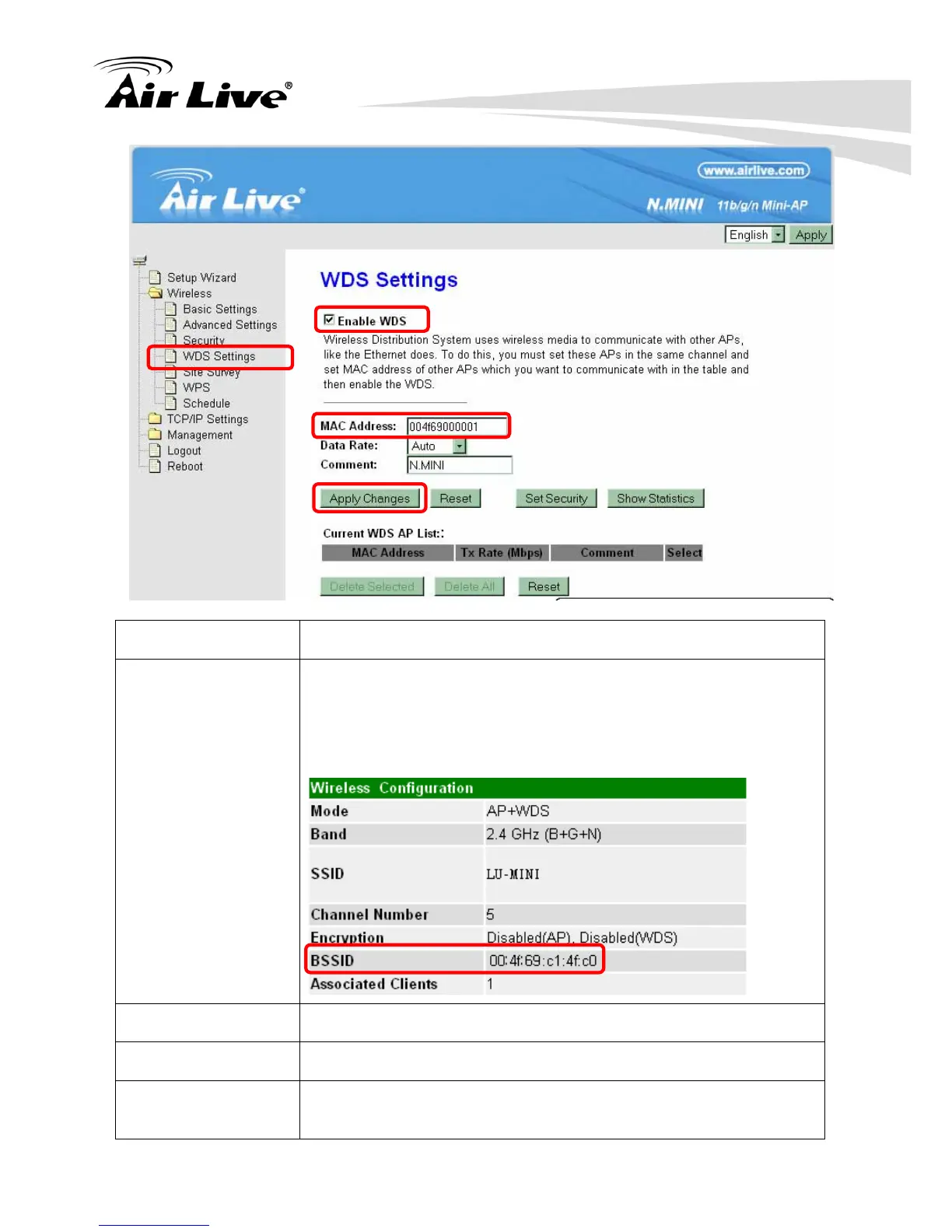
Enable WDS Check the box to enable the WDS function.
MAC Address MAC Address: Enter the Wireless BSSID (MAC) 12 characters of
the other wireless AP that you want to connect with. To check
your wireless router’s MAC address, please go to Status >
Wireless Configuration to find your BSSID (Wireless MAC
address.)
Data Rate Select the data rate form the pull-down list.
Comment Enter a description for the device.
Apply Changes After completing the settings on this page, click Apply changes
button to save the settings.



 To Next Page