BeHear SMARTO User Manual Page 10 of 41
Product Name: BeHear SMARTO Product No.: ABH-410 Doc. No. BHAUM202206.15
Basic Operation
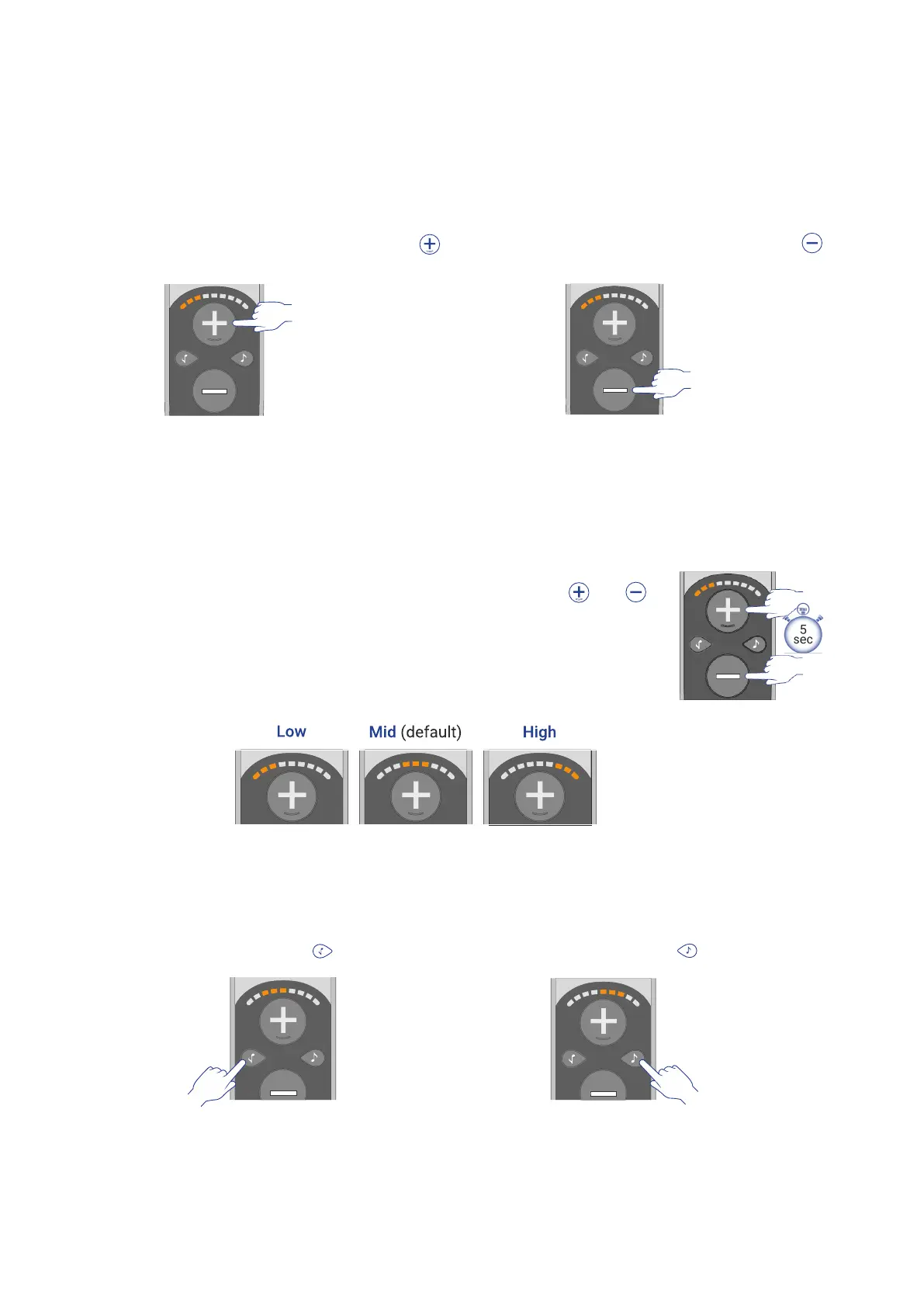
Volume Control
Set Volume Level
• To increase the volume press the
button.
• To decrease the volume press the
button.
Following any change, the current volume level is displayed on the sound level indicator for 5
seconds.
Set Maximum Volume Level
To protect the user’s hearing, BeHear SMARTO supports three different volume ranges (Low,
Mid, and High) so that the maximum volume can be set based on the user's personal hearing
ability. Gain is limited to the maximum volume in the selected range.
• To change the maximum volume level press and hold the and
buttons simultaneously for more than 5 seconds until the sound level
indicators shows the desired level.
• Release the buttons and repeat the action again to scroll between the
ranges of maximum volume.
Note: The initial setting (factory default) is Mid.
Tone Control
• To increase the bass (low frequency
sounds) press the button.
• To increase the treble (high frequency
sounds) press the button.
The sound level indicator increases incrementally to the left or right side, respectively. The
indication stays active for 5 seconds following the last change.



 To Next Page