BeHear SMARTO User Manual Page 16 of 41
Product Name: BeHear SMARTO Product No.: ABH-410 Doc. No. BHAUM202206.15
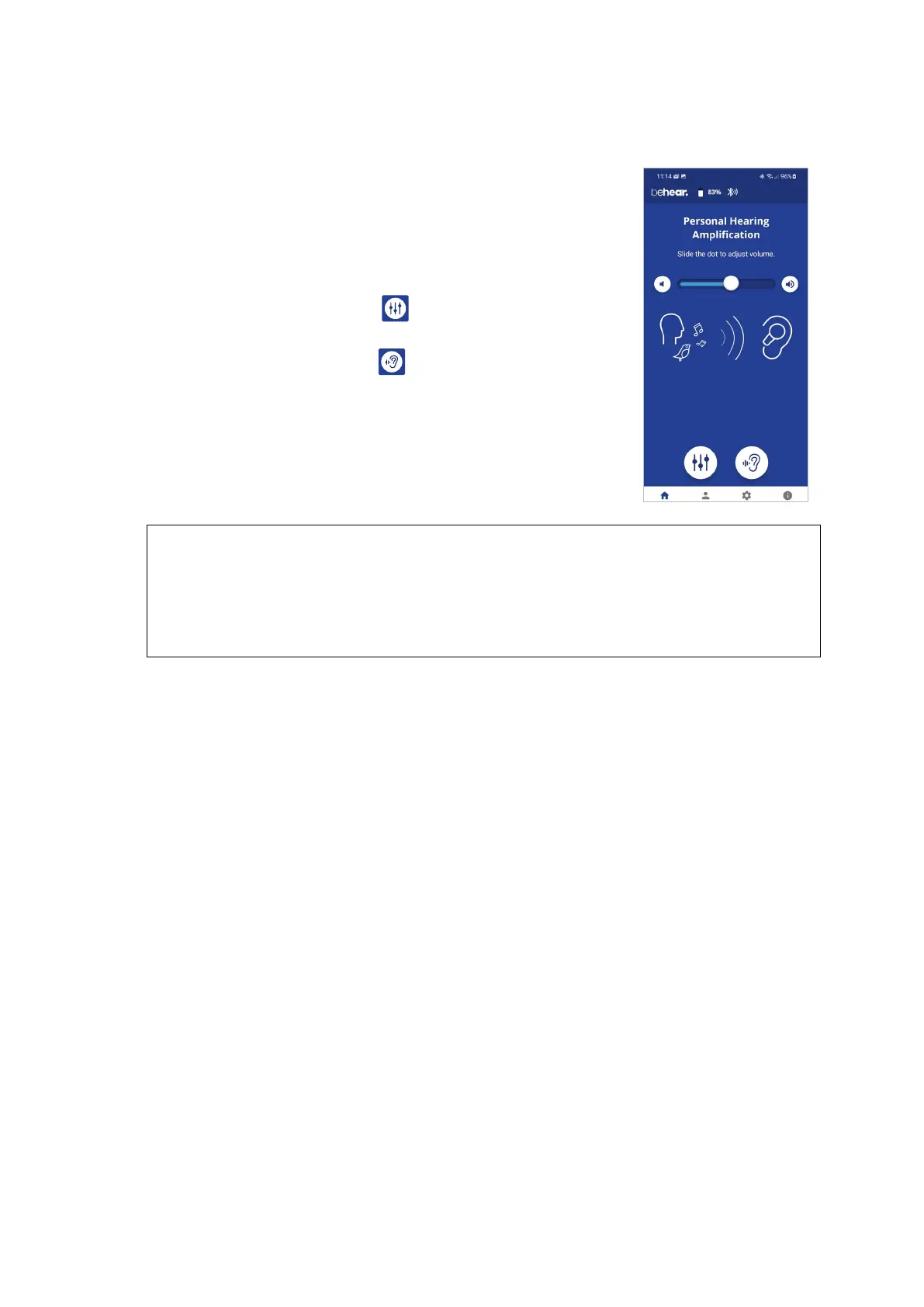
Managing the Amplifier with the BeHear App
• Use the slider to set the desired volume of the ambient sound by
touching the round button on the scale and dragging it left
(softer) or right (louder).
• Setting the slider to the far left will deactivate Personal Hearing
amplification. Moving the slider to the right will reactivate
amplification.
• Tap the large round button to enter the advanced Sound
Tuning screen.
• Tap the large round button to enter the advanced Tinnitus
Masking screen.
RECOMMENDATION:
For best results we recommend turning off key tones (alerts, notification sounds, keyboard taps,
etc.) in the smartphone connected to your BeHear SMARTO amplifier. Alternatively, place the
phone in “vibrate” or “silent” mode. This will guarantee smooth and pleasant operation of your
BeHear SMARTO as a personal sound amplifier without undesired sound disruptions produced
by background smartphone activity.



 To Next Page