BeHear SMARTO User Manual Page 15 of 41
Product Name: BeHear SMARTO Product No.: ABH-410 Doc. No. BHAUM202206.15
Handling Mobile Phone Calls
You can handle phone calls from the connected Bluetooth smartphone using your BeHear
SMARTO amplifier.
• To answer a call, press the button.
• To end a call, press the button.
• To reject a call, press and hold down the button when you hear the incoming call signal.
Emergency Call
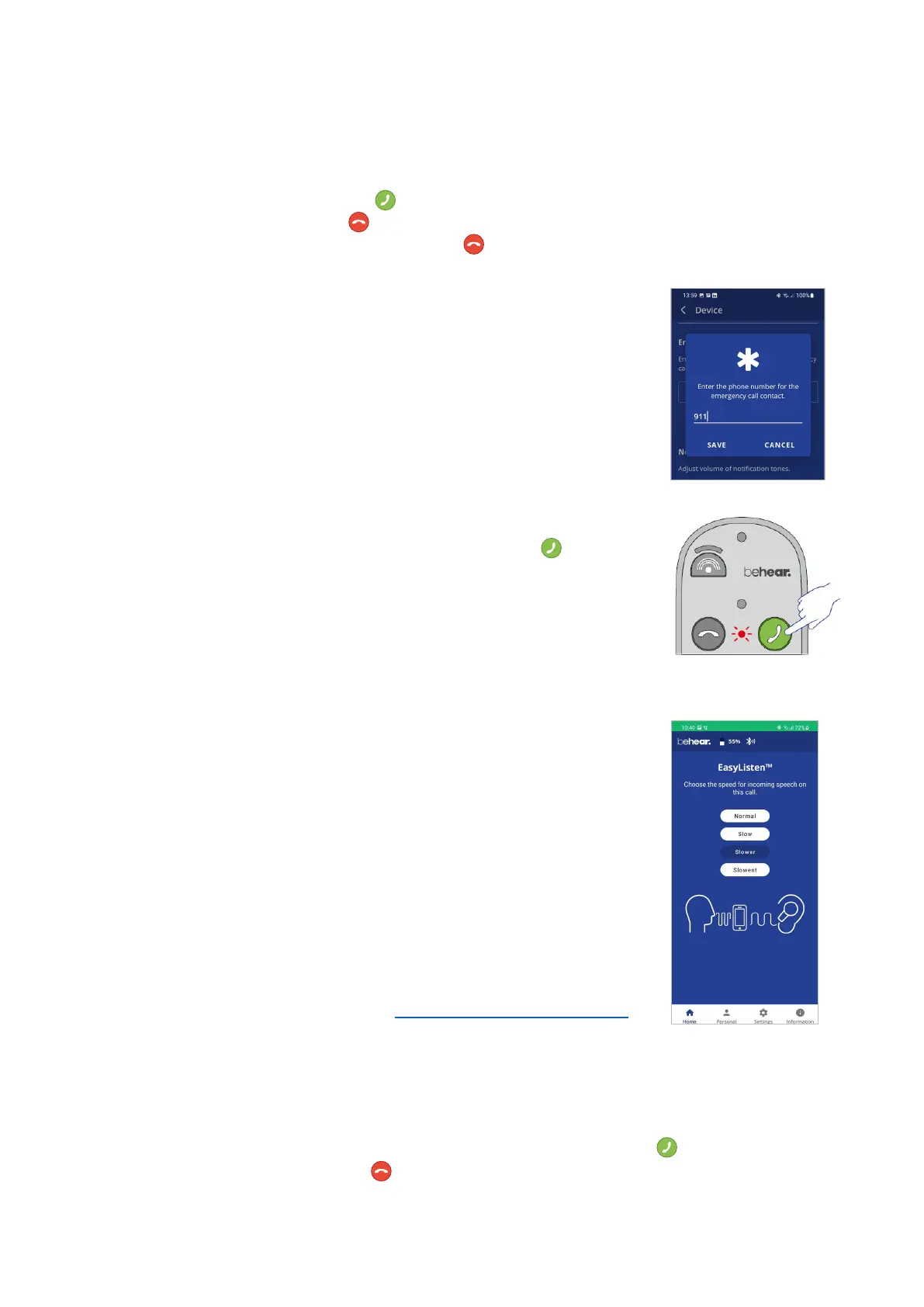
• Use the BeHear app to specify the emergency call number for
BeHear SMARTO. From the “Settings” menu, choose the “Device”
option, and scroll down to the “Emergency Call” section.
• To dial the predefined number press and hold the button until
the notification LED blinks red.
EasyListen™ – Slowing Down Incoming Speech
You can slow down incoming speech for mobile phone calls, making it
more intelligible. The EasyListen function can be controlled from the
BeHear app:
• Once the phone call has been established, bring the BeHear app to
the foreground on your phone.
• Tap the Slow, Slower or Slowest button to activate EasyListen and
set the desired speech tempo.
• Tap the Normal button to deactivate EasyListen. Speech tempo
reverts to normal.
The selected speech tempo is active during the call. Once the current call
is complete the tempo reverts to Normal by default. The default state
can be changed in the app. See the “BEHEAR FEATURES” section for
details.
Listening to Audio
You can listen to audio from your phone or any other paired and connected Bluetooth device
using your BeHear SMARTO amplifier.
• To play an audio source from the connected Bluetooth device press .
• To pause the audio press . When the Bluetooth audio is paused, SMARTO will revert
(after a few seconds) to ambient hearing mode.



 To Next Page