BeHear SMARTO User Manual Page 34 of 41
Product Name: BeHear SMARTO Product No.: ABH-410 Doc. No. BHAUM202206.15
Tone Control
This setting determines the desired pivot point for the tone control.
• LOW sets the pivot point at 1kHz, providing a wider range of treble tuning options.
• MID sets the pivot point at 2kHz.
• HIGH sets the pivot point at 4kHz, providing a wider range of bass
tuning options.
The recommended setting (device default) is MID.
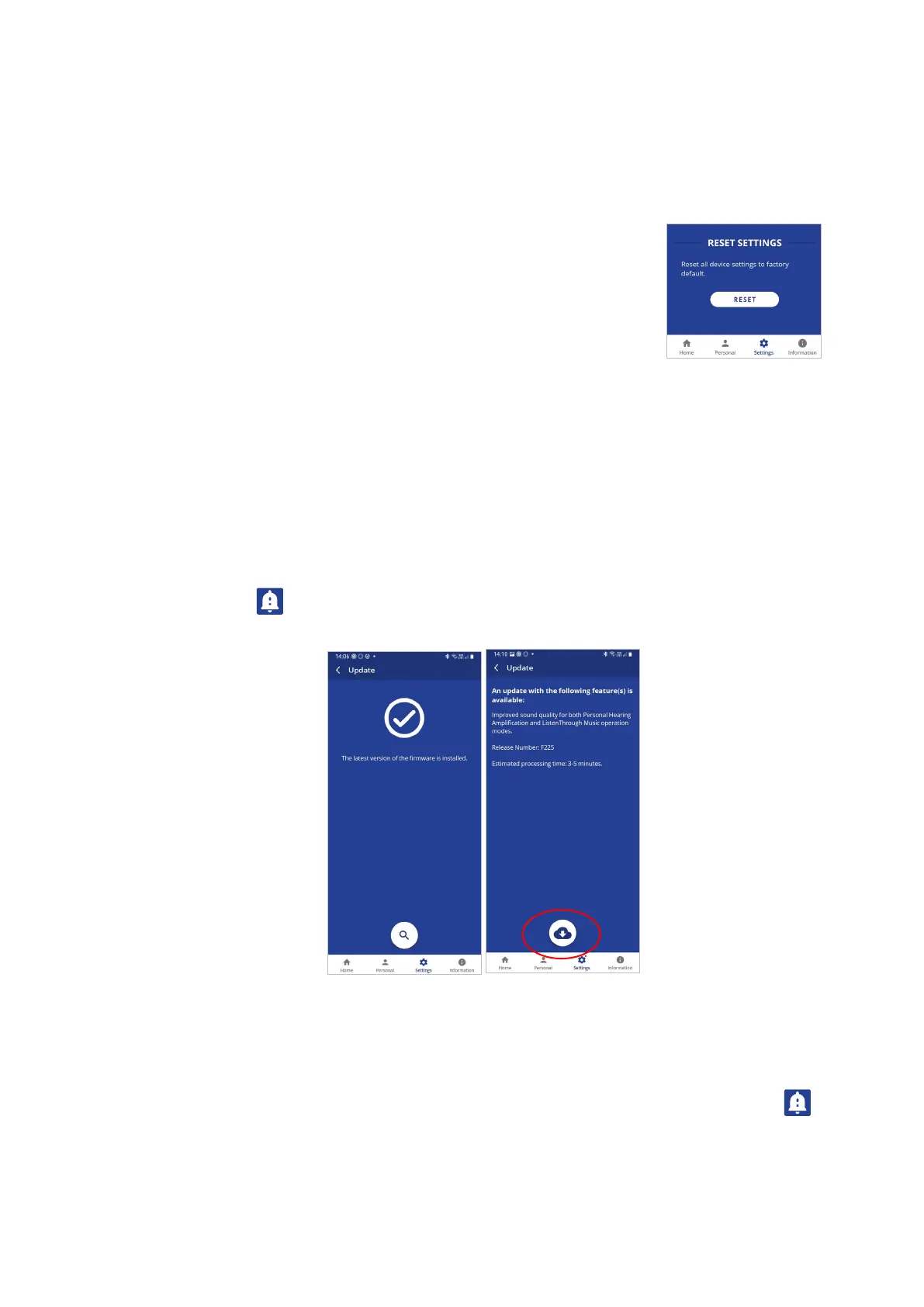
RESET
Reset Settings
Tap the RESET button to restore device defaults to their factor settings.
Update
The app supports firmware updates of the connected BeHear SMARTO amplifier, allowing users
to enjoy its most advanced features.
You can verify the availability of an update manually by checking the Update button in the
Settings screen.
We recommend choosing the Auto option for the Headset Update Check in the Application
section of the Settings to get automatic notification whenever a new update is available. In this
case, this icon will appear in the notification area.
You can learn about the new firmware version prior starting the update.
To initiate the process of downloading the firmware and updating the amplifier tap the
Download icon. The process will last for several minutes during which time the amplifier and
application cannot be used. Normal operation resumes automatically when the update is
complete.
To postpone an update, choose Later or exit the Headset Update screen. The warning icon
will appear at the top of each application screen as reminder to update the firmware. You can
initiate an update any time by tapping the Update button in the Settings screen.



 To Next Page