BeHear SMARTO User Manual Page 33 of 41
Product Name: BeHear SMARTO Product No.: ABH-410 Doc. No. BHAUM202206.15
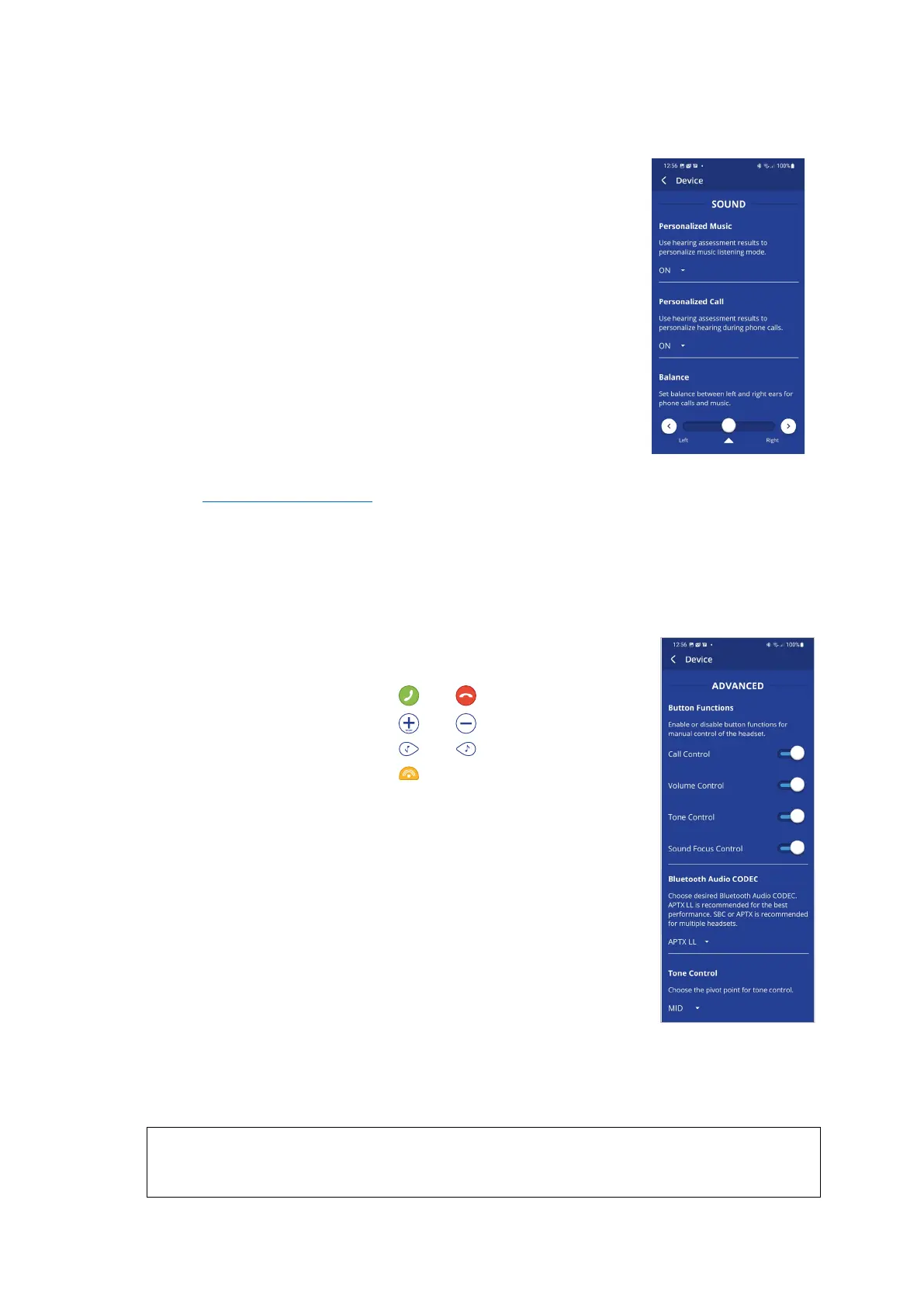
SOUND
Personalized Music
This setting enables or disables sound personalization according to the
hearing assessment results for music listening.
The recommended setting (device default) is ON.
Personalized Call
This setting enables or disables sound personalization according to the
hearing assessment results for mobile calls.
The recommended setting (device default) is ON.
Balance
This control sets the desired amplification balance between left and
right ears.
The setting is applied to the volume control – in addition to the results
of the built-in hearing assessment – and will be active for mobile calls
and music only.
Note: To set the balance for personal hearing mode use the Balance control located in the
Advanced Sound Tuning menu.
Slide the round button to set the desired amplification balance between left and right ears.
Touch the triangle to reset the button in the middle of the slider (returning it to symmetrical
balance).
ADVANCED
Button Functions
This setting locks and unlocks operation of the buttons in the BeHear
SMARTO amplifier separately for all functional groups:
• Call control: and buttons
• Volume control: and buttons
• Tone control: and buttons
• Sound Focus control: button
Setting any function to the ON state enables manual control of the
function using the buttons on the device as described in this manual.
The recommended settings (device defaults) for all the groups is ON.
Bluetooth Audio CODEC
This setting determines the desired Bluetooth audio CODEC – APTX LL
(Low Latency), APTX or SBC.
• APTX LL provides the best performance with minimal latency.
• APTX is similar to APTX LL but the latency is slightly longer.
• SBC is the standard Bluetooth CODEC supported by all devices,
latency is long and not fixed.
Note: Modification of the Bluetooth audio CODEC will initiate a restart of BeHear SMARTO (after
user confirmation).
The recommended setting (device default) is APTX LL.
RECOMMENDATION:
Choose APTX or SBC audio if you experience sound distortion while your Bluetooth device is
connected.



 To Next Page