BeHear SMARTO User Manual Page 11 of 41
Product Name: BeHear SMARTO Product No.: ABH-410 Doc. No. BHAUM202206.15
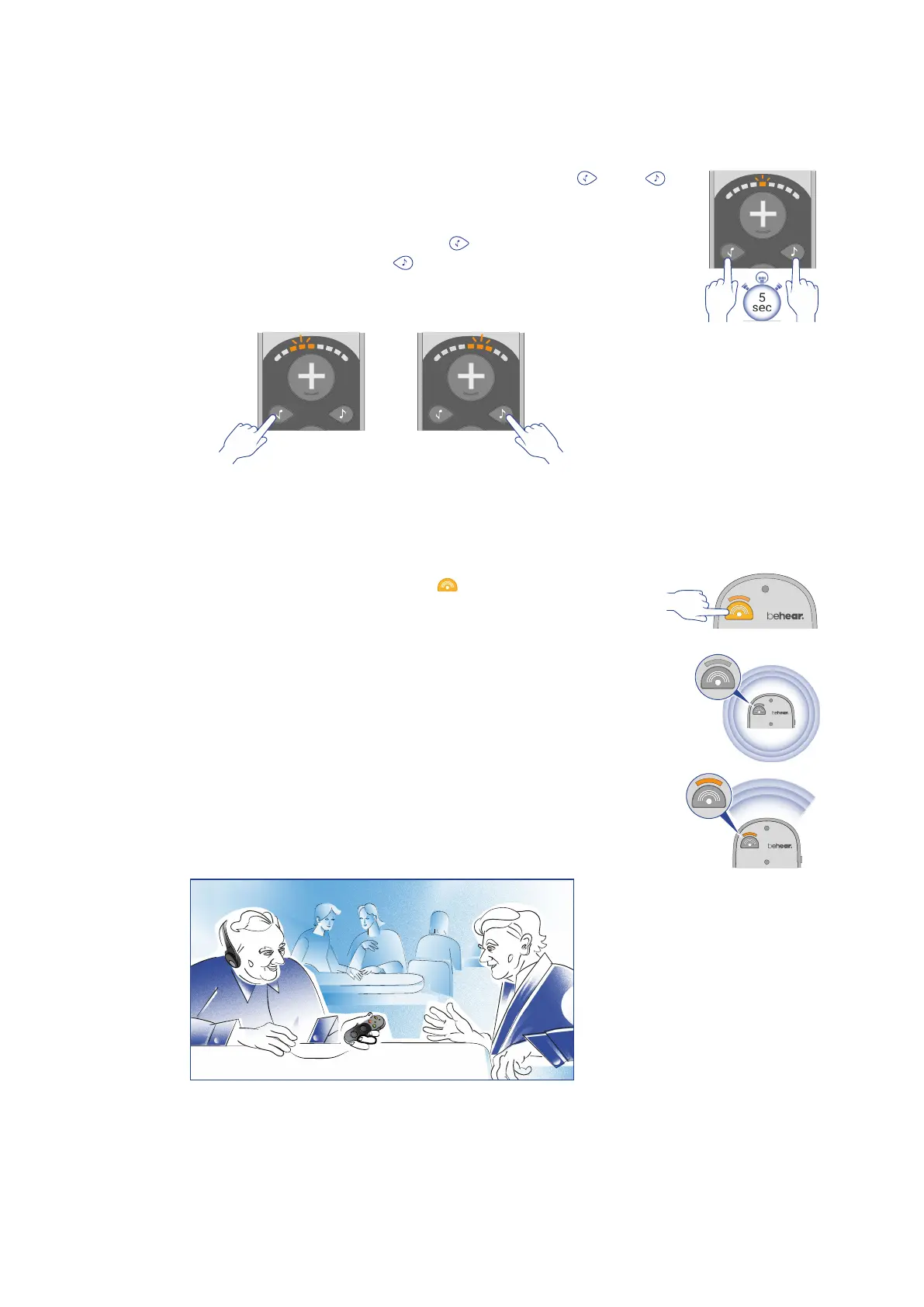
Left/Right Balance
The balance between left and right ears can be modified in BeHear SMARTO.
• To enable the balance control press and hold the buttons and
simultaneously for more than 5 seconds until the sound level indicator
starts blinking.
• While the indicator is blinking press the button to change the balance
to favor the left ear or press the button to change the balance to favor
the right ear. The blinking indication of the sound level indicator will
reflect your choice.
Sound Focus
The microphones of BeHear SMARTO amplifier can operate in two different modes – Omni and
Front.
To toggle between the modes, press the button. When the indicator
light is lit (in amber) SMARTO is in Front mode. When the light is off
SMARTO is in Omni mode.
In Omni mode the SMARTO amplifies nearby sound from all directions.
In Front mode, only sound in front of the unit is amplified, while
background noise is reduced. The user must point SMARTO at the desired
sound source to benefit from this mode.



 To Next Page