BeHear SMARTO User Manual Page 14 of 41
Product Name: BeHear SMARTO Product No.: ABH-410 Doc. No. BHAUM202206.15
Using BeHear SMARTO with Bluetooth
Pairing with Bluetooth Devices
Before you can start using your BeHear SMARTO amplifier with a Bluetooth device (such as a
smartphone, TV set, computer, etc.), you need to pair it with the Bluetooth device. Pairing can
be done in either of two ways:
• Using your smartphone’s (or other device’s) Bluetooth setup process. Make sure the
Bluetooth function is turned on in the Bluetooth device. The amplifier will appear in the list
of available devices as “BeHear SMARTO”.
• Using the BeHear app (which can be downloaded for free from the Google Play Store or the
Apple App Store, see “Installing the Application” later in this manual). After launching the
app and placing the headset into pairing mode (see instructions below), the pairing process
will proceed. Follow to the application’s prompts (see “Connection” below).
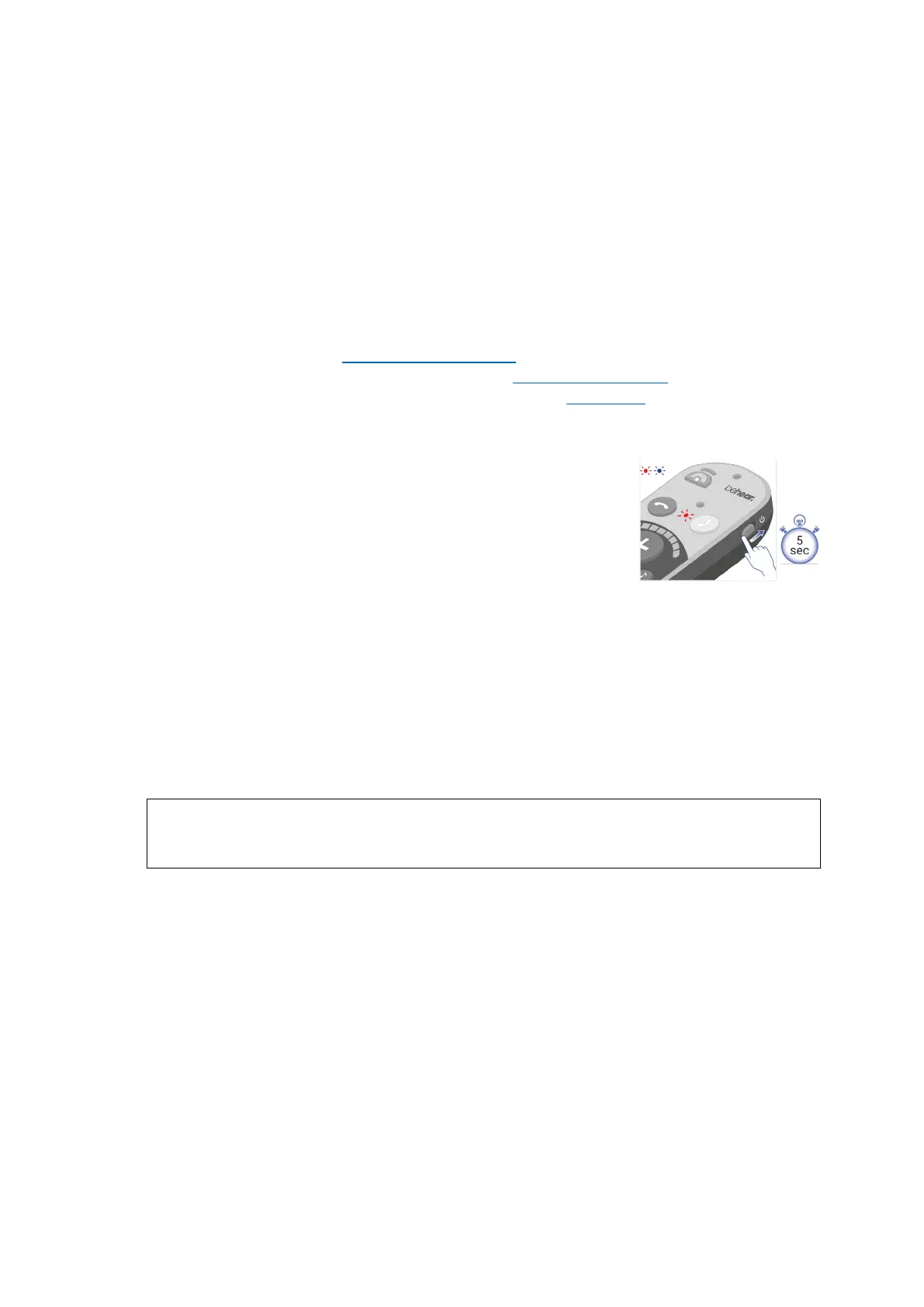
How to Place the BeHear SMARTO amplifier into Pairing Mode
1. Make sure the BeHear SMARTO amplifier is powered OFF.
2. Then, shift and hold the power switch for up to 5 seconds, until
the notification LED alternates red/blue.
3. When the pairing is complete the BeHear SMARTO amplifier will
be connected to the Bluetooth device automatically, as
indicated by the blue LED which blinks periodically every 5
seconds.
Connecting with Bluetooth Devices
Automatic Connection of Paired Bluetooth Devices
BeHear SMARTO remembers and can connect automatically with the last connected device.
Note: When you pair and connect BeHear SMARTO with a second device, the first paired device
becomes disconnected.
RECOMMENDATION:
If a long time has passed between uses, shift the BeHear SMARTO Power switch up briefly to
initiate reconnection to the paired smartphone.



 To Next Page