BeHear SMARTO User Manual Page 9 of 41
Product Name: BeHear SMARTO Product No.: ABH-410 Doc. No. BHAUM202206.15
Getting Started
Using the Headset
Choosing the Headset
Choose one of the two supplied headsets you want to use with BeHear SMARTO – in-ear or on-
ear. When significant sound amplification is required the in-ear headset with properly selected
ear buds is the most effective option. The on-ear headset is generally more comfortable for
longtime wear.
Personal sound adjustments applied to BeHear SMARTO may vary depending on the type of the
headset used. If you choose to customize BeHear SMARTO via the BeHear app, be sure to
perform the Hearing Assessment using the type(s) of headset that will be worn.
Note: For best results, we recommend using BeHear SMARTO only with the supplied headsets.
They contain components which are used to optimize the user’s hearing experience.
Connecting the Headset
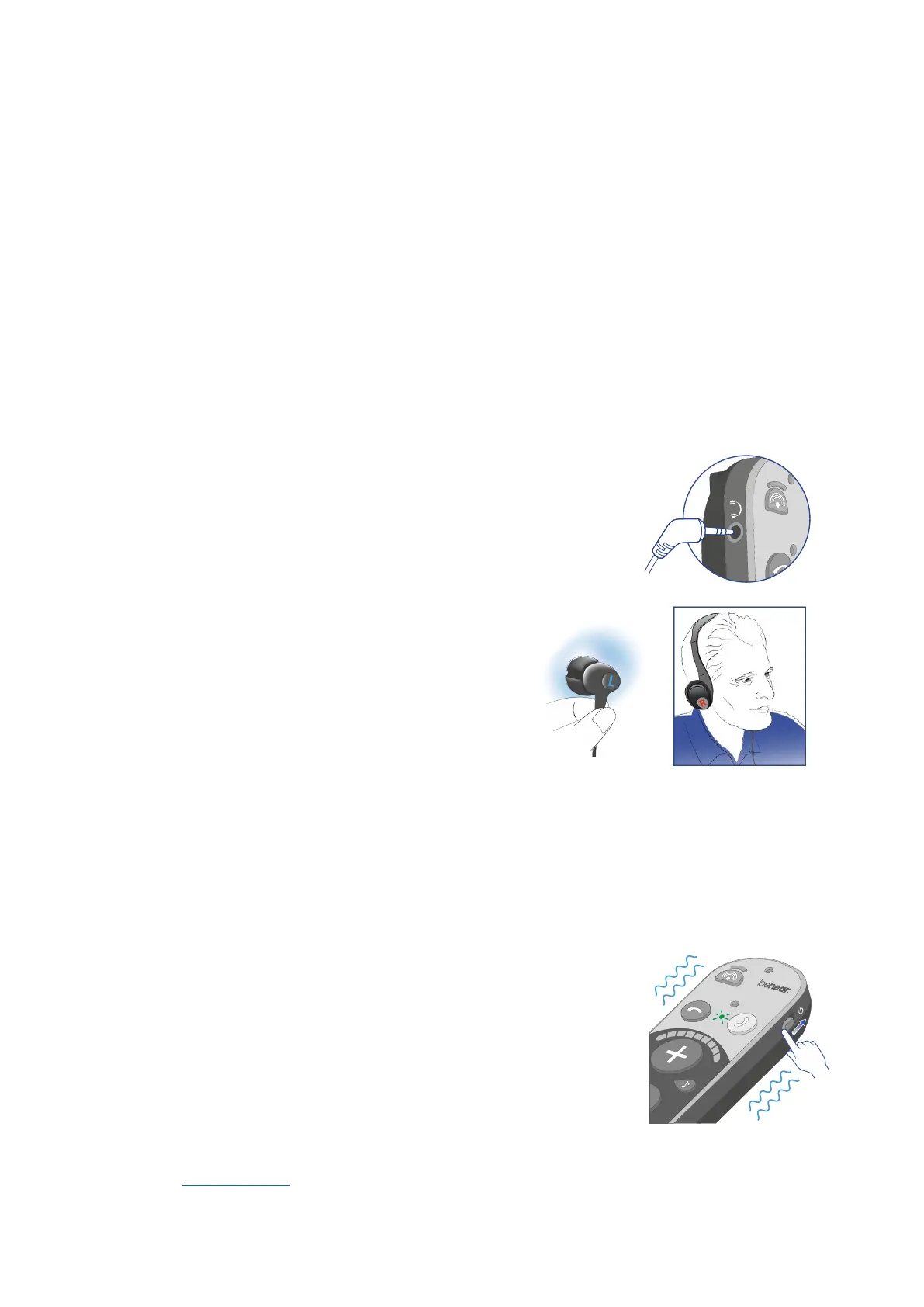
Insert the headset plug firmly into the amplifier.
Putting on the Headset
Both the on-ear and in-ear earphones are marked
with “L” and “R”. The side marked “L” is for the left
ear, and the side marked “R” is for the right ear.
Proper earphone placement is critical to
determining the direction of incoming sounds.
Choosing the Best Ear Buds for Your Ears
The in-ear headset of your BeHear SMARTO amplifier comes with two
shapes of silicone ear buds: open fit “tulip” (factory-installed) and mushroom (supplied in three
sizes). The pre-installed “tulip” ear bud is recommended for longtime wear. However, if the
buds do not fit snugly and comfortably in your ears you should remove the silicone covers from
the earpieces and try different mushroom-type options.
Turning the Amplifier ON and OFF
To turn on BeHear SMARTO:
Shift and hold the Power switch until the unit vibrates and the main
LED turns green. Release the switch, which will return to its original
position automatically.
To turn off BeHear SMARTO:
Shift and hold the Power switch until the unit vibrates and the main
LED turns red. Release the switch, which will return to its original
position automatically.
Note: The vibration option can be disabled by changing a setting in the BeHear application. See
the NOTIFICATIONS section of this manual for details.



 To Next Page