BeHear SMARTO User Manual Page 32 of 41
Product Name: BeHear SMARTO Product No.: ABH-410 Doc. No. BHAUM202206.15
Device Settings
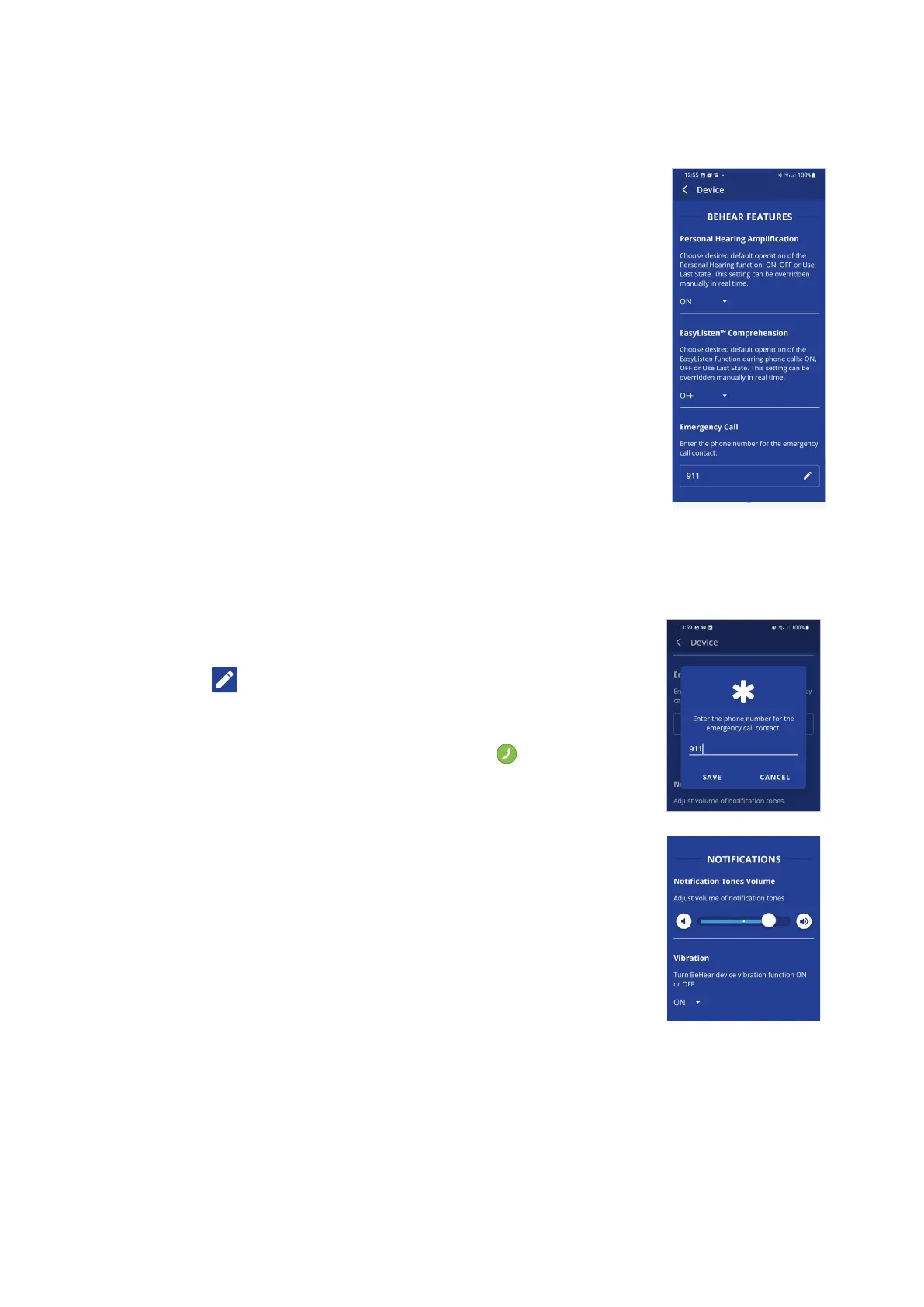
BEHEAR FEATURES
Personal Hearing Amplification
This setting defines the automatic activation behavior for the Personal
Hearing function:
• ON – automatically turned on when there is no active phone call or
music/audio playback
• OFF – automatically turned off when there is no active phone call or
music/audio playback
• Last State – automatically turned on or off according to the last actual
state of the device before handling a call or playing a music/audio
The function can be turned on or off manually in real time by moving the
slider on the Personal Hearing screen in the application to the left-most
position.
The recommended setting (device default) is ON.
EasyListen™ Comprehension
This setting defines the automatic activation behavior for the EasyListen
function of slowing down speech tempo during phone calls, as follows:
• ON – automatically turned on when the mobile call starts
• OFF – automatically turned off when the mobile call starts
• Last State – automatically turned ON or OFF according to the last choice during the previous
mobile call
The recommended setting (device default) is OFF.
Emergency Call
Tap the icon to open the input screen for the emergency phone call
number.
Tap SAVE to store the number in BeHear SMARTO. The number will be
dialed automatically by pressing and holding the button.
NOTIFICATIONS
Notification Tones Volume
This control sets the desired volume of the notification tones by touching
the round button and dragging it left (softer) or right (louder).
Vibration
This setting controls vibration notification behavior in the BeHear
SMARTO amplifier for the following events:
• Headset power on and power off
• Bluetooth pairing connection/disconnection
• Connecting to the charger
• Incoming call (synchronized with call tone)
The recommended setting (device default) is ON.



 To Next Page