BeHear SMARTO User Manual Page 17 of 41
Product Name: BeHear SMARTO Product No.: ABH-410 Doc. No. BHAUM202206.15
Advanced Sound Tuning
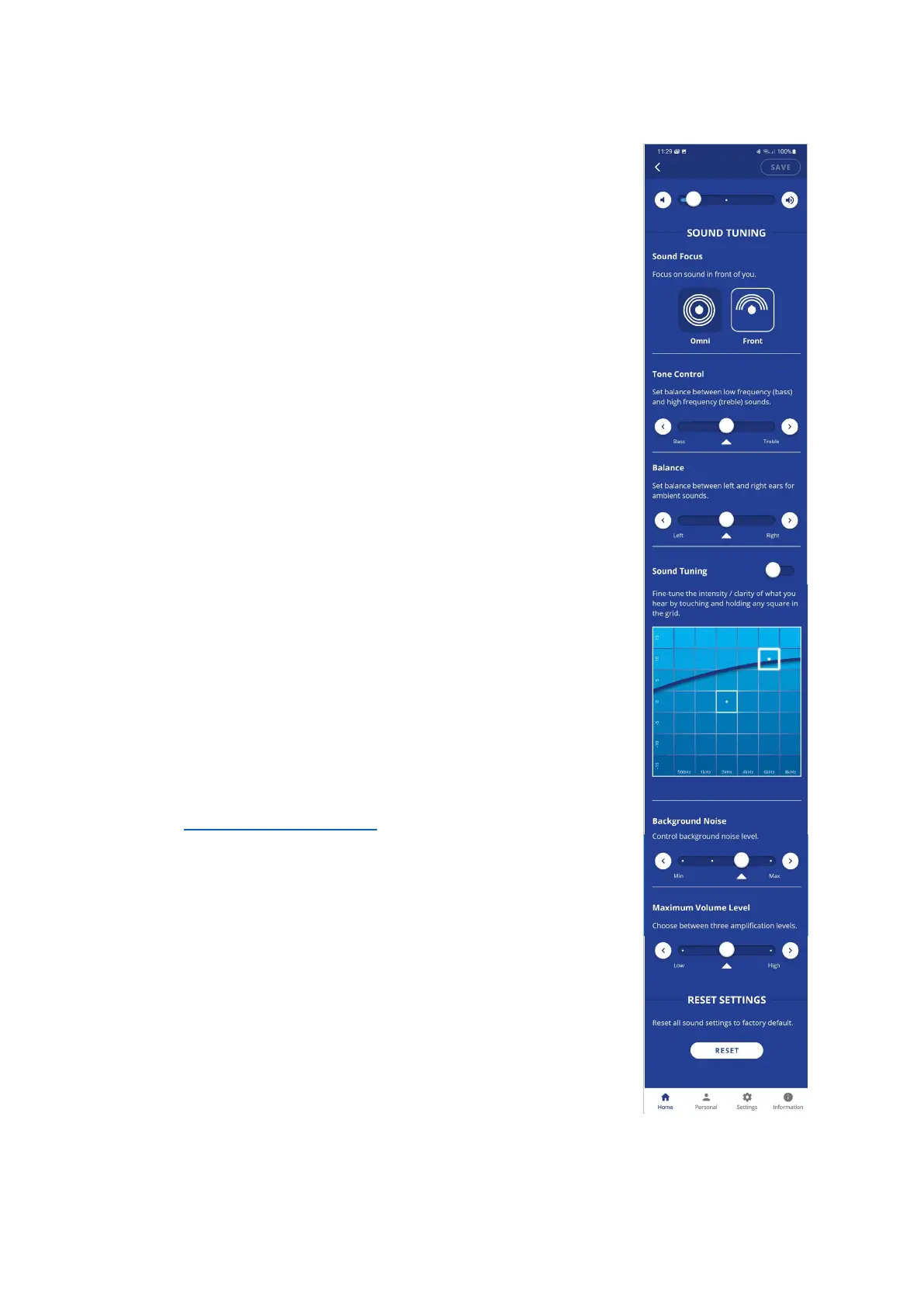
Configurable sound tuning parameters can be applied to BeHear
SMARTO.
• The Sound Focus control allows you to restrict the amplification
of ambient sounds reaching your ears to a limited angle in front
of you. Limiting the angle improves speech intelligibility, reduces
background noise, and attenuates the voice of the user.
Tap the relevant button to set the desired sound focus (Omni –
no limitation, Front – 180◦).
• Set the balance between low frequency (bass) and high
frequency (treble) sounds by touching the round button on the
Tone Control scale and dragging it left to favor bass or right to
favor treble.
• Set the desired Balance between left and right ears for ambient
sounds by touching the round button on the scale and dragging
it Left or Right.
• To find the most comfortable listening level for the current
environment, activate the Sound Tuning option by sliding the
round button to the right.
Then, touch and hold a square in the Sound Tuning grid with your
finger until you feel the vibration. Wait for 1-2 seconds until the
change is applied (a white frame will appear around the relevant
square). Repeat this with other squares to find the position
where the hearing is most pleasant to your ears. The Y axis
represents changes in amplification (from low at the bottom to
high at the top) and the X axis represents different sound
frequencies. The dark blue arc indicates the effect of your choice
on the amplification level for all the frequencies in the grid.
• Control the level of Background Noise by touching the round
button on the scale and dragging it left (Min) or right (Max).
• Set one of the three available ranges of maximum volume (Low,
Mid or High). For more information about this setting, see the
Set Maximum Volume Level section in this manual.
Save and Reset Settings
• Save your changes by tapping SAVE or restore the factory
defaults by tapping RESET.



 To Next Page