BeHear SMARTO User Manual Page 28 of 41
Product Name: BeHear SMARTO Product No.: ABH-410 Doc. No. BHAUM202206.15
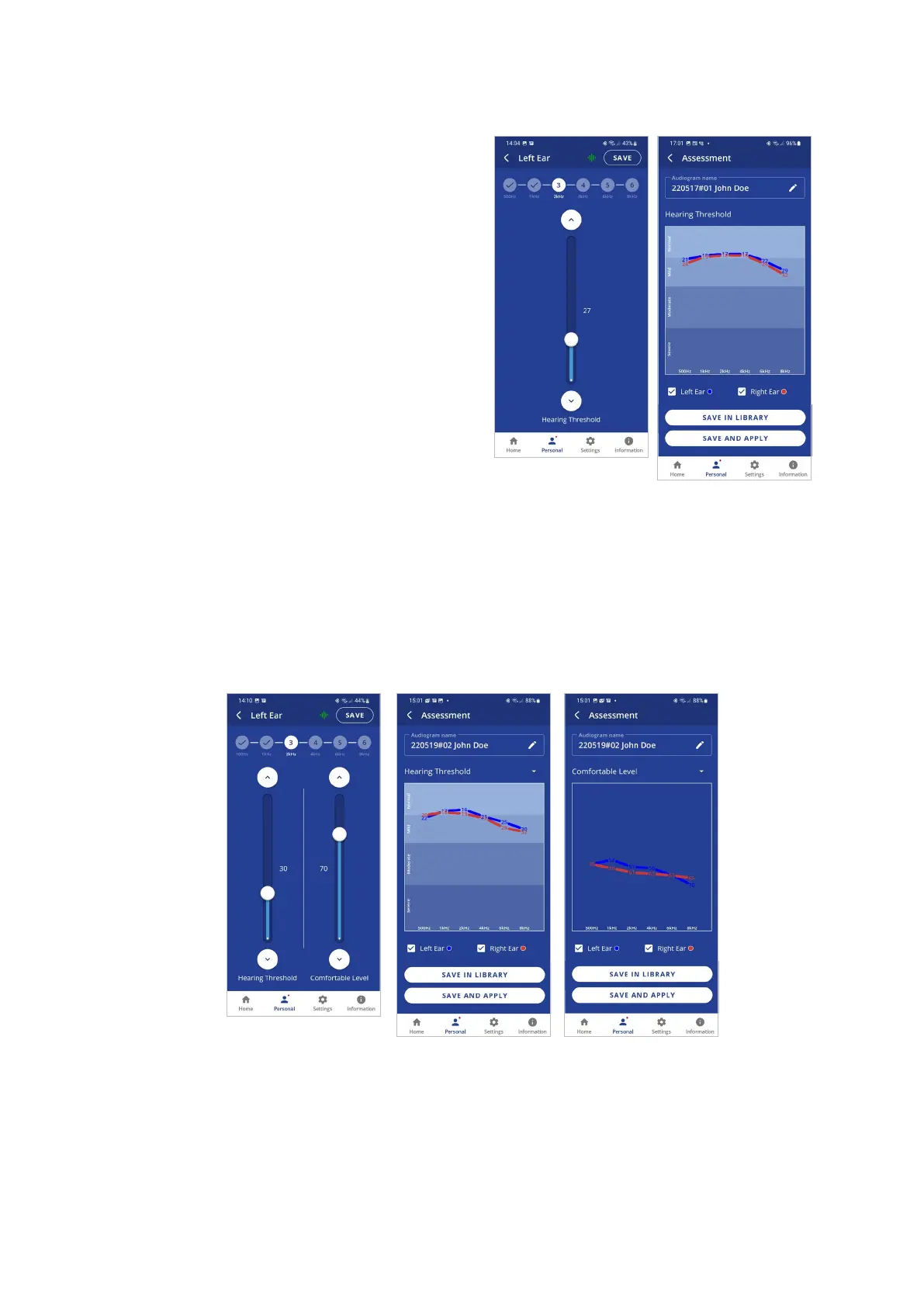
If the Basic assessment has been selected in
the Device Settings:
• The assessment screens contain a single
slider.
• In order to progress with the assessment,
you must tap SAVE (at the right top
corner of the screen) after setting the
slider for each frequency.
• The assessment results shown after
completing the assessment display a
single chart for the hearing threshold
results (for both ears).
If the Advanced assessment has been selected in the Device Settings:
• The assessment screens contain two sliders.
• In order to progress with the assessment, after setting the slider for each frequency you
must tap SAVE (at the right top corner of the screen). The assessment results shown after
completing the assessment display two charts, one for Hearing Threshold and the other
for Comfortable Level. To display the relevant results, tap the chart name.
To save the assessment results and apply them to the headset:
• Tap SAVE IN LIBRARY to store the results in the app library. These results may be retrieved
and applied to the headset later. The file name is created automatically.
• Tap SAVE AND APPLY to store the results in the app library and apply the personalized
parameters to the connected BeHear SMARTO amplifier.
• Choose APPLY NOW in the notification dialog to apply the results to the BeHear SMARTO
amplifier. The amplifier will restart automatically.



 To Next Page