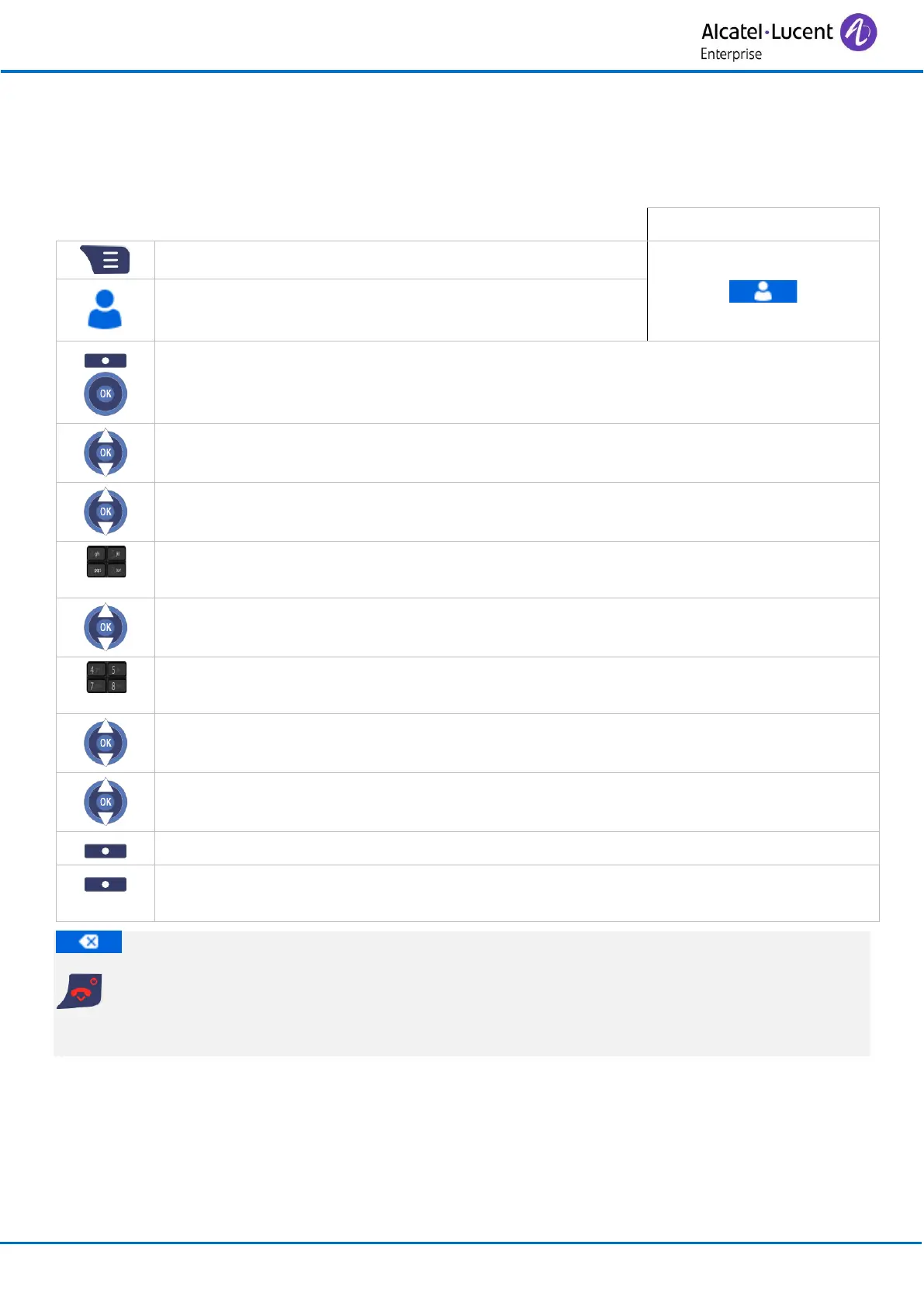
3.18 Programming your personal directory
Your directory can contain up to 50 numbers.
3.18.1 Add new contact
• More (or press the ‘OK’ key).
• Enter the name (24 characters maximum).
• Press the 'OK' key to apply (or Save).
• Select the type of contact
Work: / Mobile: / Home: / Other:
• Enter the number (24 digits maximum).
• Press the 'OK' key to apply (or Save).
• Define a melody for this contact (optional).
• Press the 'OK' key to apply (or Select).
• Yes
The contact is added to your personal directory.
To delete a character, briefly press the delete key.
Cancel the operation.
For more details about the alphanumeric keypad, see chapter: Alphanumeric keypad.



 To Next Page