Registering the telephone
4 Registering the telephone
4.1 Easy registration
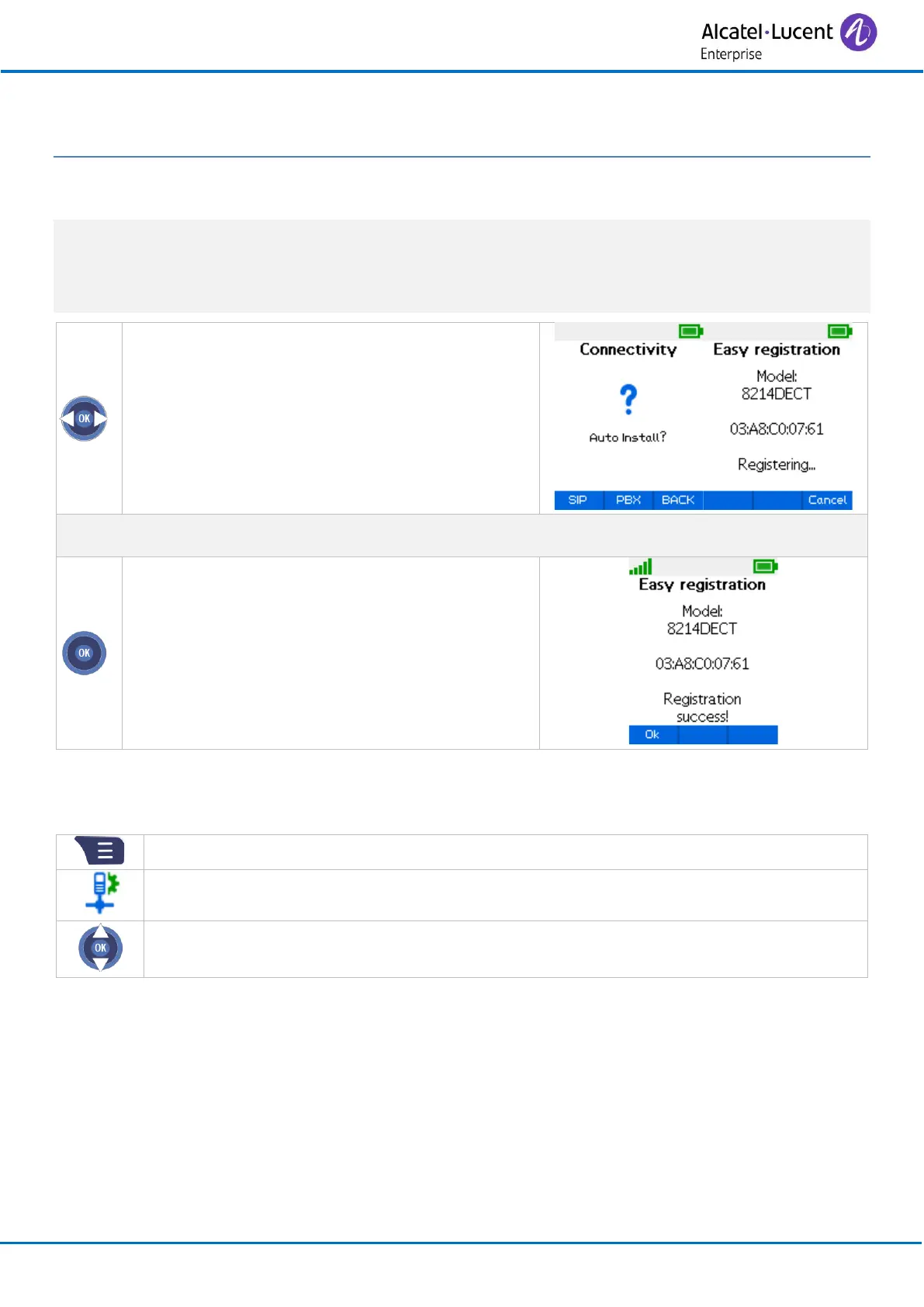
Your handset is not registered on any system if the following text is displayed: Auto install?.
If the handset is already registered on another system, you will have to deregister it before re-
registering on your system.
The base station should be ready to register a new handset.
• Auto install?
• Confirm (press the OK key/SIP)
• Registration can begin: Registering…
Select the new handset on the base station and register the handset.
• If the operation has been done correctly, the
following text will be displayed on the screen:
Registration success !
• Confirm (press the OK key)
• The handset is ready to be used and the
radio reception quality icon is displayed.
Easy registration is accessible from the connectivity menu:



 To Next Page