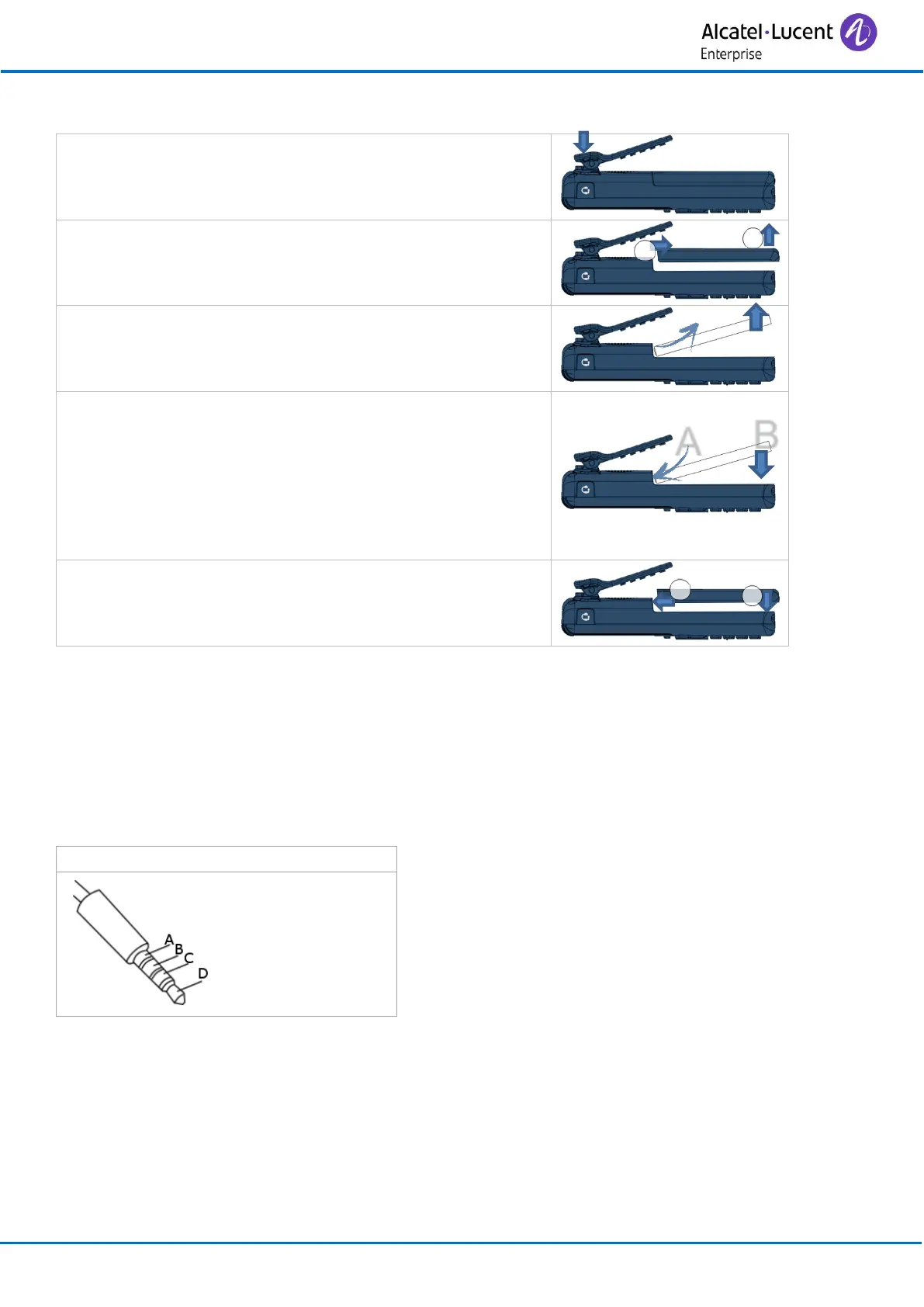
5.7.4 Place or remove the battery in the telephone
If the belt clip is installed, you must lift it up and maintain
it in this position during the battery installation or
replacement.
To remove the battery: Lift the battery out of the
compartment.
Inserting the battery:
• Position the battery 'connectors ' side as shown in
the drawing (A).
• Terminate the installation of the battery in its
compartment by pressing as shown in the drawing
(B).
5.8 Headphone / external microphone
The side of the telephone features a 3.5 mm jack connector for headphone / external microphone.
Contact your retailer for information on the various headphone models available.
The jack is protected by a cover. Lift the cover to plug in the jack connector. The jack connector is a
3.5 mm, 4-pole jack (TRRS standards: CTIA).
Jack connector - CTIA standards



 To Next Page