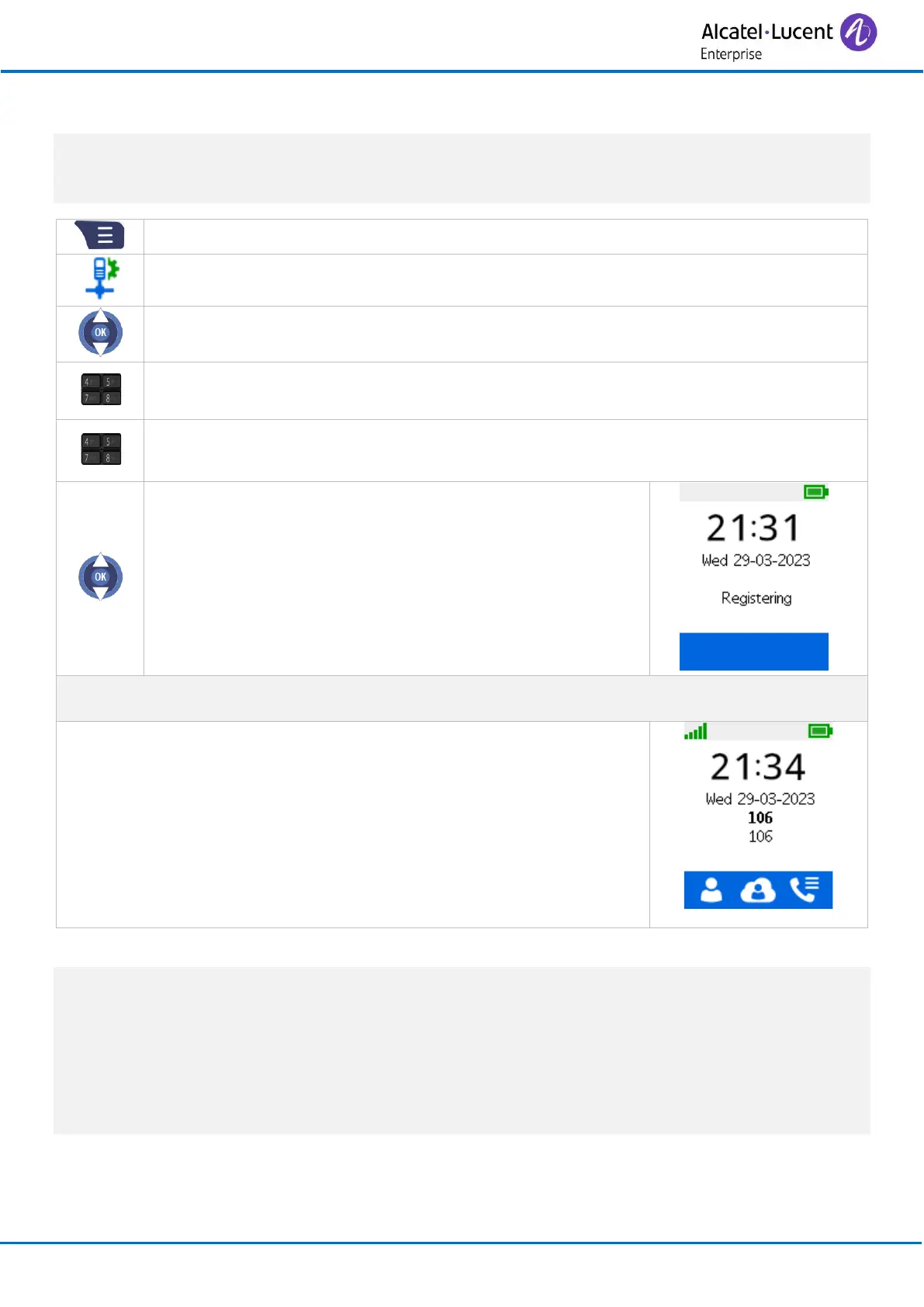
Registering the telephone
4.2 Registering your telephone using the connectivity menu
If the handset is already registered on another system, you will have to deregister it before re-
registering on your system.
The base station should be ready to register a new handset.
• Enter the PIN Code (default code: 0000).
• Apply (Ok).
• Enter access code (Enter nothing if not mandatory).
• Apply (Ok).
• SIP MODIC
Select this mode if your phone is connected to an
8328 SIP-DECT Single Base Station.
• Apply (Ok).
• Registration can begin: Registering …
Select the new handset on the base station and register the handset.
If the operation has been performed correctly, the homepage will be
displayed.
The handset is ready to be used and the radio reception quality icon is
displayed.
During registration phase, to improve security and optimize registration in a multi-system
environment, the handset enforces a minimum signal strength level to accept to register to a base
station. To achieve the conditions, it is recommended to perform registration in a place where a
base station is in direct visibility within a 20 m range. If base station is not visible the range shall be
lowered.
During registration phase in a multi-system environment, all systems are scanned without priority.
The system is selected when the signal strength is above a certain level and registration matches.



 To Next Page