8212 DECT Handset
Quick guide
www.al
-enterprise.com
821
4 DECT Handset
SIP
Quick guide
Visit our website for more information and documents in other languages: https://www.al-enterprise.com/products. The Alcatel-Lucent name and logo are trademarks of Nokia used under license by ALE.
© Copyright 2023 ALE International, ALE USA Inc. All rights reserved in all countries. 8AL91453ENAA ed01.
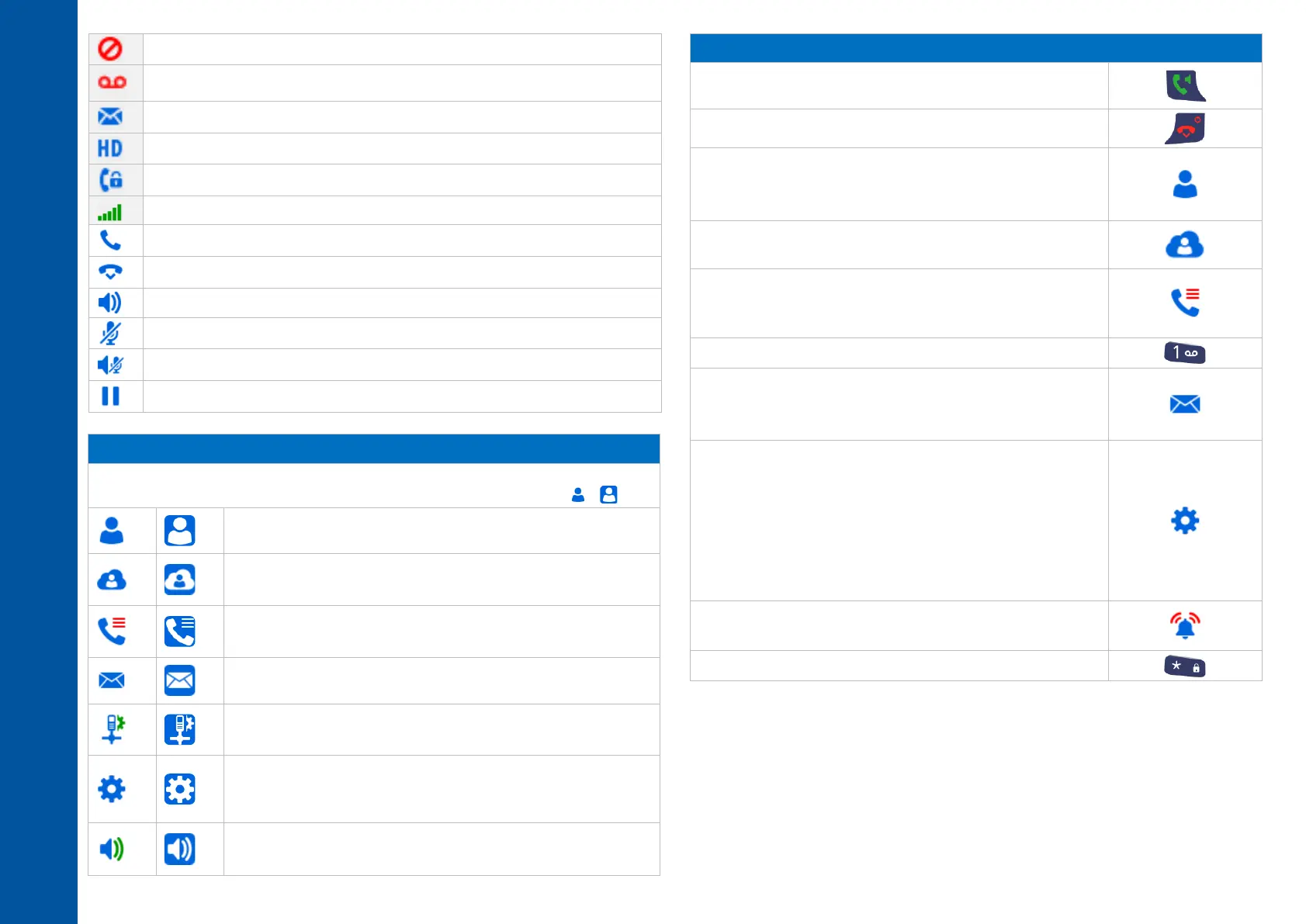
Do not disturb activated.
High-definition audio quality.
Radio reception quality - Normal power mode.
Making a call/Receiving a call.
Loudspeaker on (in conversation).
Mute the audio (in conversation).
Mute on when loudspeaker is active (in conversation).
Call on hold (in conversation).
It provides access to all the functions available on your system.
When selected, the icons are displayed in white on a blue background: → .
Contacts:
Manage your personal directory.
Central directory:
Access the company directory.
Call log:
Access the call log.
Messaging:
Consulting your voice mailbox.
Install:
Installation settings (password protected).
Settings:
Access the general settings such as time and date, language,
key programming, etc.
Ring:
Access the ringing, key sound and warnings settings.
Answered incoming calls.
Send the call.
Calling from your personal directory.
Programming your personal directory.
Add new contact/Modify a contact/Deleting a contact.
Calling your caller by name (company directory).
Call from call log (All incoming, outgoing, missed or
unanswered calls are displayed in the call log).
Manage the call log.
Consulting your voice mailbox (long press).
Consulting text messages.
Sending a text message to an internal contact.
Delete a text message.
Choice of language.
Forward your call to another number.
Do not disturb feature.
Change the PIN Code.
Automatic keylock.
LED management.
Access the handset settings menu (Device info., Security,
Auto answer, Reset settings, …).
Choose the tune.
Adjusting the ringer volume.
Locking features on your terminal (long press).



 To Previous Page