EasyManua.ls Logo

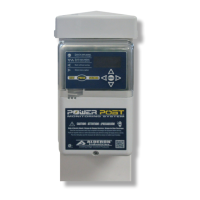
Alderon Industries Mini Power Post MPMS-0001 - User Manual

Alderon Industries Mini Power Post MPMS-0001
36 pages
Print Icon
To Next Page IconTo Next Page
Loading...
USER GUIDE
MODEL NUMBERS:
MPMS-0001
MPMS-0002
Mini Power Post
Monitoring System
Pump Connection Center | Demand Dose
Alderon Industries™ | Patent Pending

Other manuals for Alderon Industries Mini Power Post MPMS-0001

Questions and Answers

  • C
    catherinemillerAug 5, 2025
    Why is my Alderon Industries Measuring Instruments pump running continuously?
    • S
      Samantha WellsAug 6, 2025
      If the pump is running continuously, it might be due to a few reasons. First, ensure the pump float switch is free and properly tethered. If the switch is old, the contacts may be stuck shut, requiring replacement. Another possible cause is a broken discharge pipe, which should be repaired or replaced.
  • S
    Stephen HowardAug 11, 2025
    What to do if Alderon Industries Measuring Instruments pump is drawing high amps?
    • L
      Larry BerryAug 11, 2025
      If the pump is drawing high amps, it could be due to damage or blockages. Check the pump for any damage and service or replace it if necessary. Also, inspect for any blockages and clear them to allow the pump to operate normally.
  • H
    hammondstevenAug 18, 2025
    What to do if Alderon Industries Measuring Instruments pump is not drawing amps?
    • P
      perezmaryAug 18, 2025
      If the pump is not drawing amps, it might be due to a few reasons. First, check the pump for any damage and service or replace it if necessary. Also, make sure the pump float switch is free and properly tethered. If the pump switch is old, consider replacing the pump float switch because the contacts could be stuck open.
  • E
    Eric MccallAug 25, 2025
    How to troubleshoot Alderon Industries Measuring Instruments when green LEDs are not turning on?
    • D
      Dawn BrownAug 25, 2025
      If the green LEDs on the enclosure are not turning on during the initial setup, it could be due to power issues or the LED turn off feature being activated. Check if the unit is plugged in and ensure the receptacle has power and the circuit breaker isn't tripped. If there was a power loss, the OLED screen will display 'PWR LOSS ALARM'. Also, check the programming to ensure the LED on and off feature is not activated.
  • J
    Jerry JohnsonAug 30, 2025
    What to do if white and cyan LEDs are alternating on Alderon Industries Measuring Instruments?
    • L
      lori33Aug 30, 2025
      If the white and cyan LEDs are alternating, no text is on the OLED screen, and the alarm buzzer isn't working, ensure the ribbon connecting the faceplate to the main circuit board is secure. If the error persists after checking the ribbon, consult the factory.

Summary

Introduction

Safety Guidelines

Crucial safety instructions for proper installation and use of the system.

System Guidelines

Recommendations for customizing system operation per application.

Product Included

Additional Options

Lists optional components like alarm panels and float switches.

Features

Product Features Overview

Detailed breakdown of the Mini Power Post's components and indicators.

Installation

Installing Post

Steps for physically installing the post into the ground.

Installing Alderon Riser Connection Kit

Instructions for attaching the riser connection kit to the post.

Wiring

Installing Wire into Wago Connectors

Guide on using Wago connectors for wire terminations.

Testing

Test Alarm LEDs

Procedure for testing the system's alarm LEDs.

Test Pump and Pump Float Switch

Procedure for testing the pump and its float switch functionality.

Recommended System Settings

Recommendations for adjusting system settings for optimal operation.

Test Weekly

Guidance on performing regular weekly tests for system functionality.

Final Installation

Install Bottom Cover

Steps to reattach the bottom enclosure cover after installation.

Install Post Cap

Instructions for securing the post cap after installation.

Basic System Functions

System Power, Menu, and Event Displays

Overview of system power states, menu access, and display events.

Pump Run and Total Gallons Pumped

Pump Run Details

Information on pump run counters, elapsed time, amp detection, and settings.

Pump Run - Total Gallons Pumped (TGP)

Details on tracking total gallons pumped and GPM settings.

Pump Alarms

Extended Pump Run Alarm

Details on the extended pump run alarm and its statistics.

High Amp Alarm

Information on the high amp alarm and its statistics.

Auxiliary Alarms

Power Loss Alarm

Explanation of the power loss alarm event and its counter.

System Functions, Events, Statistics, Settings, and Menu

Basic System Functions and Event Displays

Lists system functions, displayed text, and LED indicator colors for events.

Statistic Value Displays

Charts showing how amp and elapsed time statistical data is displayed.

Product Label Examples

Menu Legend and Keypad

Explanation of menu buttons and navigation symbols.

Test Pushbutton Operation

How to use the test pushbutton for system tests.

Menu System

Main Menu Navigation

Overview of blank, system normal, and main menu screens.

Menu Structure Overview

Details the main menu categories: Resettable History, Settings, Lifetime History, Model/Firmware.

Resettable History Menu

Lists available resettable history stats: Pump Run, Extended Pump Run, High Amp, Pump Float, Power Loss.

System Settings Configuration

Details settings for password, LEDs, pump run time, high amp level, and GPM.

Lifetime History Menu

Lists available lifetime history stats: Pump Run, Extended Pump Run, High Amp, Pump Float, Power Loss.

Event Displays

Shows examples of text displayed on the OLED screen for various system events.

Resettable History Statistics

Pump Run Stats

Detailed resettable statistics for pump run events, including amps, time, and gallons.

Extended Pump Run Stats

Detailed resettable statistics for extended pump run events.

High Amp Stats

Detailed resettable statistics for high amp events, including amps and elapsed time.

Pump Float Stats

Resettable statistics for pump float events, focusing on event counter.

Power Loss Stats

Resettable statistics for power loss events, focusing on event counter.

Lifetime History Statistics

Pump Run Stats

Detailed lifetime statistics for pump run events, including amps, time, and gallons.

Extended Pump Run Stats

Detailed lifetime statistics for extended pump run events.

High Amp Stats

Detailed lifetime statistics for high amp events, including amps and elapsed time.

Pump Float Stats

Lifetime statistics for pump float events, focusing on event counter.

Power Loss Stats

Lifetime statistics for power loss events, focusing on event counter.

General Operation

Septic Tank Monitoring Setup

Typical Setup Diagram

Illustrates a typical septic tank monitoring setup with the system and accessories.

Troubleshooting

Common Problems and Solutions

Lists common issues, their probable causes, and recommended solutions.

Specifications

Model Number Nomenclature

Warranty Information

Three-Year Limited Warranty

Details the limited warranty terms, exclusions, and claim procedures.

Company Information

Alderon Industries Mini Power Post MPMS-0001 Specifications

General IconGeneral
BrandAlderon Industries
ModelMini Power Post MPMS-0001
CategoryMeasuring Instruments
LanguageEnglish

Related product manuals