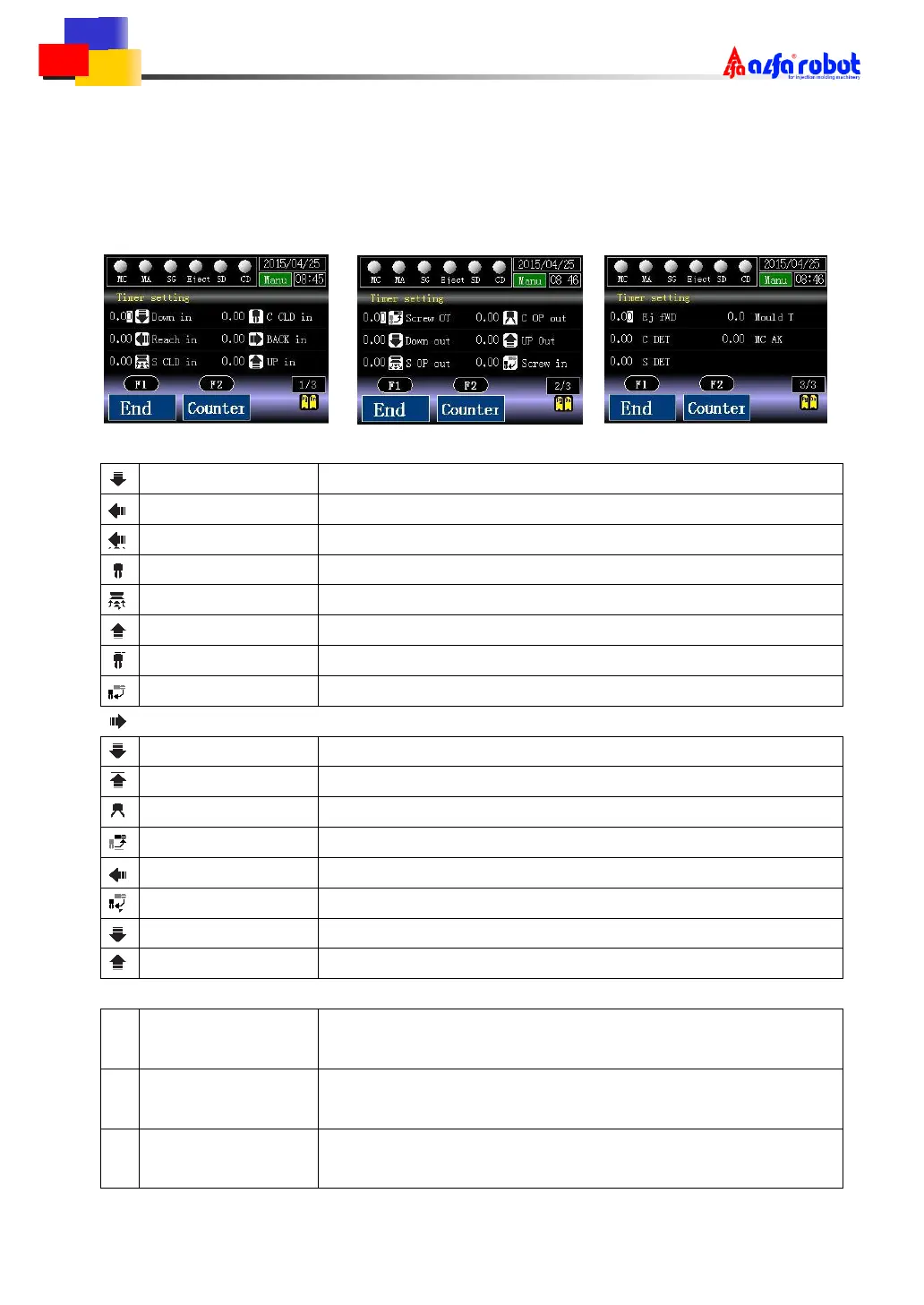
6.4 Timer Setting
There are 3 pages in the timer screen in which each timer can be set.
Press [PgDn] to jump to the next page.
Descend in action delay timer
Reach in action delay timer
S closed in action delay timer
C closed in action delay timer
Retract in action delay timer
Ascend in action delay timer
Screw out action delay timer
Screw in action delay timer
Descend out action delay timer
S open out action delay timer
C open out action delay timer
Ascend out action delay timer
Reach out action delay timer
Retract out action delay timer
Use at the second time in repeatedly descending
Use at the second time in repeatedly ascending
Eject forward
action delay timer
C detect monitor
action delay timer
S detect monitor
action delay timer



 To Next Page