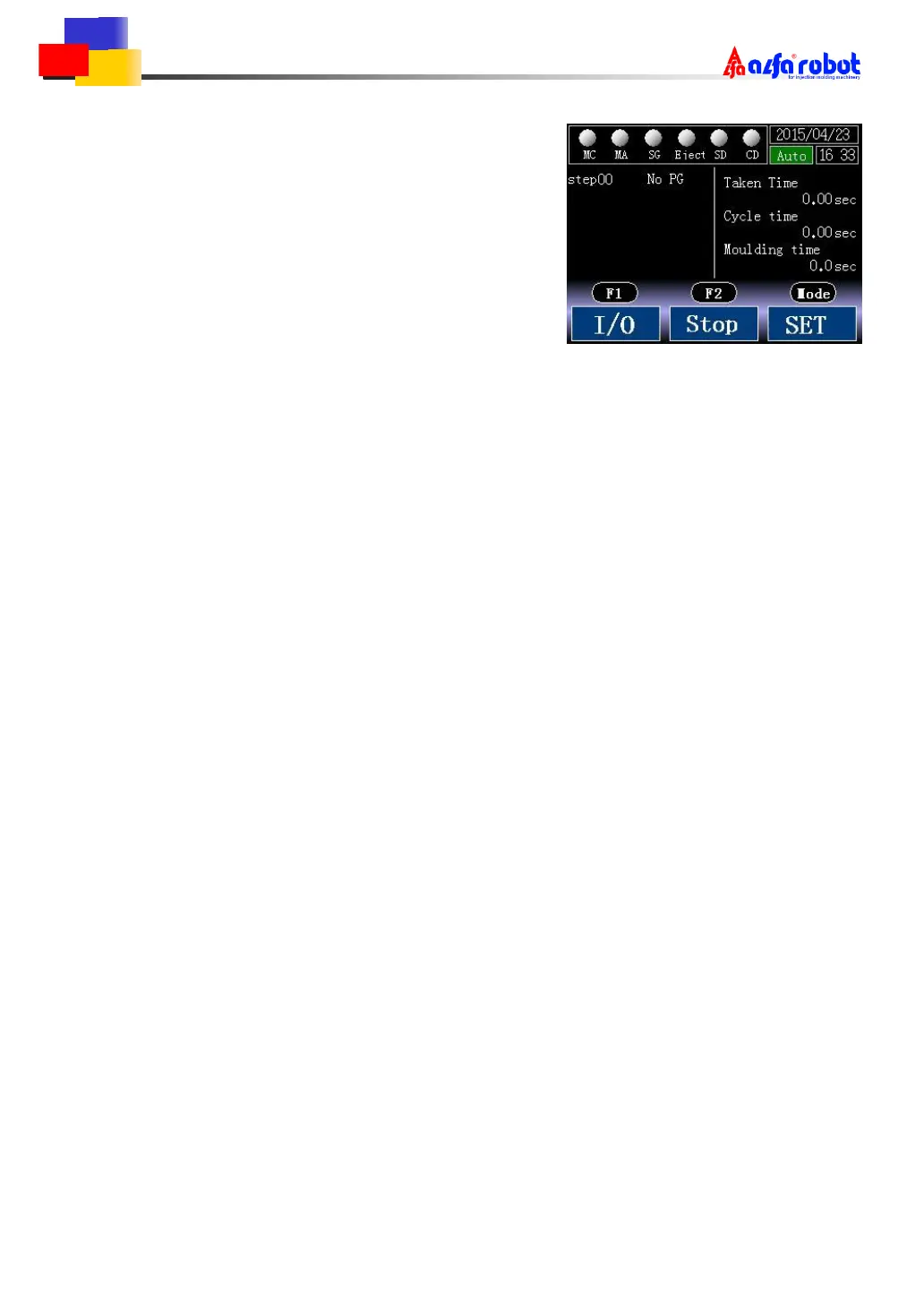
7.3 Auto Start
Press F1 to jump to the auto start screen shown in
the right. It includes the processing step and taken time,
cycle time,moulding time.
Taken time: from arm descending into the mould to
taking out the product until moulding start is ON.
Cycle time:from arm descending into the mould to running a cycle until mould open is ON.
Moulding time: from mould open is OFF to moulding start until mould open is ON.
「Stop」
Press F2 to stop auto running. The action will not stop immediately, but stop based on
mould open signal and running conditions.
「Alarm」
While alarm happens, action stops in the meantime normally, and auto running can’t be
started again. Press F2 to stop auto running status, and it goes to last screen. Don’t restart auto
running until alarms are cleared.
Abnormally, action continues while the alarm is S/C alarm until the ascending limit is ON, but
it needs to press RESET to continue after the ascending limit is ON.
「Screen Jump」
Press F1 to get into the I/O screen.
Press Mode to enter into the setting screen. In the setting screen, timers, Y7 output and
production data could be set(it can also be set in the mode setting screen).



 To Next Page