7 Auto Running
7.1 Screen Display
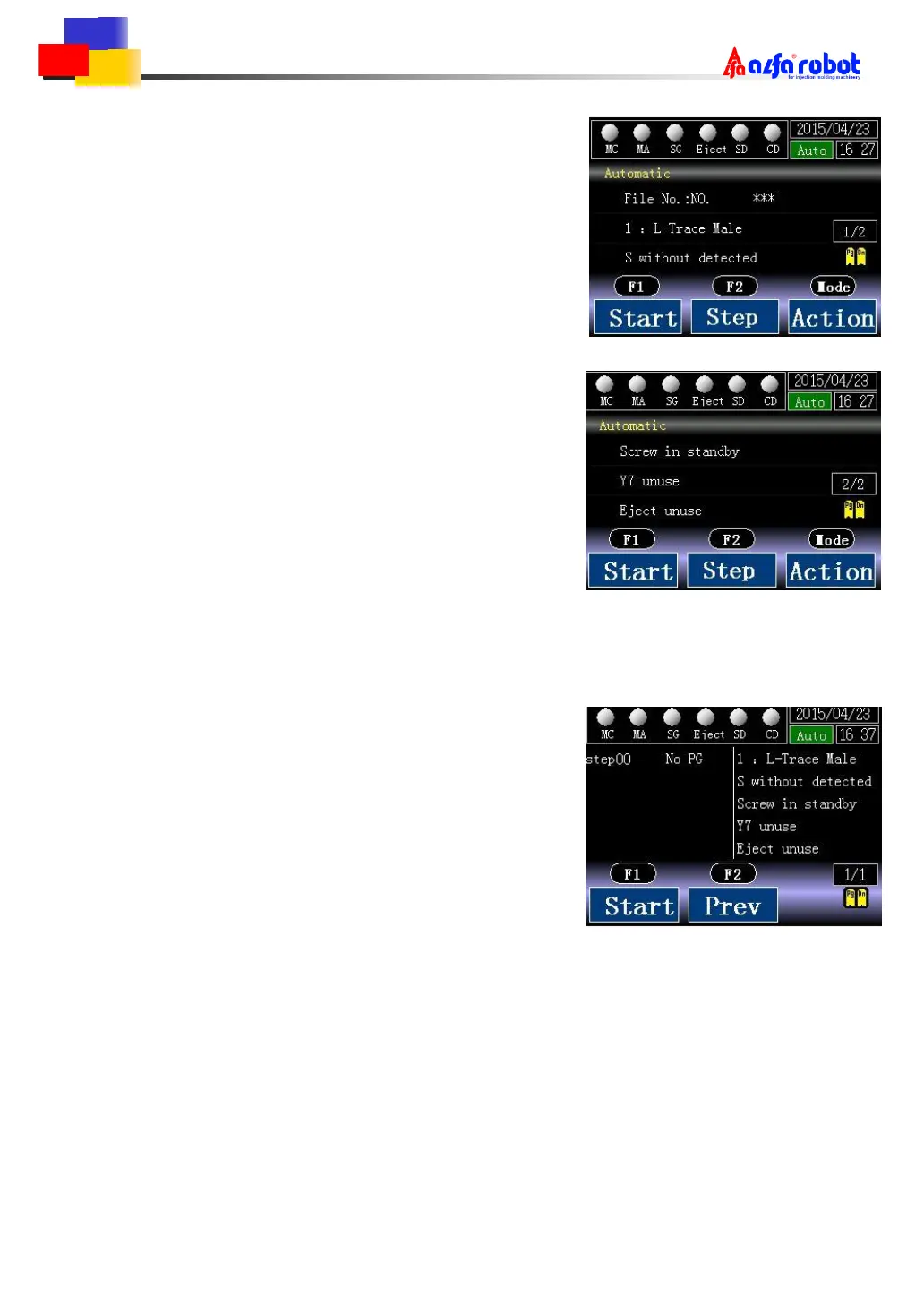
Press F1 to jump to auto running screen in the initial screen.
Page 1:file No., action mode, clamp setting.
Page2:screw in/out standby,Y7 output, ejector forward.
Press F1 normally.
Press F2 to confirm the STEP action.
Press Mode to confirm the action list.
Auto start and STEP action should only be used
while the ascend limit is ON. While auto running,
the injection molding machine auto signal is ON
and ensure the safety door is closed.
7.2 Action List
As is shown in the right screen, on the left side is auto
running and STEP program (press PgDn to jump pages);
On the right side is settings of the current action.



 To Next Page