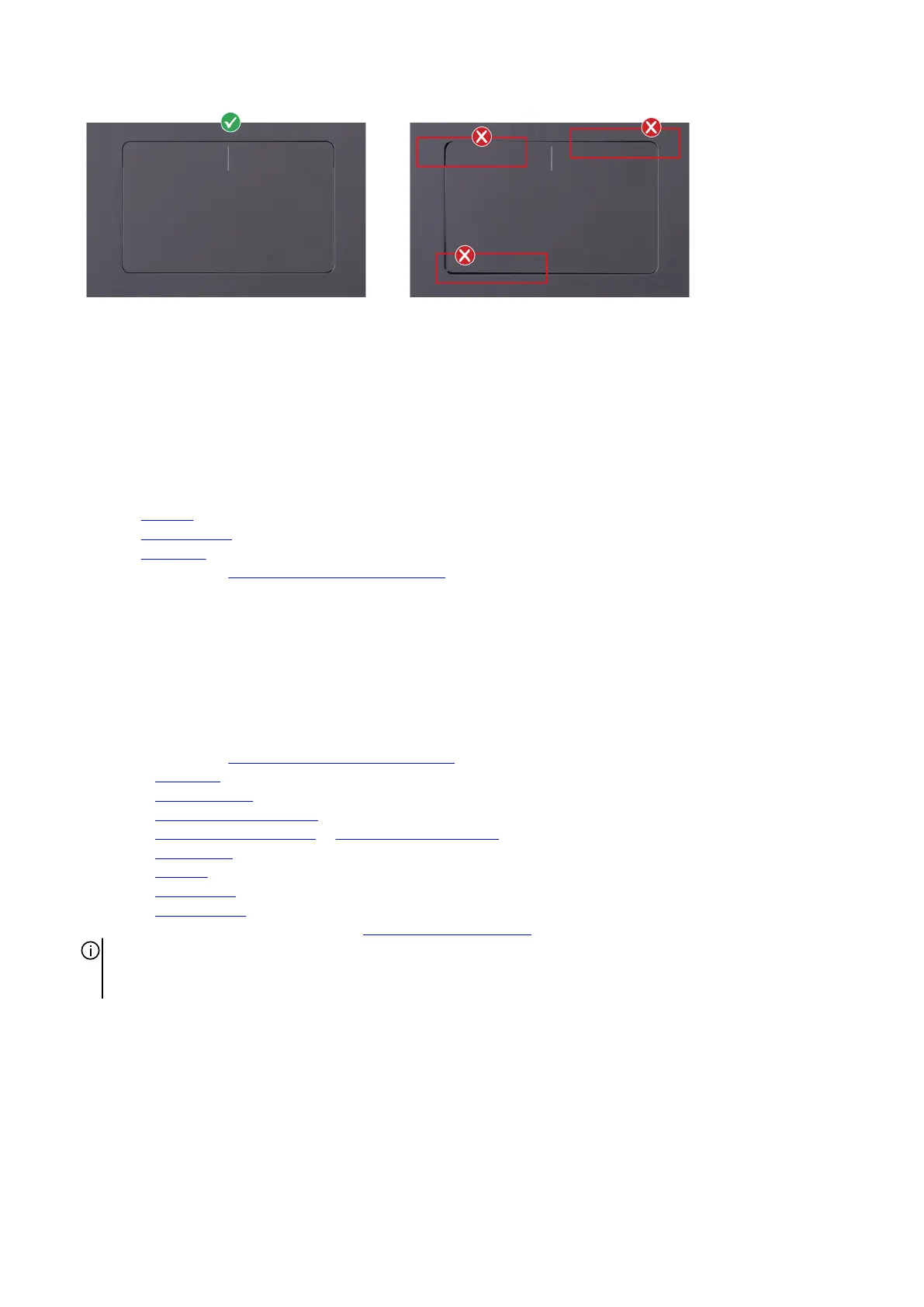
3. Close the display and turn the computer over.
4. Replace the four screws (M2x2) that secure the touchpad to the palm-rest and keyboard assembly.
5. Connect the keyboard-controller board cable the system board and close the latch to secure the cable.
6. Connect the touchpad cable to the system board and close the latch to secure the cable.
7. Align and place the touchpad bracket into slots on the palm-rest and keyboard assembly.
8. Replace the four screws (M2x2) that secure the touchpad bracket to the palm-rest and keyboard assembly.
9. Adhere the tape back on touchpad bracket screw.
Next steps
1. Install the
speakers.
2. Install the rear-I/O cover.
3. Install the base cover.
4. Follow the procedure in After working inside your computer.
Antennas
Removing the antennas
Prerequisites
1. Follow the procedure in
Before working inside your computer.
2. Remove the base cover.
3. Remove the memory module.
4. Remove the M.2 2230 solid-state drive in slot three and four.
5. Remove the M.2 2280 solid state drive or M.2 2230 solid-state drive in slot one and two, whichever applicable.
6. Remove the
wireless card.
7. Remove the small fan.
8. Remove the top heat-sink.
9. Remove the rear-I/O cover.
10.Follow the procedure from step 1 to step 16 in Removing the system board.
NOTE: The system board can be removed and installed along with the audio board, USB Type-C board, and heat sink-
assembly. This simplifies the removal and installation procedure and avoids breaking the thermal bond between the system
board and heat sink.
About this task
The following image(s) indicate the location of the antennas and provides a visual representation of the removal procedure.
42













 To Next Page