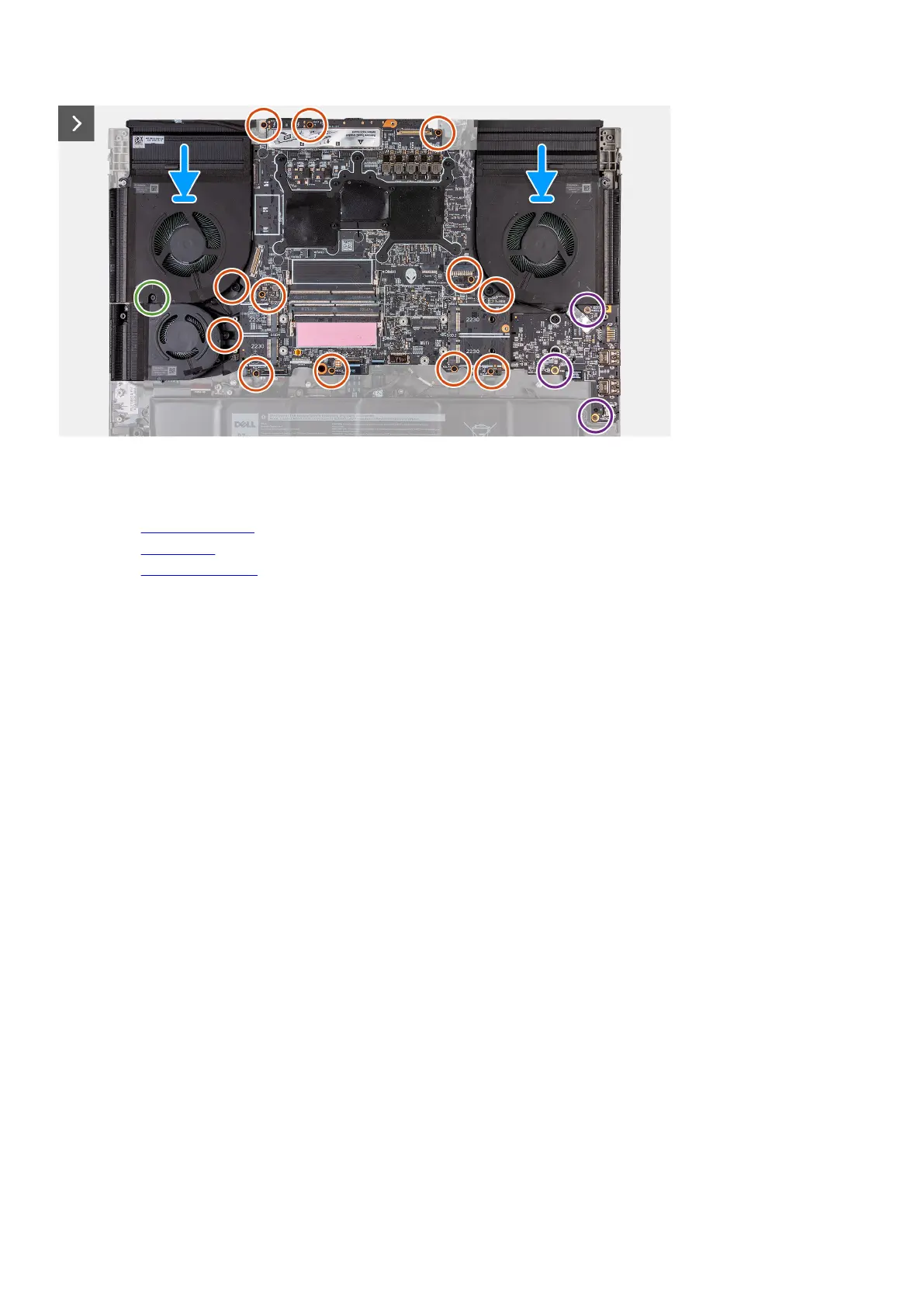
Steps
1. Turn the system board over.
2. Install the heat-sink assembly.
3. Install the audio board.
4. Install the USB Type-C board.
5. Turn the system-board assembly over.
6. Using the alignment posts, place the system-board assembly on the palm-rest and keyboard assembly.
7. Replace the twelve screws (M2x4) that secure the system board to the palm-rest and keyboard assembly.
8. Replace the one screw (M2x6) that left fan to the palm-rest and keyboard assembly.
9. Replace the three screws (M2x3) that secures the audio board to the palm-rest and keyboard assembly.
10.Adhere the power-adapter port-cable to the system board.
11. Connect the power-adapter port-cable to the system board.
60














 To Next Page