A P P L I C A T O R – O p u s C o l i b r i
O p u s C o l i b r i - I n s t r u c t i o n s f o r U s e C - 3 | P a g e
C.3 Opus Colibri Applicator and Tips Screens
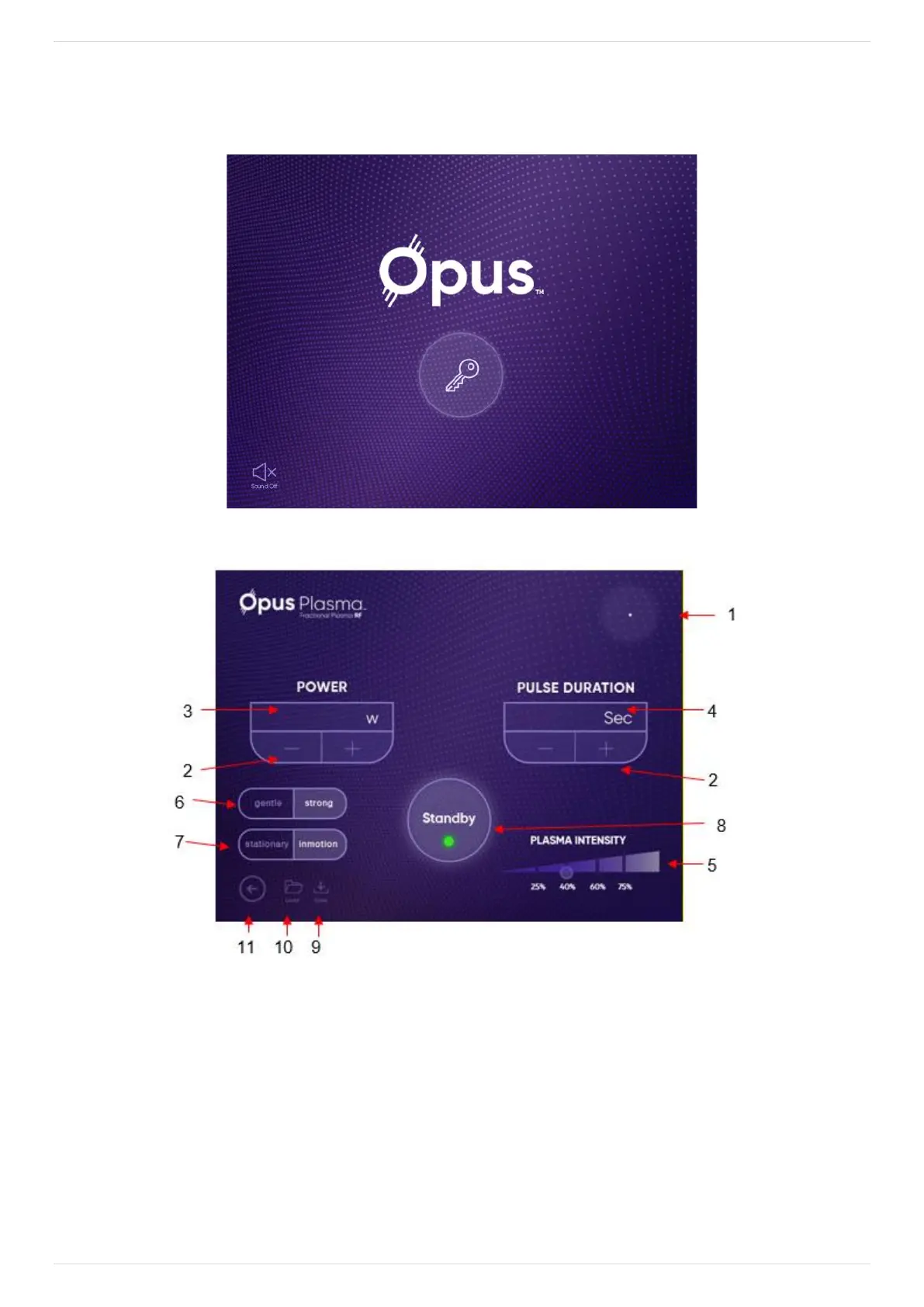
Turn key switch ON and press Start button on the following screen:
Figure C-5: Home Screen
Figure C-6: Colibri Tip Operating Screen
The following is a description of the screen's elements, as indicated by the numbered arrows:
1. Tip Identifier – displays tip currently selected.
2. Parameter Value Selection – press the (+) or (-) keys to change the Power and TIME settings.
3. Power – indicates the selected power (in Watts).
4. Pulse Duration – indicates the selected treatment time (in Seconds).


 To Next Page