22
SPANET SV-SMART
(DUO,NOVA,MONTBLANC,YUKON,WHISTLER)
6. SPA USAGE GUIDE & TIPS
HEAT RANGE
10 - 41.0
O
C
SV-SMART
PUMP
BUTTONS
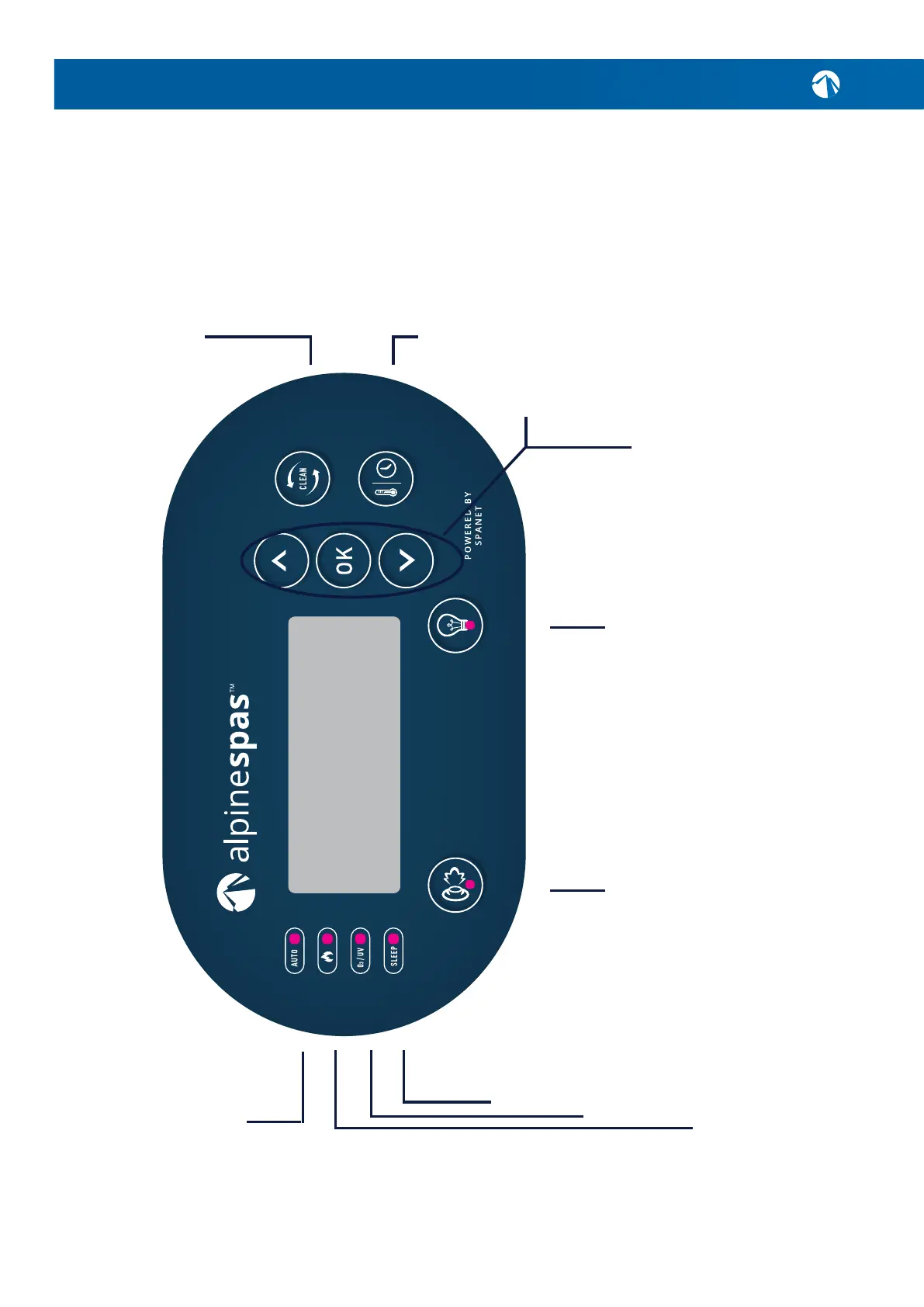
Used to toggle ltration
pump and/or any additional
jet pump(s) on/o (if tted).
SANITISE BUTTON
Press once to activate a 20min
sanitisation and clean up cycle to
refresh water quality after spa use.
A second press will cancel the
cycle if already running.
SLEEP TIMER
This LED will turn on to
indicate when the controller
is in sleep mode.
O
2
/UV
This LED will turn
on to indicate that the
Ozone or UV puriers
are operating.
HEATER
This LED will turn on when the
heater or heat pump (if tted)
is operating
LIGHT ON/OFF
Used to toggle Spa lights
on/o. Once activated, color
selection and mode can be
chosen with the up/down and
OK buttons.
AUTOMATIC LED
This LED will turn on whenever
the ltration pump is in
automatic mode.
UP & DOWN BUTTON
Short single presses toggle through
the three display modes:
Water Temperature (W.TMP) Set
temperature (S.TMP) and clock (TIME).
Holding the button will force the controller
to begin adjusting the set temperature and
will increase or decrease the set
temperature point.
Also used for adjusting settings.
OK BUTTON
Press to conrm and save
setting adjustments or to enter
setting adjustment menus.
WATER TEMP/
TIME
Press to conrm and save
setting adjustments or to enter
setting adjustment menus.



 To Next Page