83
Sub ControlAudio Docking Station
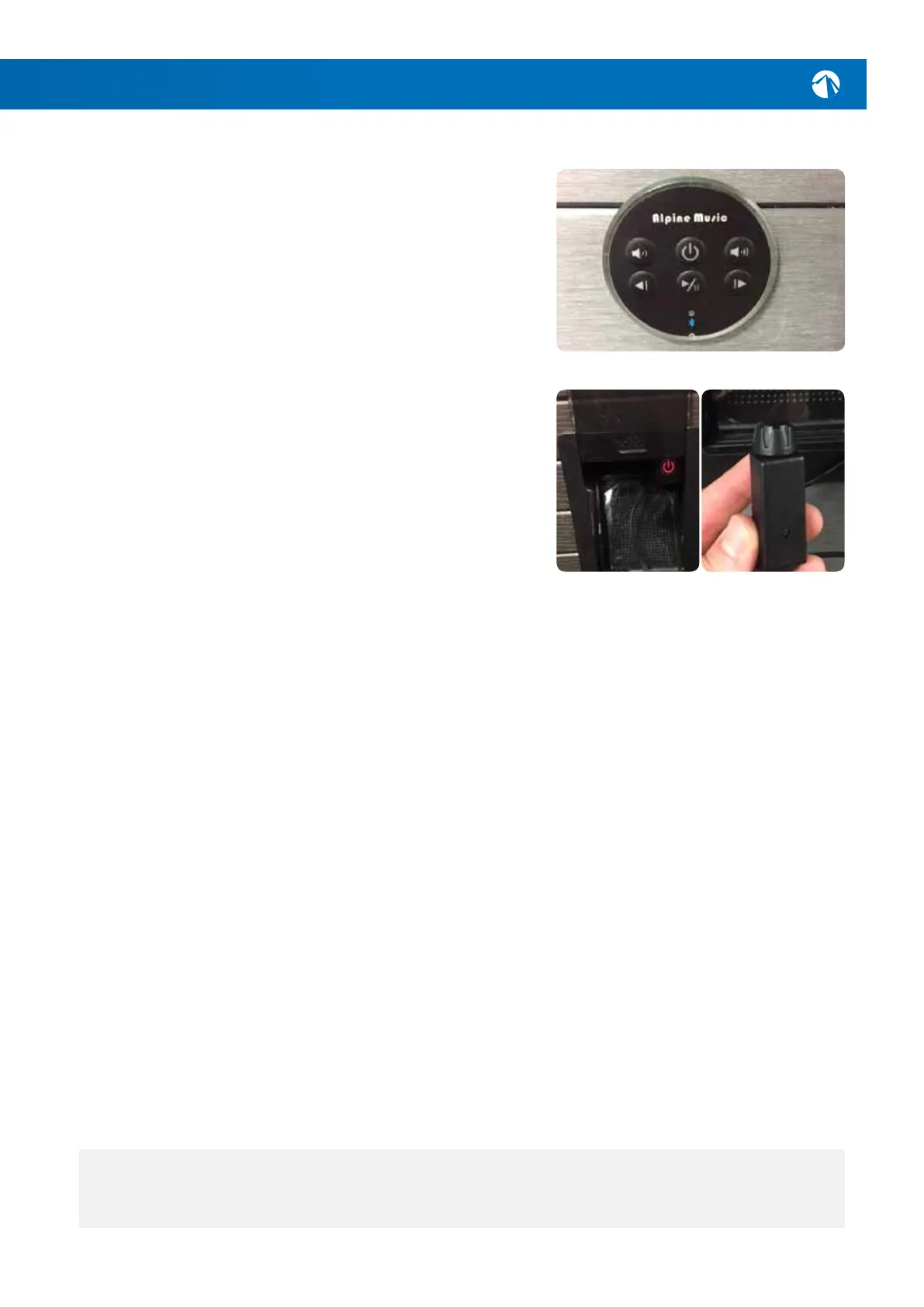
Music Control Unit
Connecting a Device
Presstheonbuttonlocatedonthemusic
controlunit-itshouldlightupandashtheLED
indicatorblue.ActivateBluetoothonthedevice
youwishtoconnectandlookfor‘BTAUDIO’in
yourdevice’s‘nearbydevices’list.Anaudiobeep
willbeheardthroughthespeakerswhenthe
deviceissuccessfullyconnected.
Playing Music
Youcanuseeitheryourdeviceorthemusic
controlunitonthespapoolcabinettoadjust
thevolumeandchangethetrack.Acontrolfor
thesub-wooferislocatedinsidethedocking
station*whereyoucanalsoplaceyourdevicefor
waterproofprotectionwhilesoaking..
NOTE: *Only platinum models include a sub-woofer and sub control.




 To Next Page