English
102
Audio Processor
Operation (Optional)
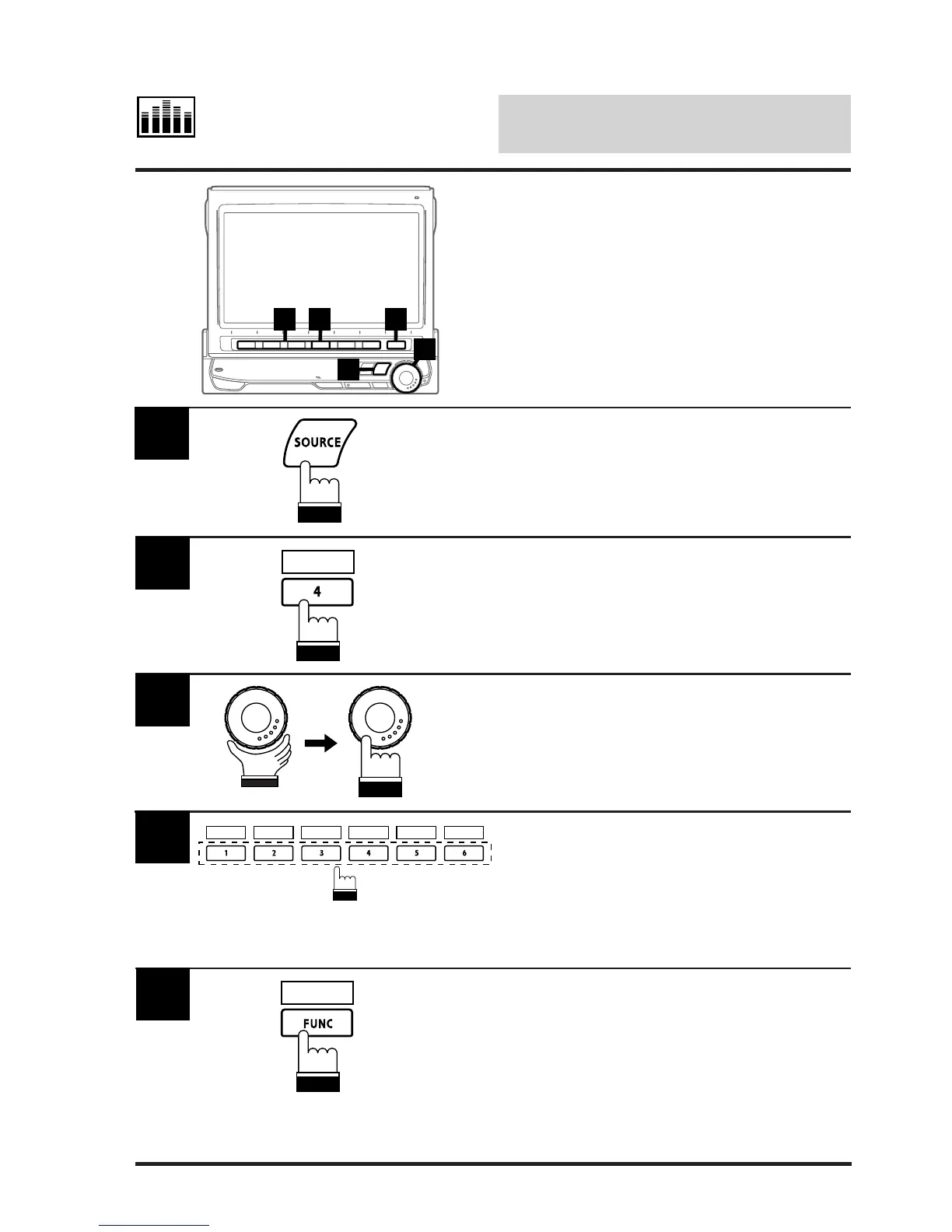
Press the SOURCE button.
The main menu screen appears.
1
Press the 4 (A.PROC) button.
The Audio Processor list will be displayed.
2
A.PROC
Turn the rotary encoder and select "Surround"
then press the rotary encoder.
The Surround mode screen appears.
3
Press the Function button (1 through 6) that has
your desired surround mode.
Note: You can choose from 6 factory preset
surround modes (NORMAL, STADIUM,
LIVE, CHURCH, DANCE, and HALL).
4
Press the FUNC (RETURN) when your
selection has been made.
The display returns to the Audio Processor List
screen.
Tip: When the FUNC (RETURN) button is
pressed, the display returns to the
previous screen.
5
RETURN
Selecting Factory Sur-
round Mode Presets
The built-in Digital Signal Processing (DSP)
circuitly allows you to create various different
acoustic fields. Depending upon the music
source you listen to, you can choose your
desired surround mode from 6 factory-preset
surround modes.
1
4 2 5
3
NORMAL STUDIUM
LIVE
CHURCH
DANCE HALL



 To Next Page