English
180
Other Useful
Features
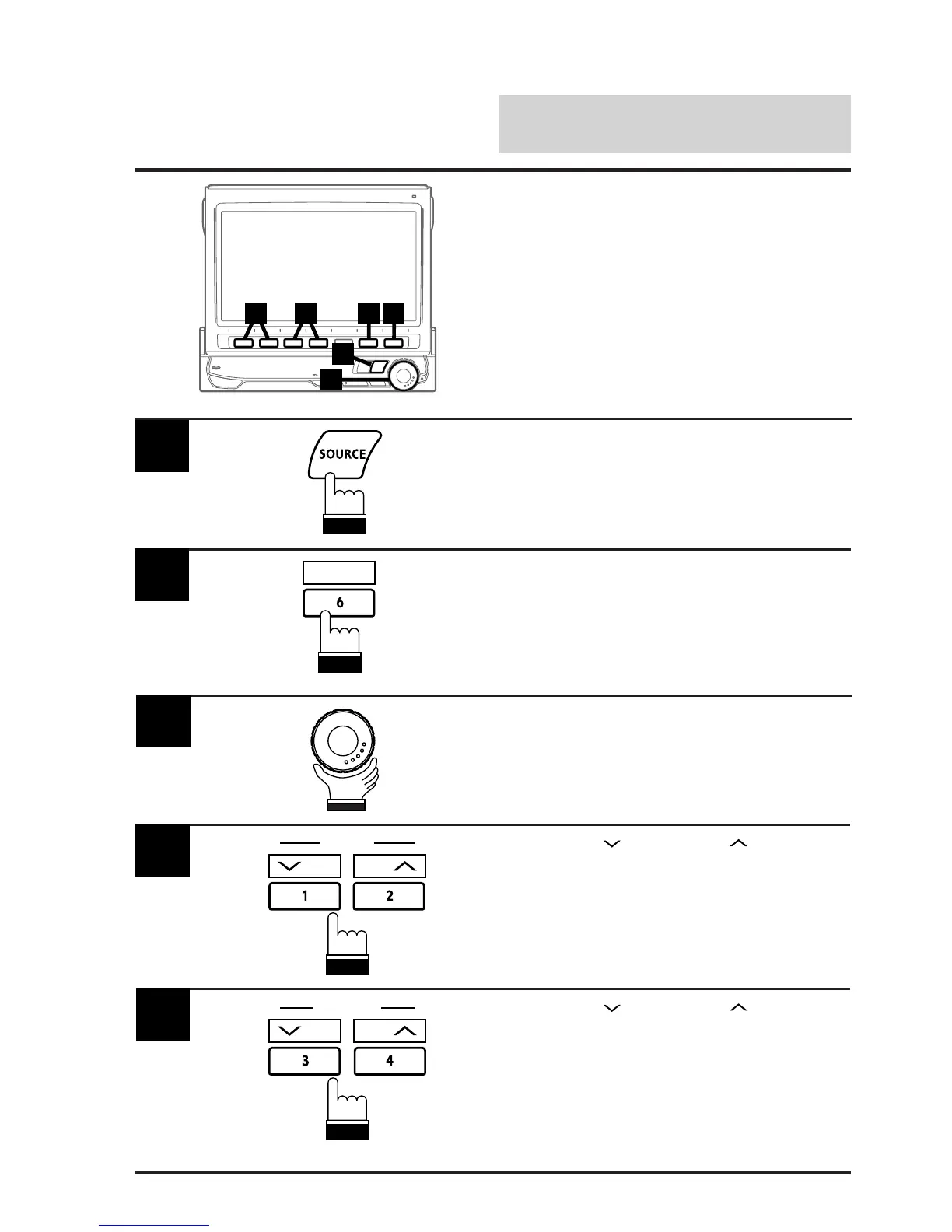
4 2 6
3
1
5
(To be continued)
Resetting Clock
Note: After carrying out the steps 1 to 3 of "To
display the initialization mode screen"
described on page 154, perform the
operation show below.
1
Press the 6 (INTLZ) button.
The Initialization mode screen appears.
2
Rotate the rotary encoder and select "CLOCK
ADJ." to activate the clock adjustment mode.
The Function Guide appears.
3
4
Press the 1 ( DN) or 2 (UP ) button to
delay or advance the hours respectively.
INTLZ
DN
HOUR
UP
5
Press the SOURCE button.
The main menu appears on the display.
Press the 3 (
DN) or 4 (UP ) button to
delay or advance the minutes respectively.
DN
MINUTE
UP



 To Next Page