English
116
Audio Processor
Operation (Optional)
1
4 2 5
3
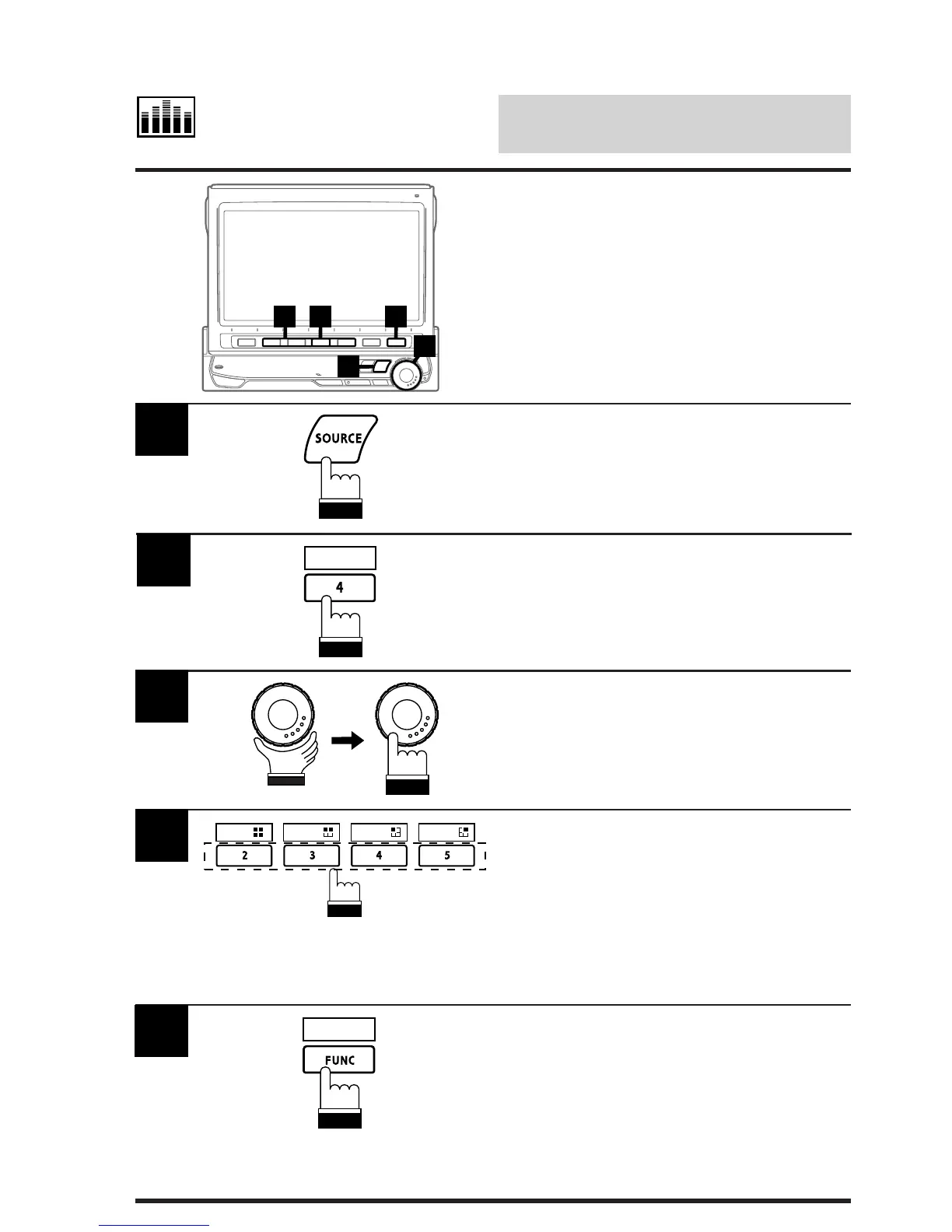
Press the SOURCE button.
The main menu screen appears on the display.
1
Press the 4 (A.PROC) button. The Audio
Processor List screen appears.
2
Rotate the rotary encoder and select L.P.S.
(Listening Position Setting) in the menu. Press
the rotary encoder to execute the selection. The
display changes to the L.P.S. (Listening
Position Selection) mode screen.
3
Press one of the Function buttons 2 (ALL)
through 5 (FRONT/RIGHT) that has your
desired listening position.
Notes: • The black squares show the listening
positions.
• When the 1 (OFF) button is
pressed, the L.P.S. mode is deacti-
vated.
4
ALL
FRONT
FRONT
LEFT
FRONT
RIGHT
A.PROC
When selection has been completed, press the
FUNC (RETURN) button.
The display returns to the Audio Processor List
screen.
Tip: When the FUNC (RETURN) button is
pressed, the display returns to the previous
screen.
5
RETURN
Selecting Listening
Position
You can select the listening position for
optimum sound field depending on the number
of passengers in the vehicle.



 To Next Page