English
114
Audio Processor
Operation (Optional)
1
34
25
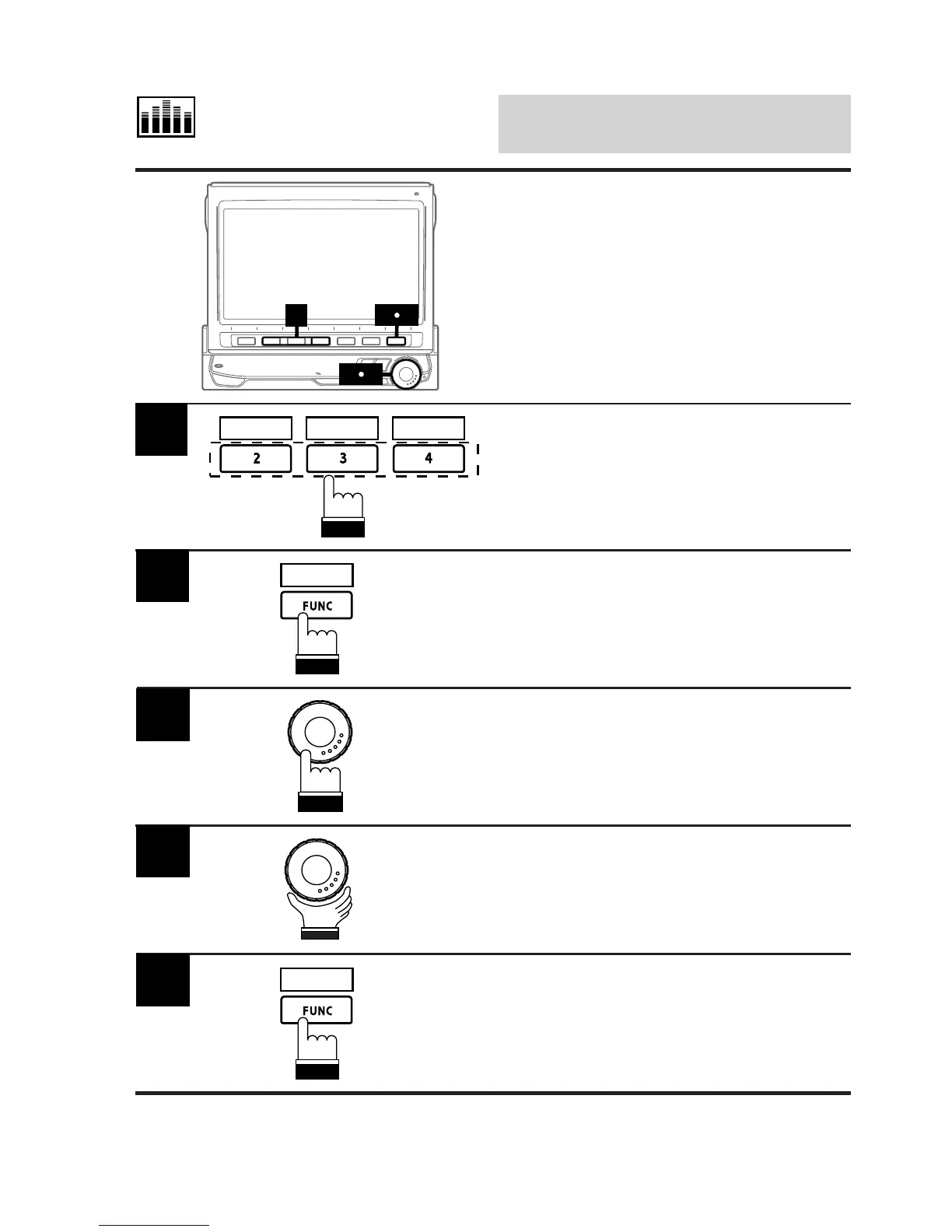
Activate the BBE mode, then press one of the
Function buttons 2 (MODE1) through 4
(MODE3) that has the BBE mode you wish to
adjust.
1
Customizing BBE Mode
This function is operative only when an audio
processor equipped with the BBE level (Low
and High) adjustment feature is connected.
MODE 1 MODE 2 MODE 3
Press and hold the FUNC (RETURN) button for
at least 2 seconds.
The BBE adjustment mode is activated.
2
RETURN
Press the rotary encoder to select "HI LEVEL"
or "LOW LEVEL." Each press toggles between
"HI LEVEL" and "LOW LEVEL."
3
Rotate the rotary encoder and adjust the level
to your desired level.
4
When adjustment is complete, press the FUNC
(RETURN) button. The display returns to the
BBE mode screen.
5
RETURN



 To Next Page