English
124
Audio Processor
Operation (Optional)
Adjusting Cross-Over
(X-Over) Point of 2-Way
Divider
If an optional Alpine Channel Divider PRA-H400
is connected, you can control the Divider from
the CVA-1005.
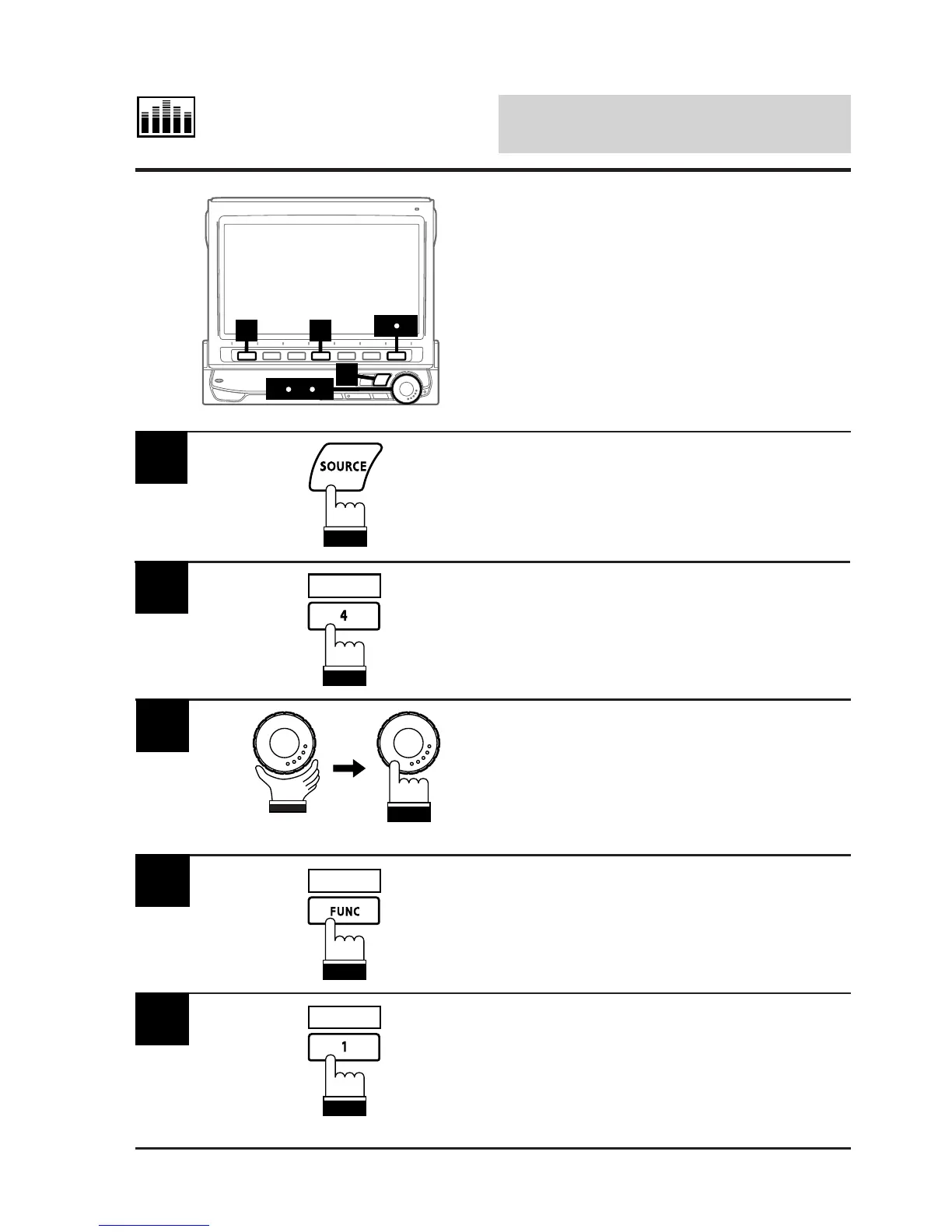
Use this procedure when one or two 2-way-
system or 3-way system channel dividers are
connected.
Press the SOURCE button.
The main menu screen appears on the display.
1
Press the 4 (A.PROC) button.
The display shows the Audio Processor list
screen.
2
A.PROC
Rotate the rotary encoder and select the
"Divider" (when one divider is connected) or
"Divider-F and Divider-R" (when two dividers
are connected), then press the rotary encoder
to execute the selection.
The display changes to the Divider mode
screen.
3
Press and hold the FUNC (RETURN) button for
at least 2 seconds.
The mode changes to the Divider Adjustment
mode.
4
RETURN
Press the 1 (X-OVER) button. The mode
changes to the Cross-Over Adjustment mode.
5
X-OVER
5 2
1
48
637
(To be continued)



 To Next Page