English
140
Audio Processor
Operation (Optional)
Recalling Divider Settings
Memorized Using
Optional Divider
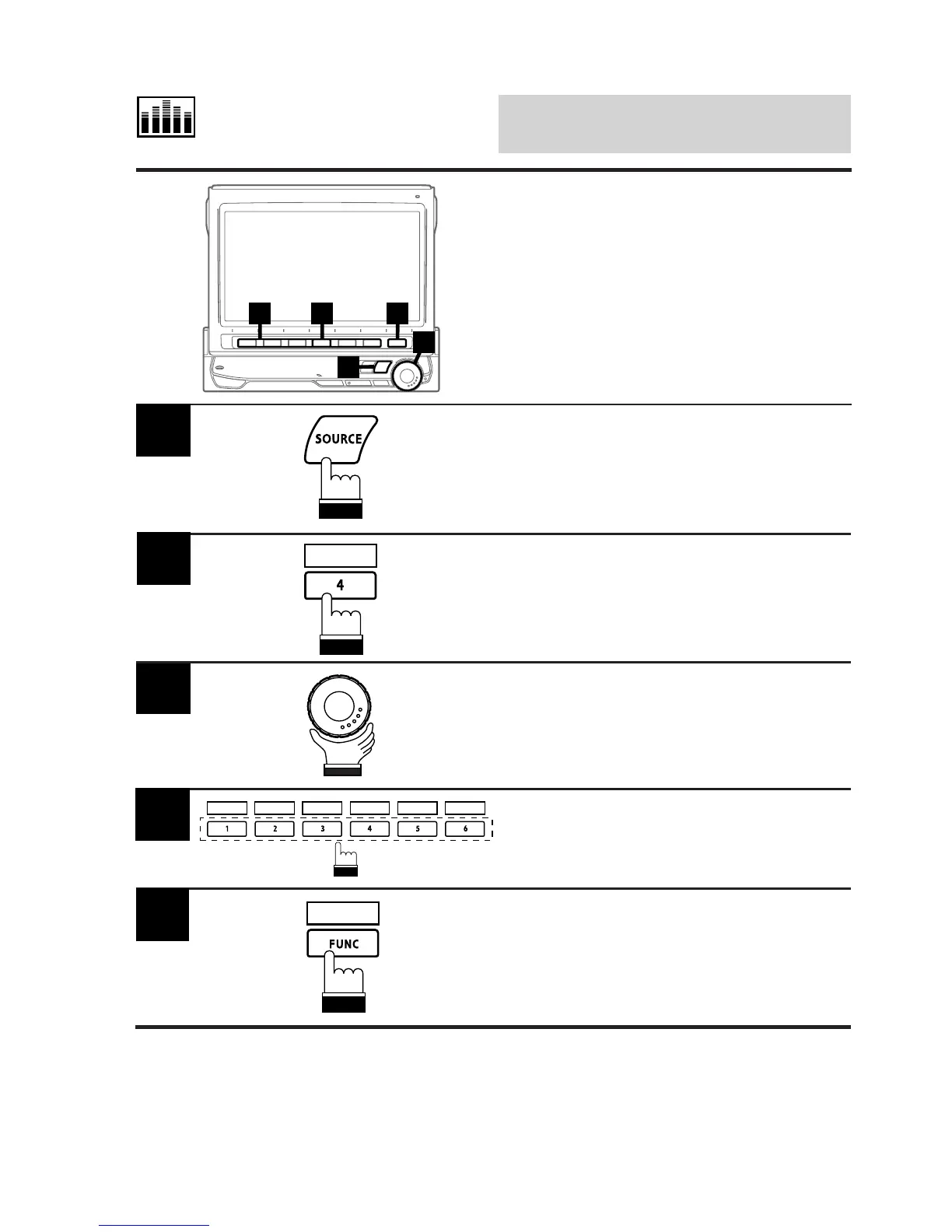
If an optional Alpine divider (such as PXA-
H600) is connected, you can recall the settings
memorized using the optional divider.
4 2 5
1
3
Press the SOURCE button.
The main menu is displayed on the display.
1
Press the 4 (A.PROC) button.
The Audio Processor List screen is displayed.
2
Rotate the rotary encoder and select "Adaptive
EQ." The Function Guide screen is displayed.
3
Press one of the Function buttons 1 (P.SET1)
through 6 (P.SET6) that has your desired
setting memorized using the optional divider.
4
A.PROC
P.SET 1 P.SET 2 P.SET 3 P.SET 4 P.SET 5 P.SET 6
Press the FUNC (RETURN) button.
The display returns to the main menu screen.
5
RETURN



 To Next Page