English
160
Other Useful
Features
Setting the External De-
vice Interrupt Mode
If an Alpine Ai-NET Auxiliary Input Adapter
(KCA-801B) is connected to the CVA-1005, an
Auxiliary Source will be allowed to interrupt the
current audio source. For example, you can
listen to a portable MP3 player through your
car audio system even with a CD changer
connected and playing. The CD changer will
automatically mute when switched to the AUX
Input. For further details on how to use the
Alpine KCA-801B, see your authorized Alpine
dealer.
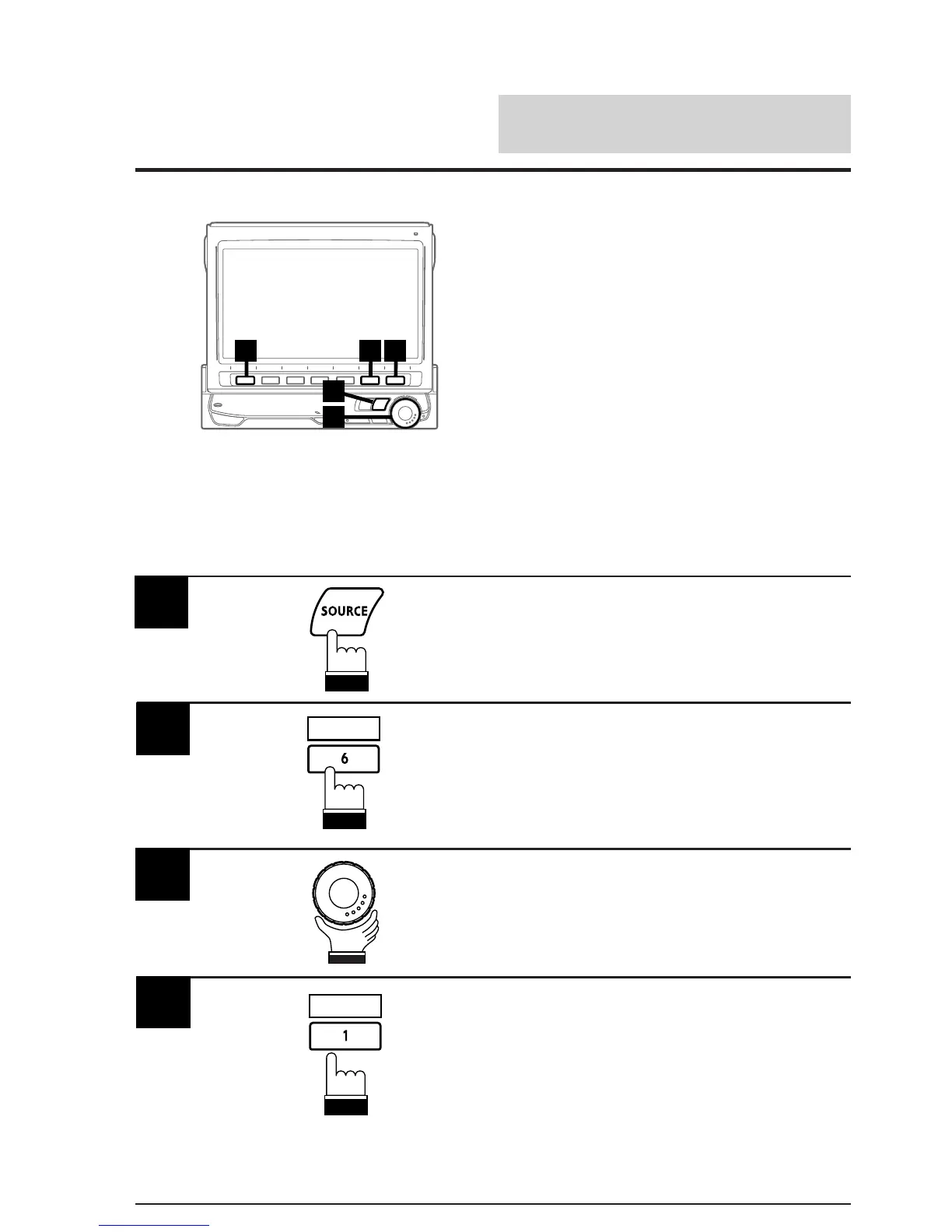
Note: After carrying out the steps 1 to 3 of "To
display the initialization mode screen"
described on page 154, perform the
operation show below.
4 2 5
3
1
(To be continued)
Press the SOURCE button.
The main menu screen appears on the display.
1
2
Rotate the rotary encoder and select "IN-INT
MUTE" from the Initialization mode screen. The
Function Guide appears on the display.
3
Press the 1 (OFF) button to turn off the mute
mode.
In the mute OFF mode:
The volume level can be adjusted in the
interrupt mode.
Note: When the Mute On mode is selected,
sound will not be produced.
INTLZ
Press the 6 (INTLZ) button.
The Initialization mode screen appears on the
display.
4
OFF



 To Next Page