English
166
Other Useful
Features
24 5
3
1
Interrupt Feature (MIX
LEVEL)
With an Alpine navigation system connected to
the CVA-1005, the voice guidance of the
navigation system will be mixed with the radio
or CD/MD audio. You can also adjust the
volume level of the voice guidance.
The volume level of the audio will be automati-
cally reduced when the voice guidance of the
Navigation system starts. If the volume level of
the audio is set at the level 9 or lower, the
volume level of the audio will not be reduced.
If you adjust the volume level of the audio while
the audio is being interrupted by the voice
guidance and the volume level is set at the level
9 or lower, the volume level of the audio will be
automatically changed to the adjusted level
when the voice guidance starts next time.
When an equalizer or digital sound processor is
connected, this function is inoperative.
Note: After carrying out the steps 1 to 3 of "To
display the initialization mode screen"
described on page 154, perform the
operation show below.
(To be continued)
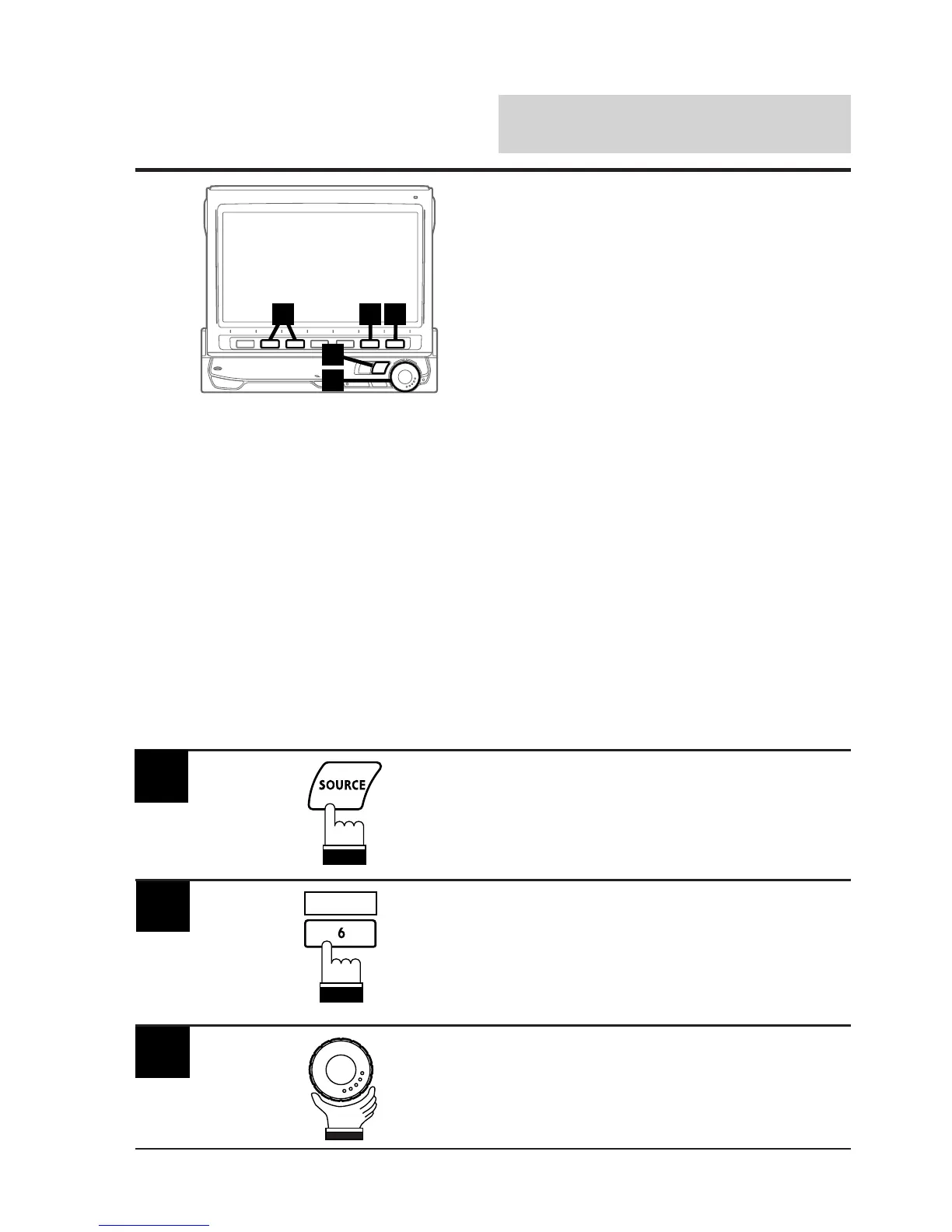
Press the SOURCE button.
The main menu screen appears on the display.
1
Press the 6 (INTLZ) button.
The Initialization mode screen appears.
2
Rotate the rotary encoder and select "MIX
LEVEL."
The Function Guide is displayed.
3
INTLZ



 To Next Page