English
188
Other Useful
Features
4 2
3
1
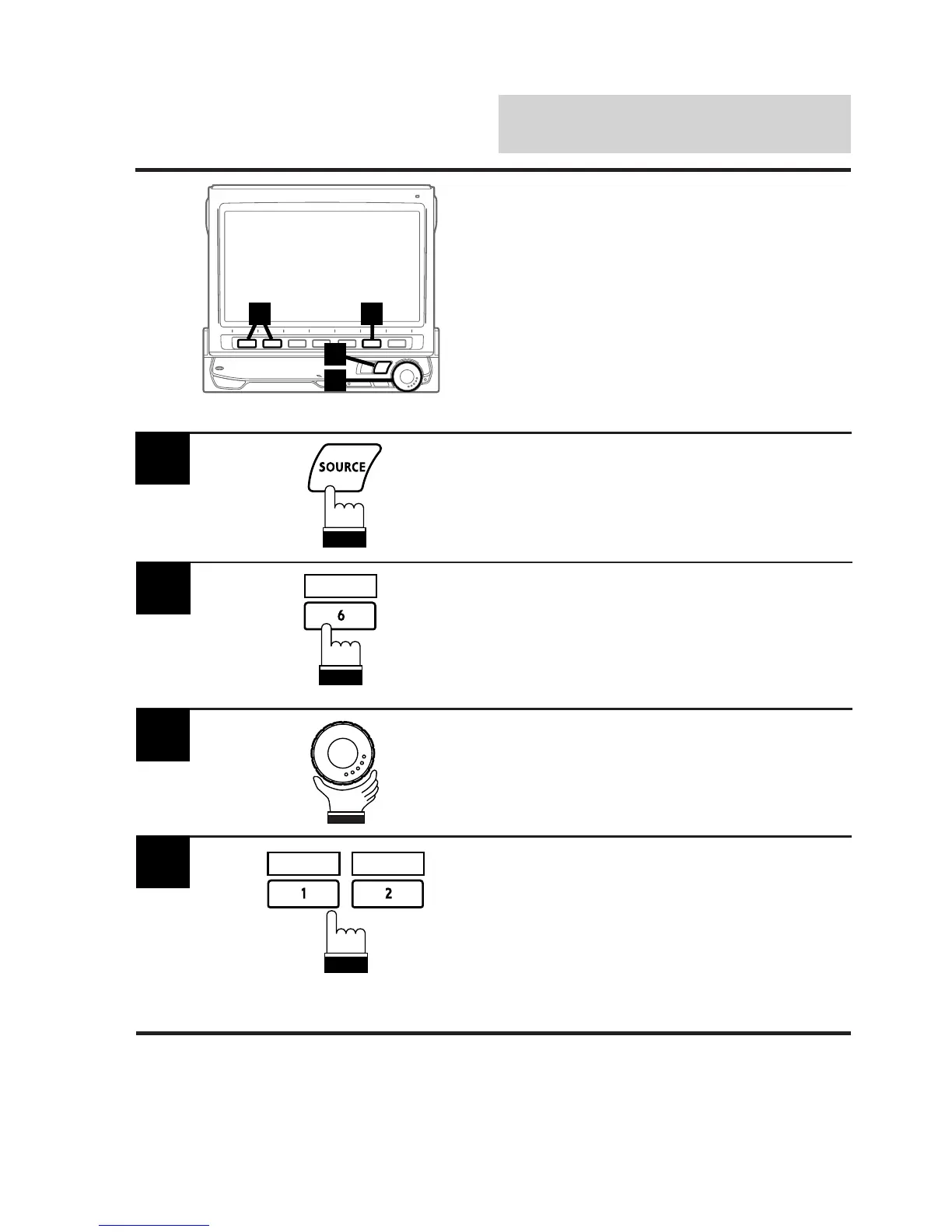
Demonstration
In the Demonstration mode, the unit performs
scanning of the basic operation of each source.
Note: After carrying out the steps 1 to 3 of "To
display the initialization mode screen"
described on page 154, perform the
operation show below.
Press the SOURCE button.
The main menu appears on the display.
1
Press the 6 (INTLZ) button.
The Initialization mode screen appears.
2
Rotate the rotary encoder and select "DEMO"
to activate the Demonstration mode.
The display shows the Function Guide screen.
3
Press the 2 (ON) button to activate the
Demonstration mode. When the Demonstration
mode is activated, the unit automatically starts
the demonstration (simulation). The demonstra-
tion continues until the demonstration mode is
deactivated.
To deactivate the demonstration mode, press
the 1 (OFF) button. The demonstration stops.
4
OFF ON
INTLZ



 To Next Page