English
194
Other Useful
Features
DISPLAY
DARK
± 0
LIGHT
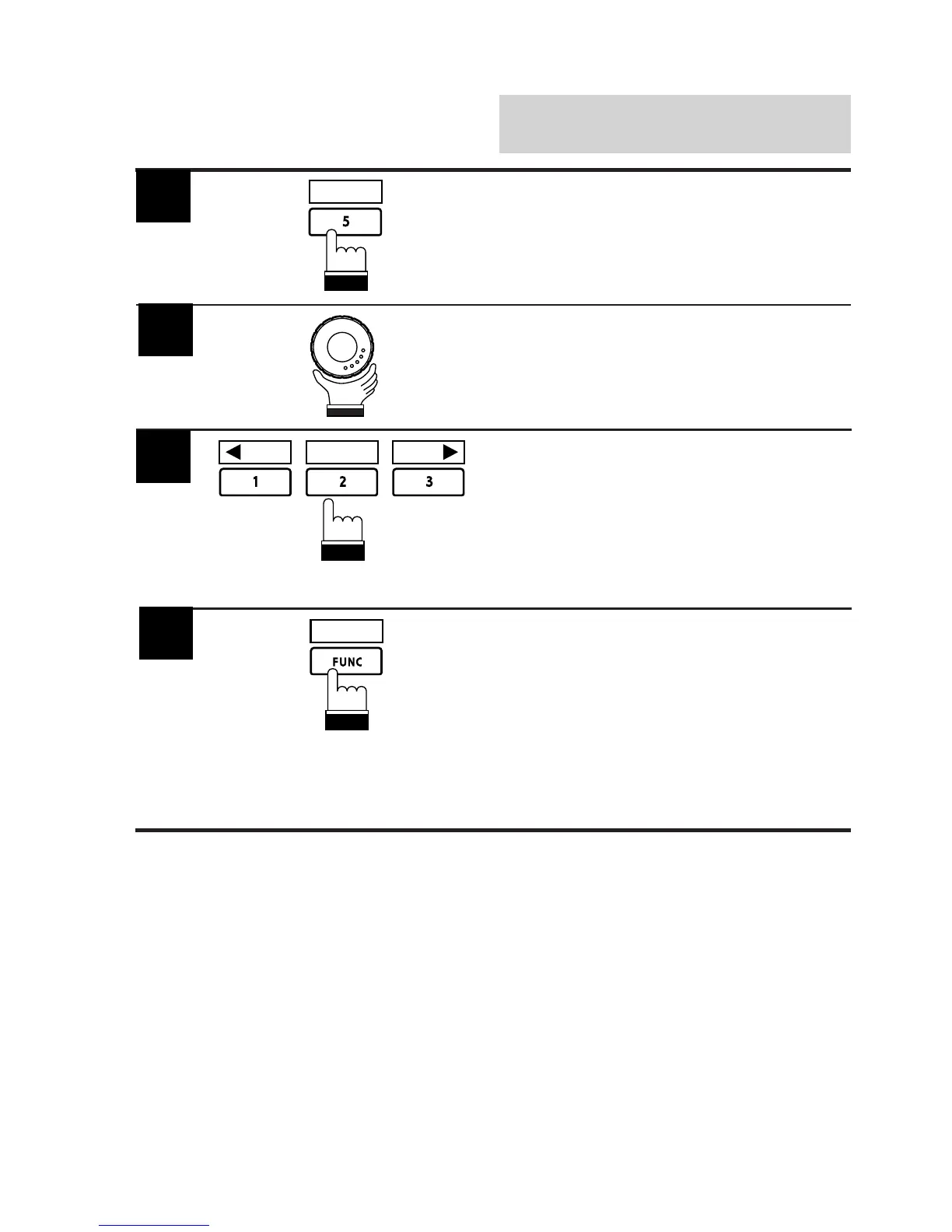
Press the 1 (; DARK) to make the picture
darker or press the 3 (LIGHT :) to make the
picture brighter. You can adjust the brightness
between –15 (min.) and +15 (max.). When it
reaches the minimum or maximum point, the
display shows "MIN" or "MAX" respectively. To
quickly set to the center position, press the 2
(±0) button.
Rotate the rotary encoder and select "BRIGHT"
to activate the Brightness Adjustment mode.
The display shows the Function Guide.
Press the 5 (DISPLAY) button.
The Display mode screen appears.
RETURN
When the adjustment has been completed,
press the FUNC (RETURN) button. The display
returns to the main menu screen.
Note: You can adjust the volume level while
the Display mode screen is shown by
first pressing the rotary encoder and then
rotating the rotary encoder.
5
4
3
2



 To Next Page