malletKAT User Manual (ver.07-17-18)
)
Configure the Groove
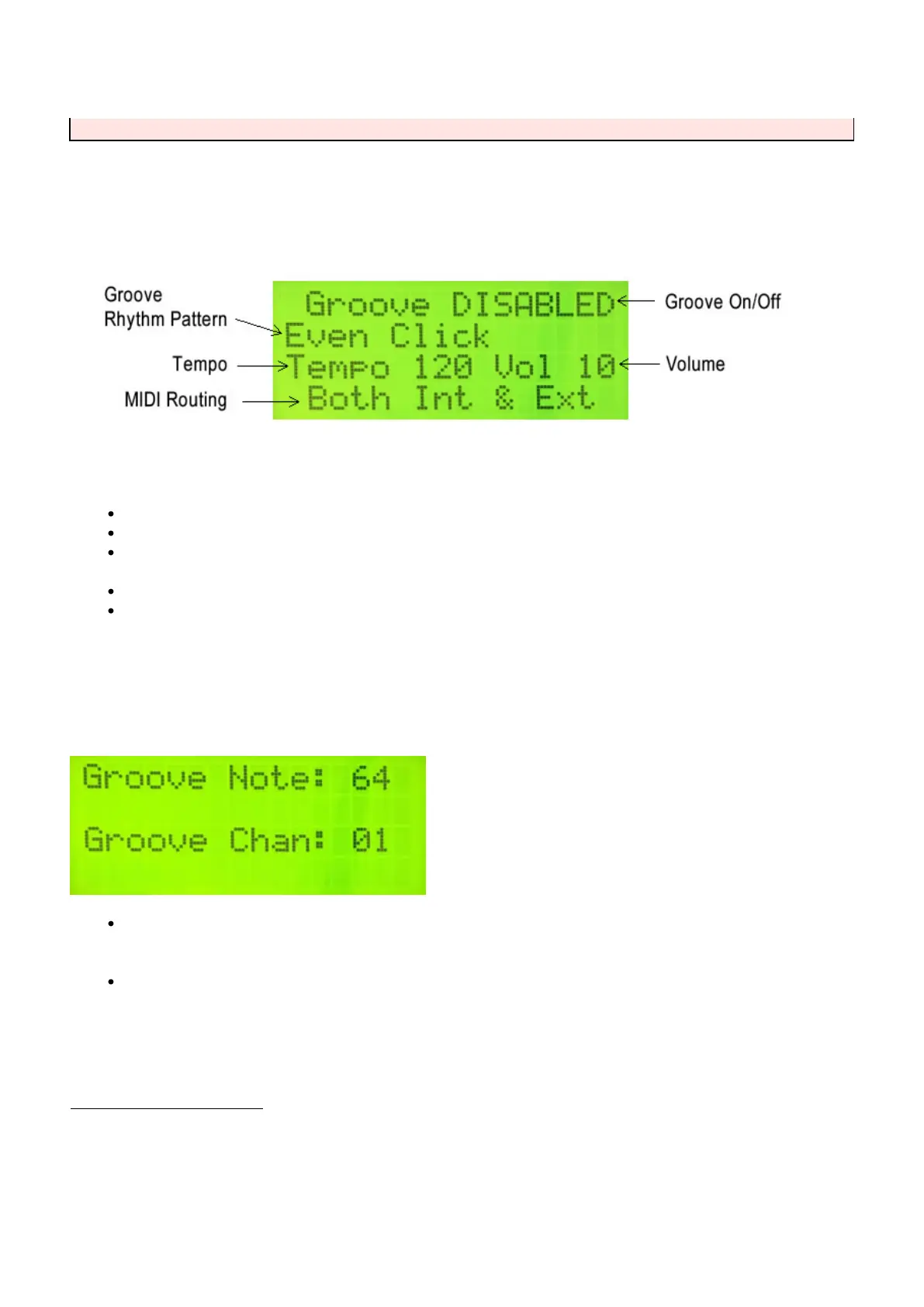
Configuring the Groove requires two editing screens. The first is found using the Global Auxiliary shortcuts 58-61.
Once on this screen, use the Forward/Backward pads to select a parameter and the Increment/Decrement pads
to change them.
Set the Groove to ENABLED
Choose a rhythm pattern. “Even Click” is a basic, even sounding metronome.
Select a Tempo. This can be changed “on the fly” during performance with the Backward pad functioning
as a tap tempo.
Select a Volume (00 – 10).
The Groove note MIDI can be routed separately from your user kits. For details, refer to the section MIDI
IN and MIDI Routing(https://alternatemode.com/online-docs/malletkat/#midi-in-and-midi-routing)
Tap the Forward function pad to get to the second configuration screen…
The Groove Note number is a MIDI note number. Please refer to the section MIDI Note
Numbers(https://alternatemode.com/online-docs/malletkat/#midi-note-numbers)
to assist you with choosing the correct note/pitch.
Set the MIDI channel that Groove note will be transmitted
Using the Groove with Your User Kits
When Groove is ENABLED:
To start and stop Groove, hold down the EDIT Footswitch and hit the RIGHT Function Pad (forward pad).
To access the TAP TEMPO feature, hold down the EDIT Footswitch and hit the LEFT Function Pad (backward
pad) twice at set a new tempo.
101 / 109



 To Next Page