malletKAT User Manual (ver.07-17-18)
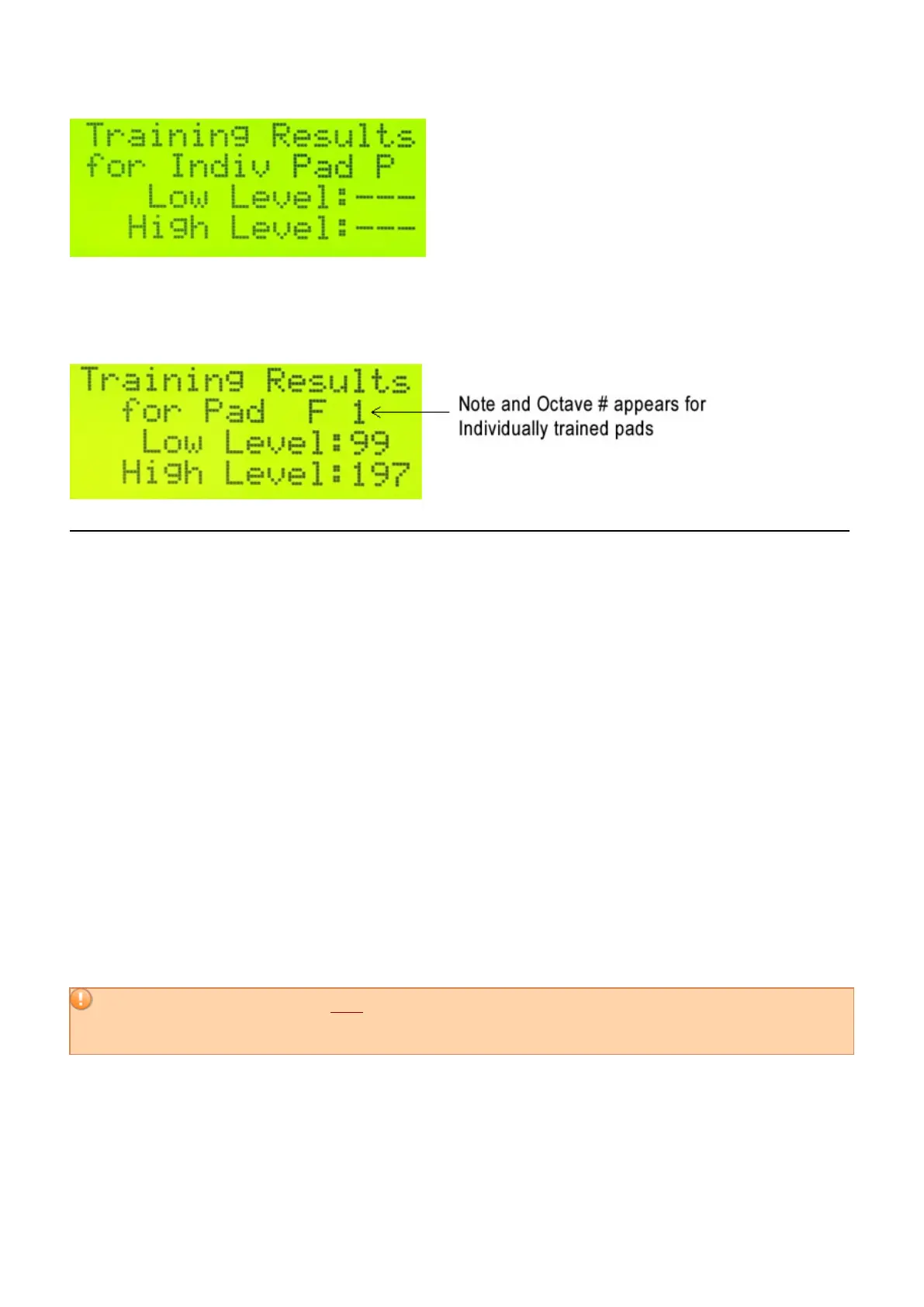
If you have individually trained pads, the actual Note name and Octave will appear here instead a slot letter (A-
P). This is for convenience. Remember the Octave number here is NOT a MIDI octave, but the Octave Group this
note belongs to. The Octave Groups are explained in detail earlier in this section.
Notes on Training Your malletKAT
Trust your ears and your playing dynamics. The values may look different from octave to octave, but the response
can be the same. This is because there is a different sensor on each octave (and a different section of circuitry
controlling it). By training each octave separately, the 128 MIDI velocity response levels should be about the
same. This function dramatically increases the evenness across the entire malletKAT.
Remember too, that a User Kit can be assigned an alternative Velocity Curve(https://alternatemode.com/online-
docs/malletkat/#velocity-curves)
that will change the MIDI velocity value sent as a result of striking the pad. The default Velocity Curve (Curve #1)
is linear – meaning that there should be an even dynamic response between your softest hit and your hardest hit.
4.5. Adjusting Pad Thresholds
If you are playing your malletKAT in a high altitude area or in varying colder and warmer environments, you may
need to raise the thresholds levels of the entire instrument because the sensors are sensitive to pressure above
sea levels.
This feature is also used to increase or decrease the general sensitivity of the entire instrument. If your
malletKAT begins to falsely trigger (playing itself, rapid fire pitches), you simply need to raise the thresholds.
Conversely, if your malletKAT does not seem to respond to softer hits, you may need to lower the thresholds.
Adjusting sensor thresholds is NOT the same thing as training your malletKAT to your personal
dynamic levels.
Threshold adjustments should be done only if your instrument does not seem to respond well to
soft hits, or is falsely triggering (playing notes without you hitting the pad).
AUTOMATIC PAD THRESHOLD
By simply pressing and releasing the Edit footswitch, the malletKAT performs a Pad Threshold Recalibration. This
temporarily adjusts the pad thresholds (as if you just turned on the malletKAT). This setting is not permanent. If
30 / 109



 To Next Page