malletKAT User Manual (ver.07-17-18)
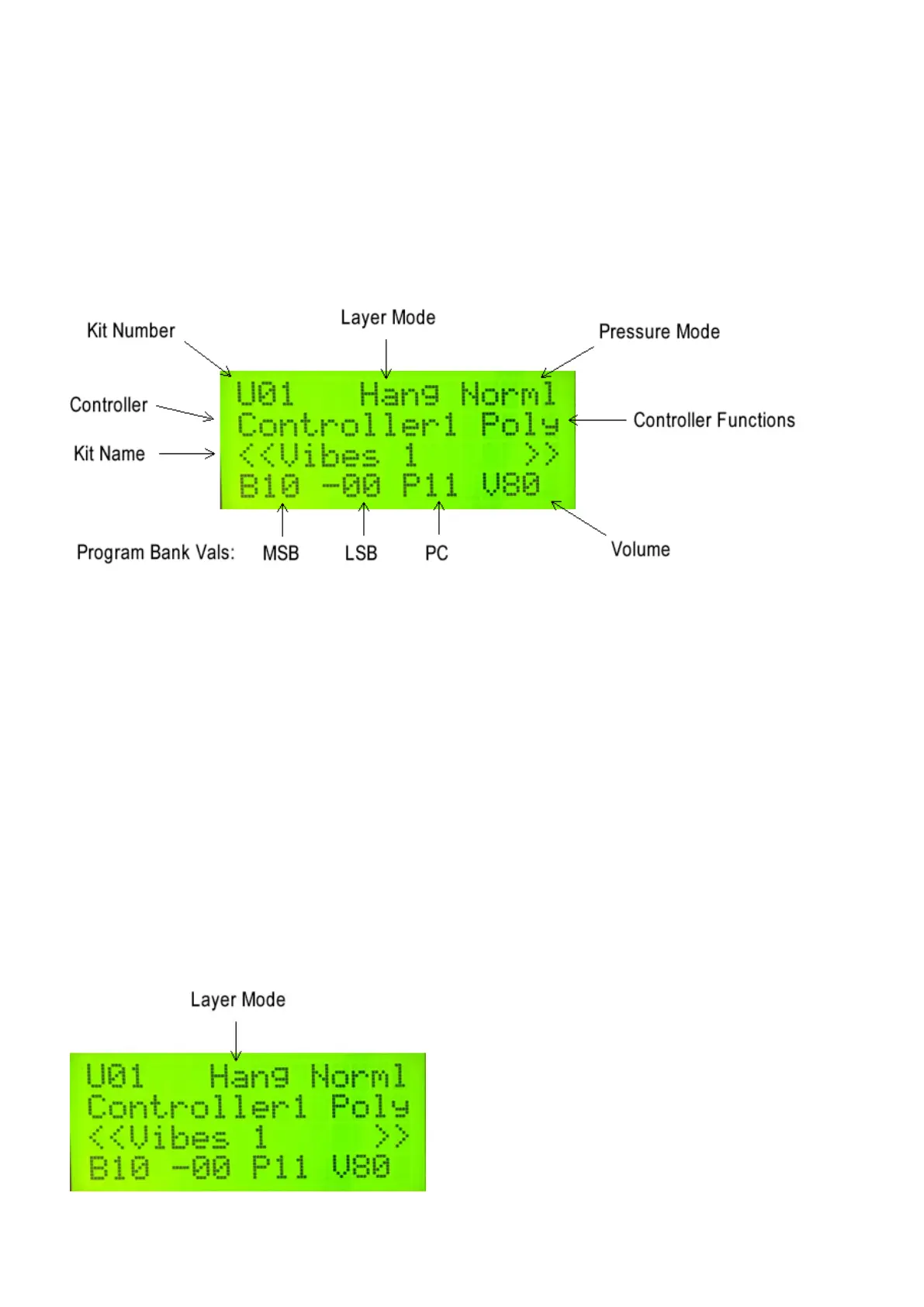
3.3. Reading The malletKAT Screen
When you first turn on the malletKAT, the display tells you on the second line what version number of the software
that’s inside your malletKAT.
When it finishes initializing itself, it is officially in Play Mode.
Even though there are only four lines of text on the LCD display, there is a LOT of information on this screen.
KIT (SETUP) NUMBER
The very first character on Line one will either be:
F followed by a number. Example F01 meaning Factory Kit 1 or
U followed by a number. Example U89 meaning User Kit 89 or
C followed by a group of numbers. Example. C02-12 Meaning Chain Two, Step 12.
You can step through Kits or Chains at any time by using the Backward /Forward Pads. (The little function pads
on the far right of the malletKAT). Strike the pad twice to get your direction going.
LAYER MODE
Layer Modes tell the malletKAT how to control its sound layers. These layers are a part of every User Setup (Kit)
and are called CONTROLLER ONE AND CONTROLLER TWO. These Controller Layers can be total
independent, split on the keyboard, layered, velocity shifted or alternated. Your screen will have one of the
following:
17 / 109



 To Next Page