malletKAT User Manual (ver.07-17-18)
Hang = Hang Mode
Splt = Split Mode
Doub = Double Mode
Mel1 = Melody Chord Mode 1
Mel2 = Melody Chord Mode 2
Mel3= Melody Chord Mode 3
VelS = Velocity Shift Mode
Alt = Alternate Mode
These Layer Modes are described in detail in the User Setup Playing Modes(https://alternatemode.com/online-
docs/malletkat/#layer-mode)
section.
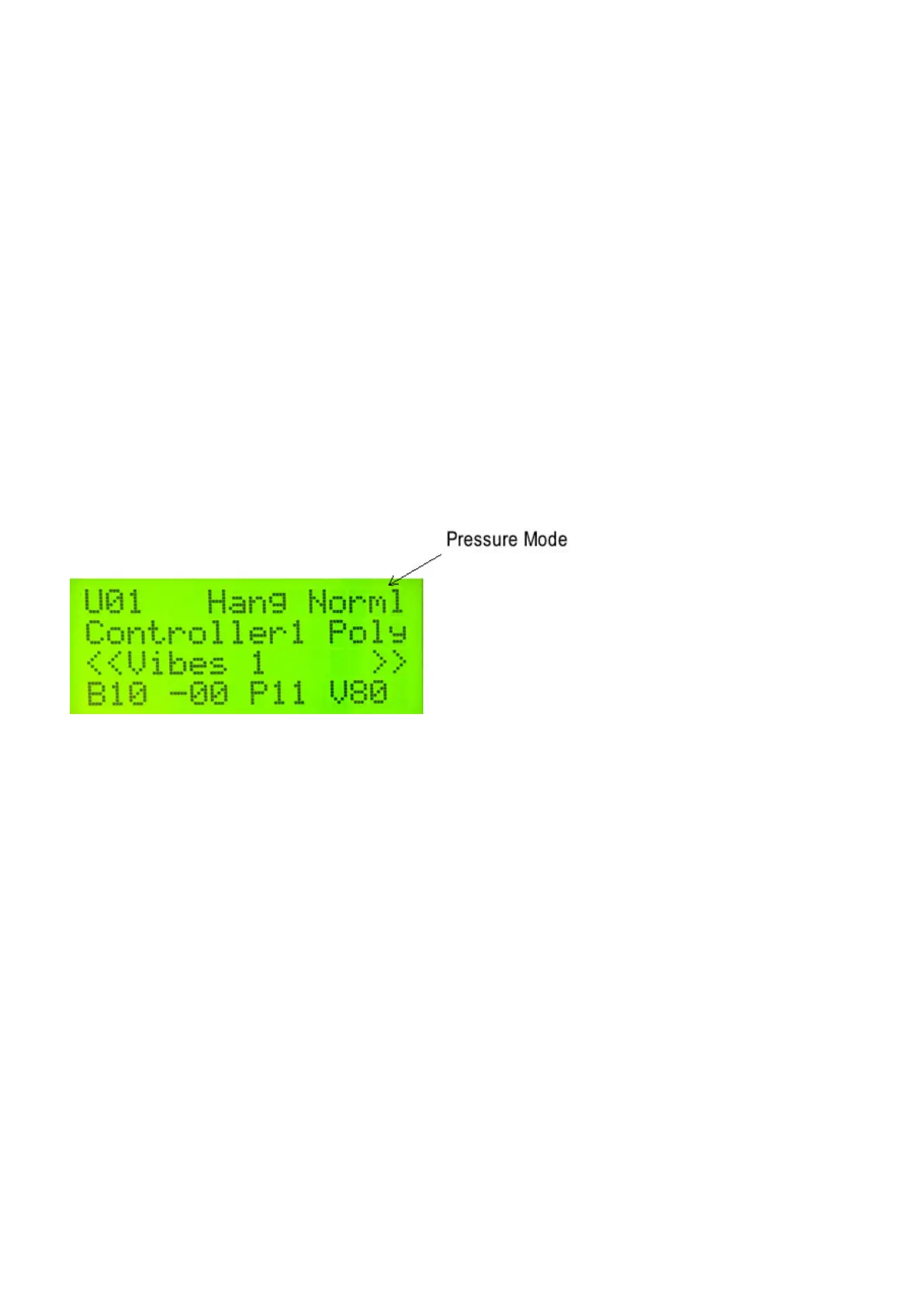
PRESSURE MODE
The malletKAT can detect continuous pressure on a pad. This gesture of applying pad pressure can be
interpreted by the malletKAT to perform specific functions such as mallet dampening, dead stroking or aftertouch.
Your screen will have one of the following:
Norml = Normal
Dampn = Dampen
Aftch = Aftertouch
DeadS = DeadStroke
These Layer Modes are described in detail in the User Setup Playing Modes(https://alternatemode.com/online-
docs/malletkat/#pressure-mode)
section.
CONTROLLER
On the second line of the Display, you will see the word “Controller” followed by 1 or 2. Whenever you edit the
malletKAT, you will need to know what Controller you are working on. Any USER KIT parameter changes you
are making only apply to the Controller that shows on this screen.
Switching Between Controllers
You can change what Controller you are using by stepping on the EDIT, and while held down, tap the
INCREMENT or DECREMENT pads (C# or D# on the highest octave). The display will toggle the Controller
Number.
18 / 109



 To Next Page