malletKAT User Manual (ver.07-17-18)
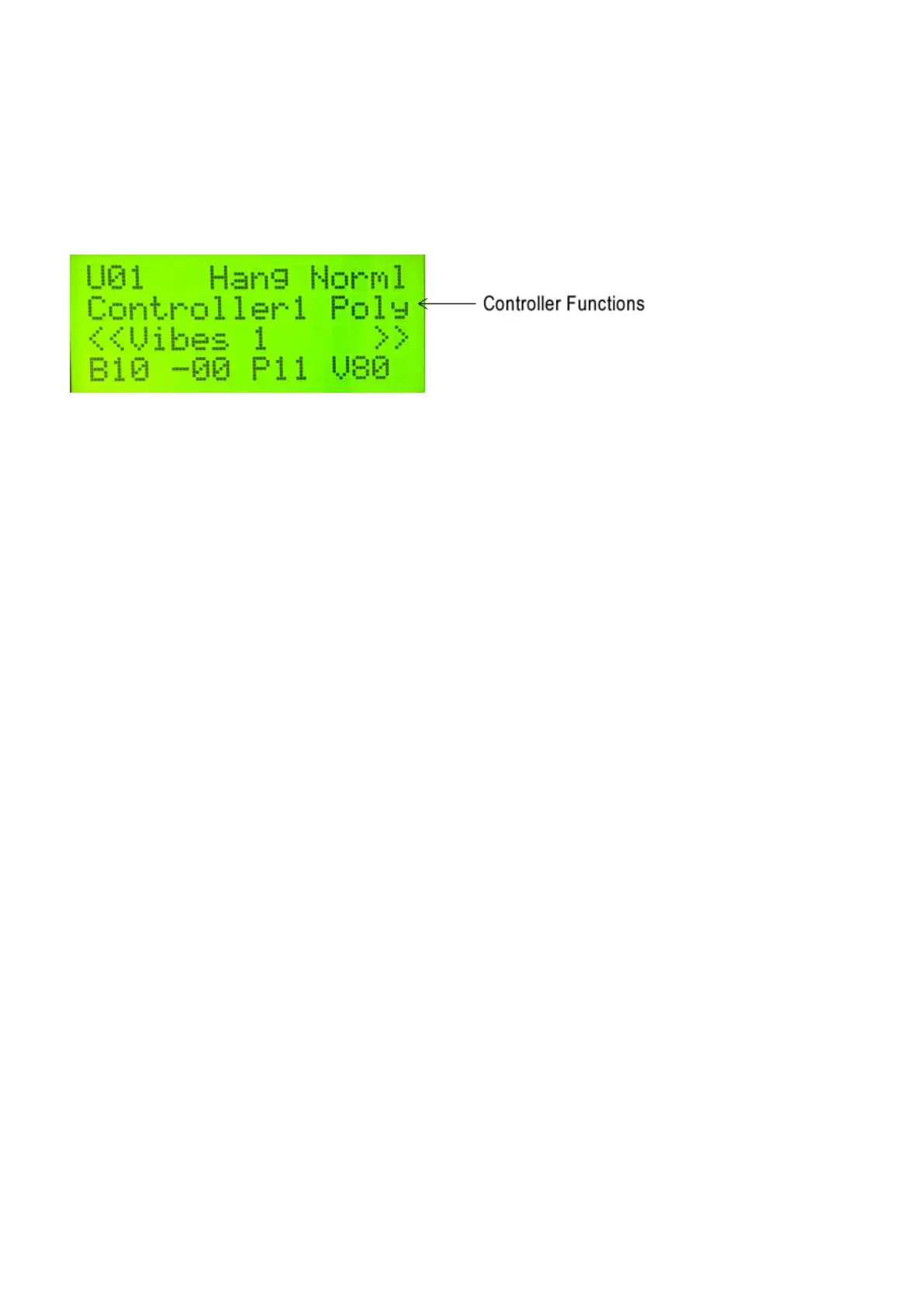
CONTROLLER FUNCTIONS
Every Setup has two Controller Layers, and each Layer can have its own assigned Function. Remember also that
they can be layered in DOUBLE Mode or accessed independently in HANG Mode.
These are the Controller Functions:
Poly = Polyphonic Mode
Mono = Monophonic Mode
RTC = Real Time Controller
RT+V = Real Time Controller Plus Velocity
PTW = Pitch Wheel Controller
CTLA = Virtual Control Wheel A
CTLB = Virtual Control Wheel A
CTLC = Virtual Control Wheel A
Polyphonic and Monophonic modes are described in the User Setup Playing
Modes(https://alternatemode.com/online-docs/malletkat/#monophonic-polyphonic-modes)
section. Real Time Controllers, Pitch Wheel, and Virtual Wheel Controllers are slightly more advanced features
that are described in the Full Programming Guide(https://alternatemode.com/online-docs/malletkat/#full-malletkat-
programming-guide)
.
KIT NAME
Every User Kit has a 16 character name to help easily identify it, and will be displayed in both User Mode and
Chain Mode. These names can be easily changed when editing the User Kit.
PROGRAM BANK VALUES
When a User Kit is first selected, the malletKAT sends a Program Change command to the external sound source
indicating which patch is to used. This command is comprised of three values: MSB, LSB, and Program Change
Number (PC). For more information on Program Changes, see the section Understanding External Synthesizer
Program Changes(https://alternatemode.com/online-docs/malletkat/#understanding-external-synthesizers)
.
19 / 109



 To Next Page