malletKAT User Manual (ver.07-17-18)
User Setups (or Kits)
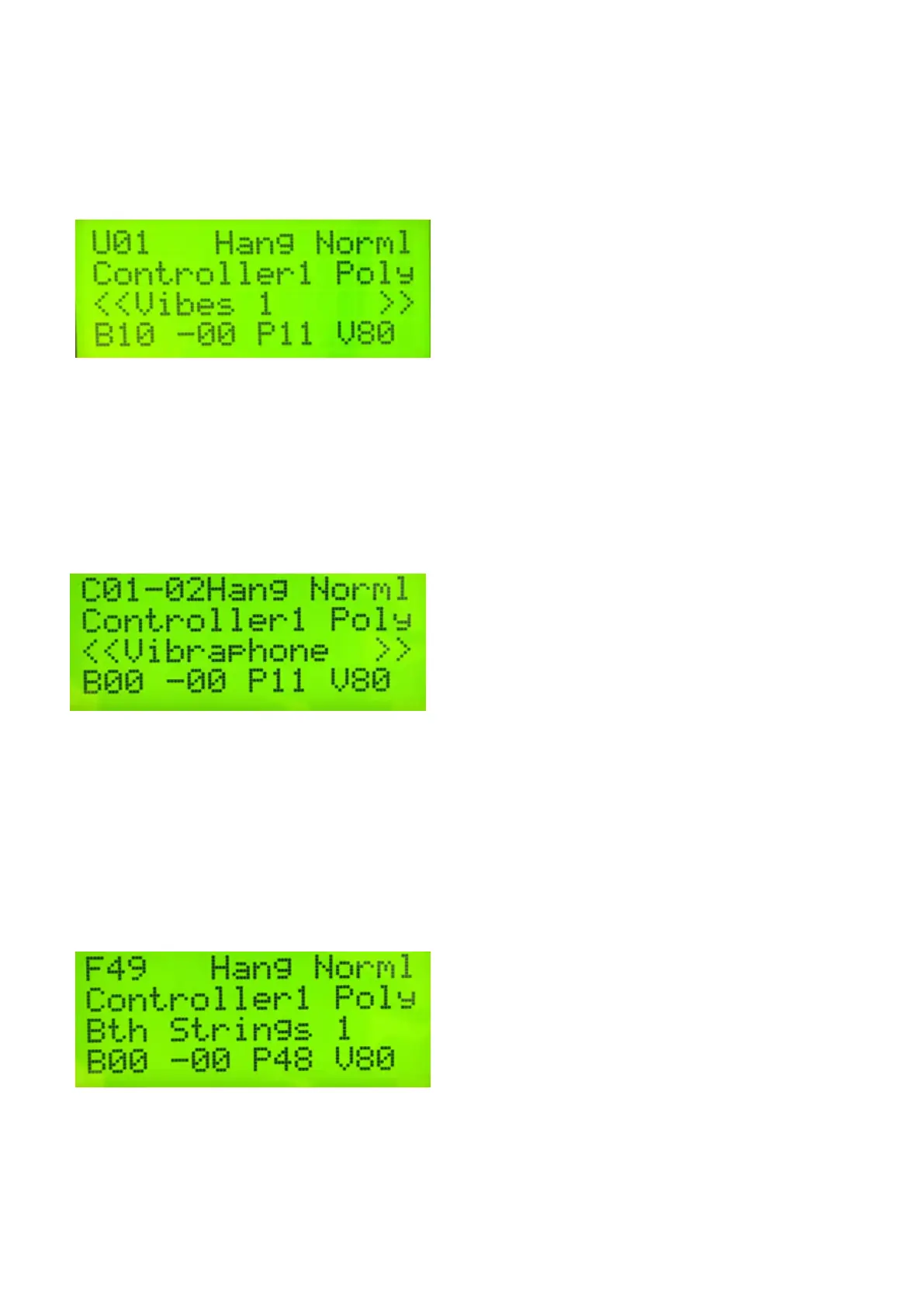
User Kits were described at the beginning of this section. They are the default bank for the malletKAT, indicated
by a “U” in the upper left corner of the malletKAT screen.
Chains
In performance situations where you find you are needing to change User Setups very quickly, these setups can
be organized in “performance order” into up to 16 User Chains. When your malletKAT is placed into Chain Mode,
only those User Setups are available and can be easily stepped through and looped using the Forward and
Backward pads or a foot switch. Chain mode is indicated by a “C” in the upper left corner of the malletKAT
screen.
Factory Setups
Factory Setups are pre-programmed for General MIDI. That means that if you have a sound source that responds
to General MIDI (it should have a GM MIDI logo displayed on it), the MalletKAT is ready to go without any
programming involved – right out of the box. The instrument name that you see on the display is the sound that
you will hear on your synth. Factory Setups are indicated by a “F” in the upper left corner of the malletKAT
screen. For more information on General MIDI, refer to the section, Understanding External Synthesizer Program
Changes(https://alternatemode.com/online-docs/malletkat/#understanding-external-synthesizers)
16 / 109



 To Next Page