malletKAT User Manual (ver.07-17-18)
to the section Setting Up The Controllers(https://alternatemode.com/online-docs/malletkat/#setting-up-the-
controllers)
.
Creating a Split
A split is created on User Kit by defining two things: The lowest note
on Controller One, and the highest note
on
Controller Two.
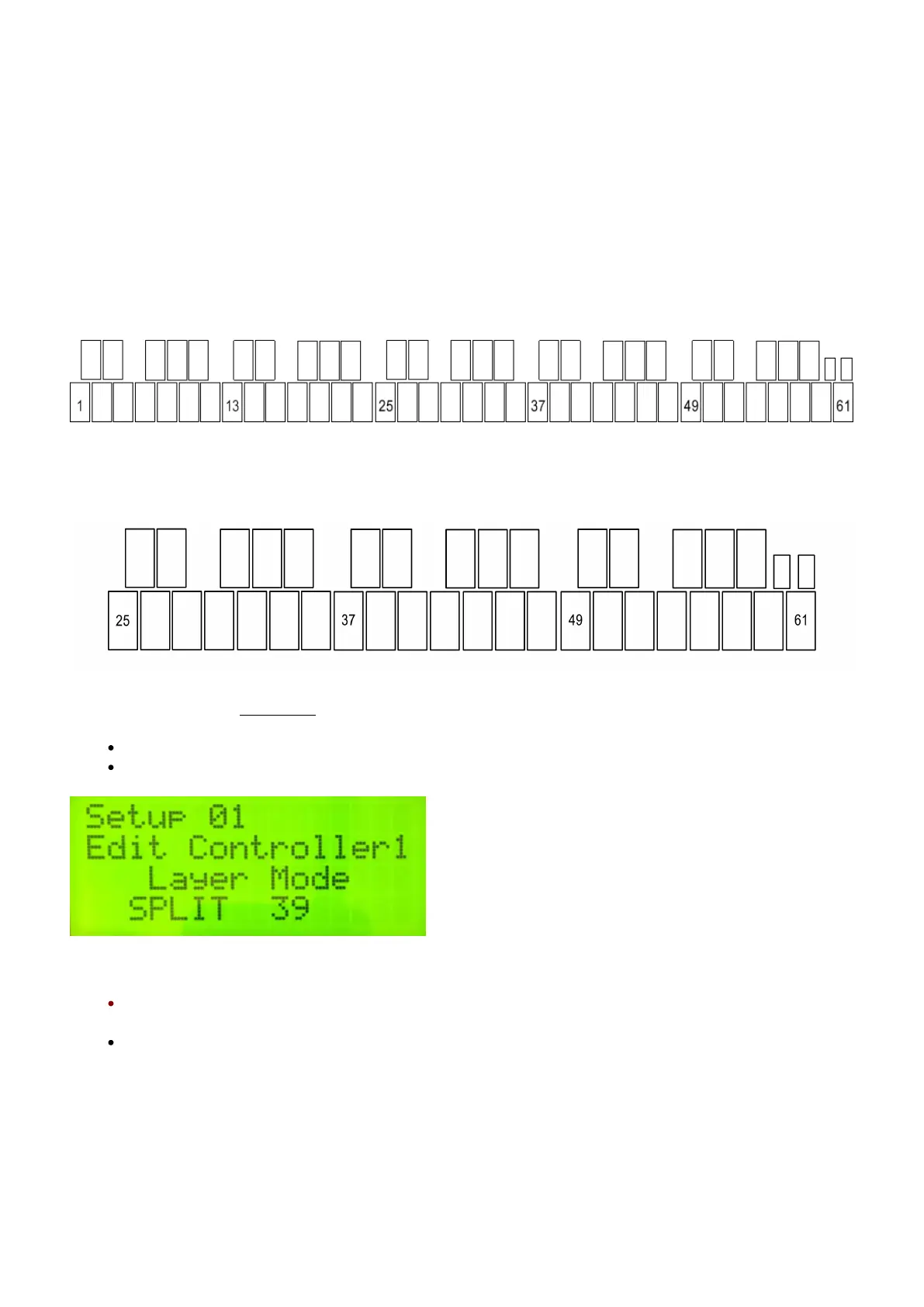
The range of a five-octave malletKAT (the maximum with Octave Expanders) is 61 pads.
A three-octave malletKAT Pro, then, uses these pad numbers:
Set Controller One low note:
Step on the Edit footswitch and use the INCREMENT/DECREMENT pads to select Controller One
With the Edit footswitch held down, tap the Split shortcut pad (D natural)
Tap the lowest note for the Split (you do NOT need to manually enter a pad number). The edit
screen will indicate the pad number you selected.
Release the Edit footswitch
36 / 109



 To Next Page