malletKAT User Manual (ver.07-17-18)
Because every User Kit uses the same pedals, they must be properly defined “Globally”.
A Foot Controller pedal can be used for one of three things:
— To send a MIDI Continuous Controller Number. Control functions like Volume, Pitch Bend, Vibrato, etc…
each have their own CC number. If you are plugging in a variable controller pedal, this is the setting to use. You
will assign exactly WHICH CC value you want to use in each User Kit.
— To Advance or Backup through User Kits or Chains. In this case you can plug a normal footswitch into one
of the Foot Controller inputs.
— To Send a MIDI Note. In this case you can also plug a normal footswitch into one of the Foot Controller inputs.
The footswitches can actually send up to four MIDI notes simultaneously.
A sustain pedal is also considered a footswitch, since it is also essentially on/off
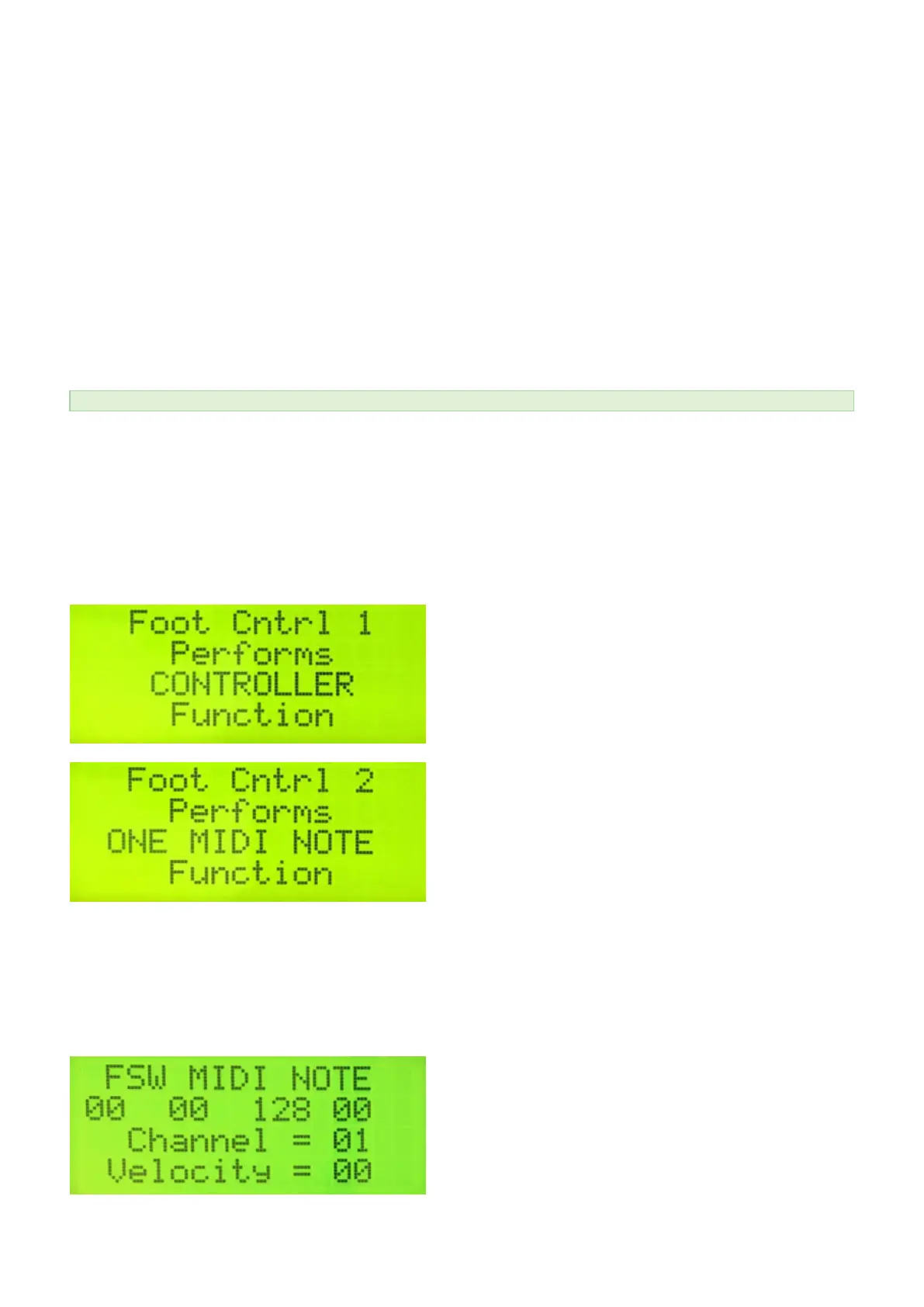
FOOT CONTROL ONE PERFORMS (Short Cut = # 19)
FOOT CONTROL TWO PERFORMS (Short Cut = # 20)
Parameters = Controller, Setup Advance, Setup Backup, One to Four MIDI Notes
If you don’t intend to use the Foot Control Inputs for Volume or other Expression Settings, you may choose to
Globally reassign your Foot Control input to ADVANCE or BACKUP through your Setups.
FTSW MIDI NOTES (No direct shortcut. Use Shortcut #20 and the FORWARD pad instead)
Use this screen to assign up to four MIDI note numbers to the footswitch. A velocity value and MIDI channel is
also available. When the Footswitch is depressed a note on is sent. When the switch is released, a note off is
sent. A value of 128 is the same as a “ALL NOTES OFF” command.
55 / 109



 To Next Page