malletKAT User Manual (ver.07-17-18)
Entering and leaving a black key can also create an effect. When you leave a black key (by striking another black
key), one has the option of resetting the last value and/or presetting the new value of the black key just struck.
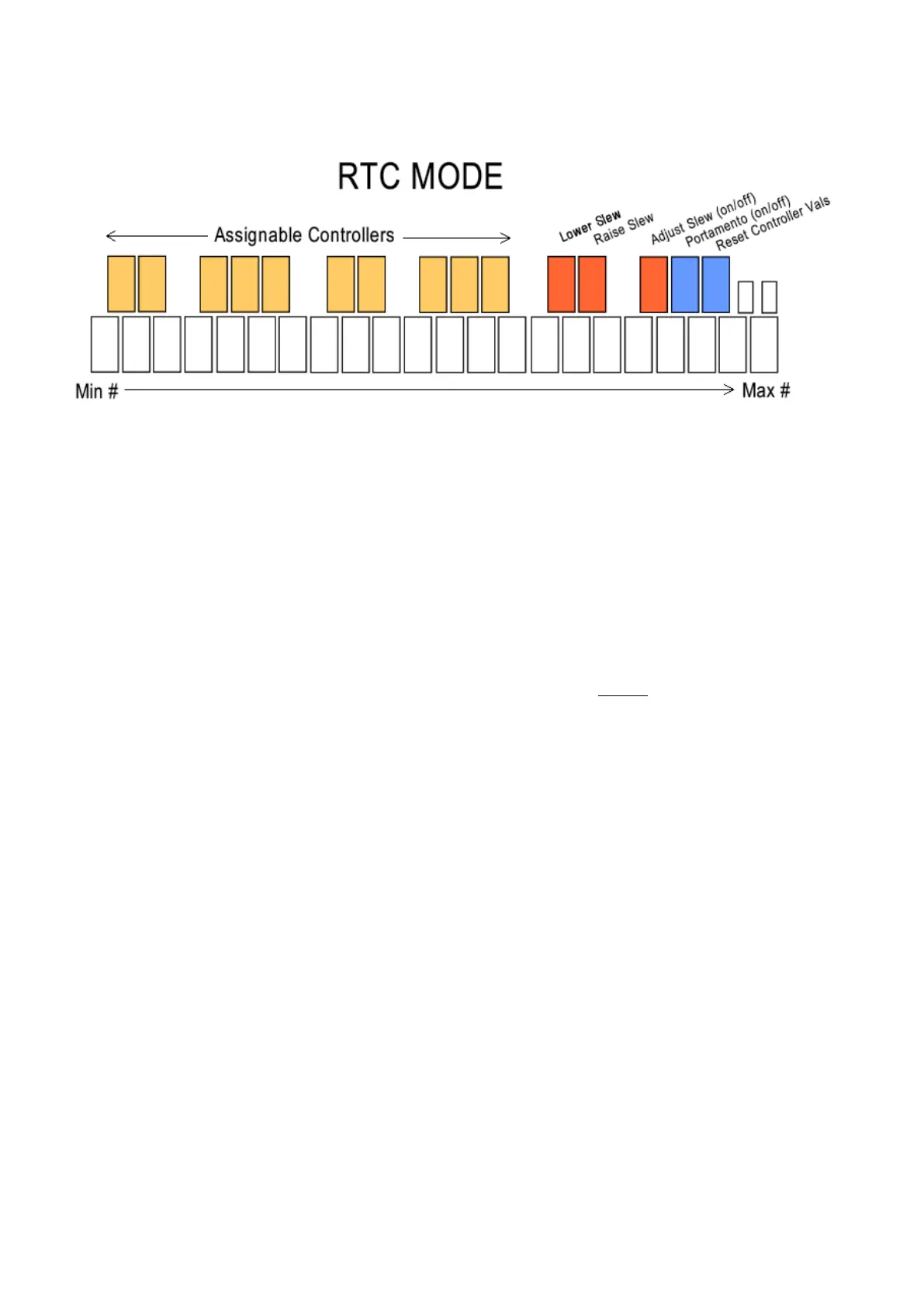
The last (highest) octave of the malletKAT’s black keys are reserved for special functions. C# and D# are “slew”
pads that automatically send continuous data in one direction. (C# slews down, and D# slews up).
To enable RTC Mode:
While the Edit Footswitch is pressed, tap the MONO shortcut pad (F natural) TWICE
, tapping a third time
switches to a variation mode called RTC+Velocity
Controller Two has another mode named PTW. This is activated by striking the MONO pad four times when
controller 2 is displayed. See the section on Pitch Wheel(https://alternatemode.com/online-docs/malletkat/#pitch-
wheel)
for details.
With the exception of the PTW mode, both controllers can select any of these modes simultaneously, so that a
KIT can use these modes in Normal, Split or Double Mode.
SPECIAL FUNCTION BLACK KEYS
The five black keys on the Master (top) octave has been reserved for special functions that effect all of the
Controller Black keys. It is possible to SLEW from one value to another in RTC mode. This means that when you
strike a white key, then another, you have a choice of instantly going from one value to another or allowing a
“portamento” effect to take place between these values. Portamento means that the value from one white key
gradually changes to the next value. The time that it takes to get from one value to another can be set using these
keys.
When in RTC mode, strike the F#2 pad. The screen displays the Slew Speed in Milliseconds. This is the time it
takes to get from one value to the other. This pad is a toggle. Re-strike F#2 to leave this mode.
To change the time of the slew effect, first strike F#2, then use the C#2 and D#2 pads (INC+DEC pads) to
65 / 109



 To Next Page