malletKAT User Manual (ver.07-17-18)
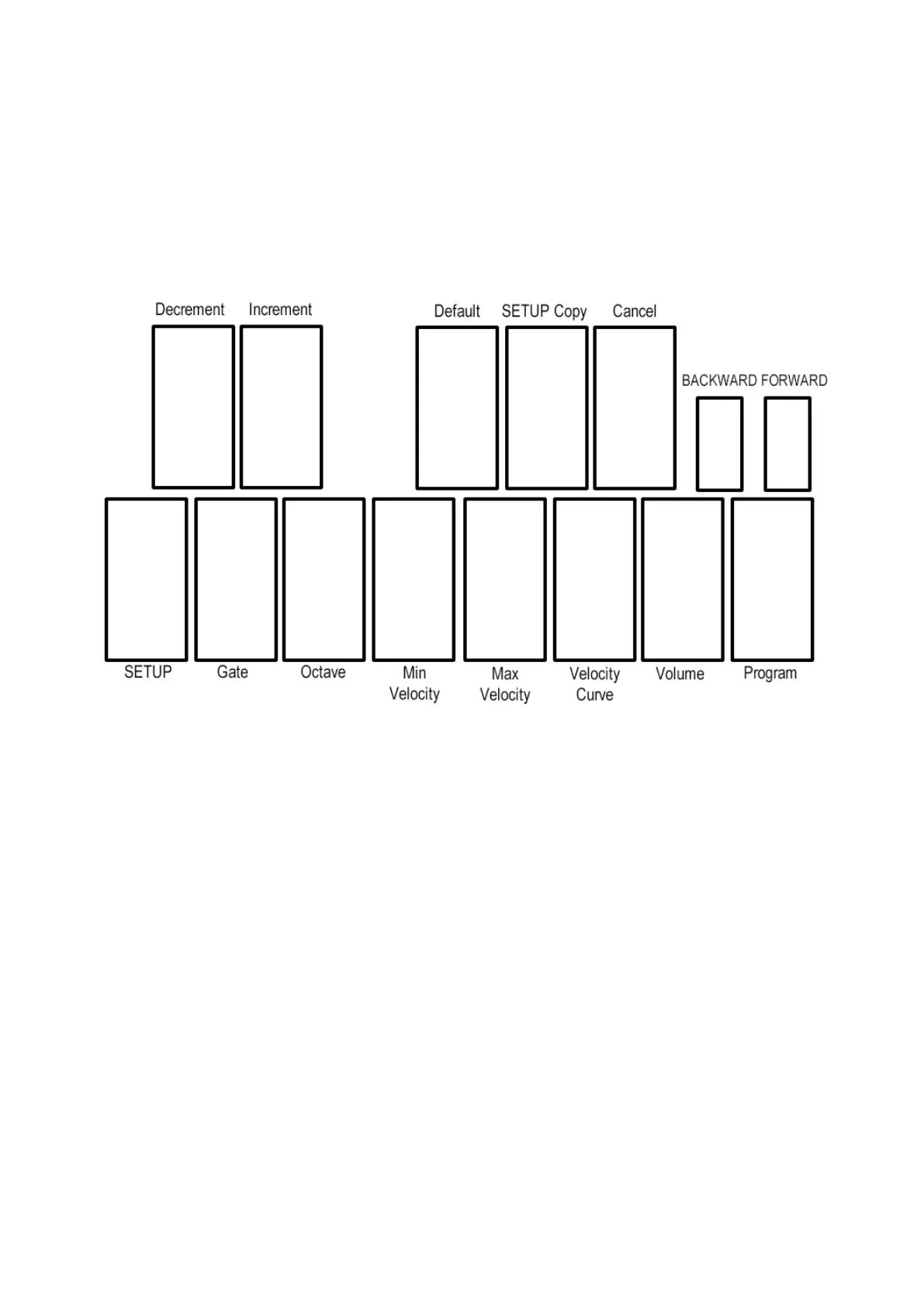
On some “white” keys, repeated hits call up different functions. On a three octave (or greater) instrument, you
can also use the “black keys” as a numeric input instead of the INC/DEC pads.
FUNCTION LISTINGS
HIGHEST OCTAVE
C = Setup Number
D = Gate Time Settings forward = (Roll Mode, Velocity Gate)
E = Octaves
F = Minimum Velocity Setting
G = Maximum Velocity Setting
A= Velocity Curve
B = Volume Setting
C (highest) = Program Change
C# = Decrement
D# = Increment
F# = Default
G# = S.Copy
A# = Cancel
Function Pad 1 = Backwards
Function Pad 2 = Forwards
INCREMENT and DECREMENT PADS
Use the C# pad (highest octave) for Decrement (lowering the value) Use the D# pad (highest octave) for
Increment (raising the value)
72 / 109



 To Next Page