Settings
AMADRILL+ BAH0040-9 01.19
29
6.6 Calibration of the Vario gearbox
1. Press the and buttons
simultaneously.
2. Press and hold the
button until the
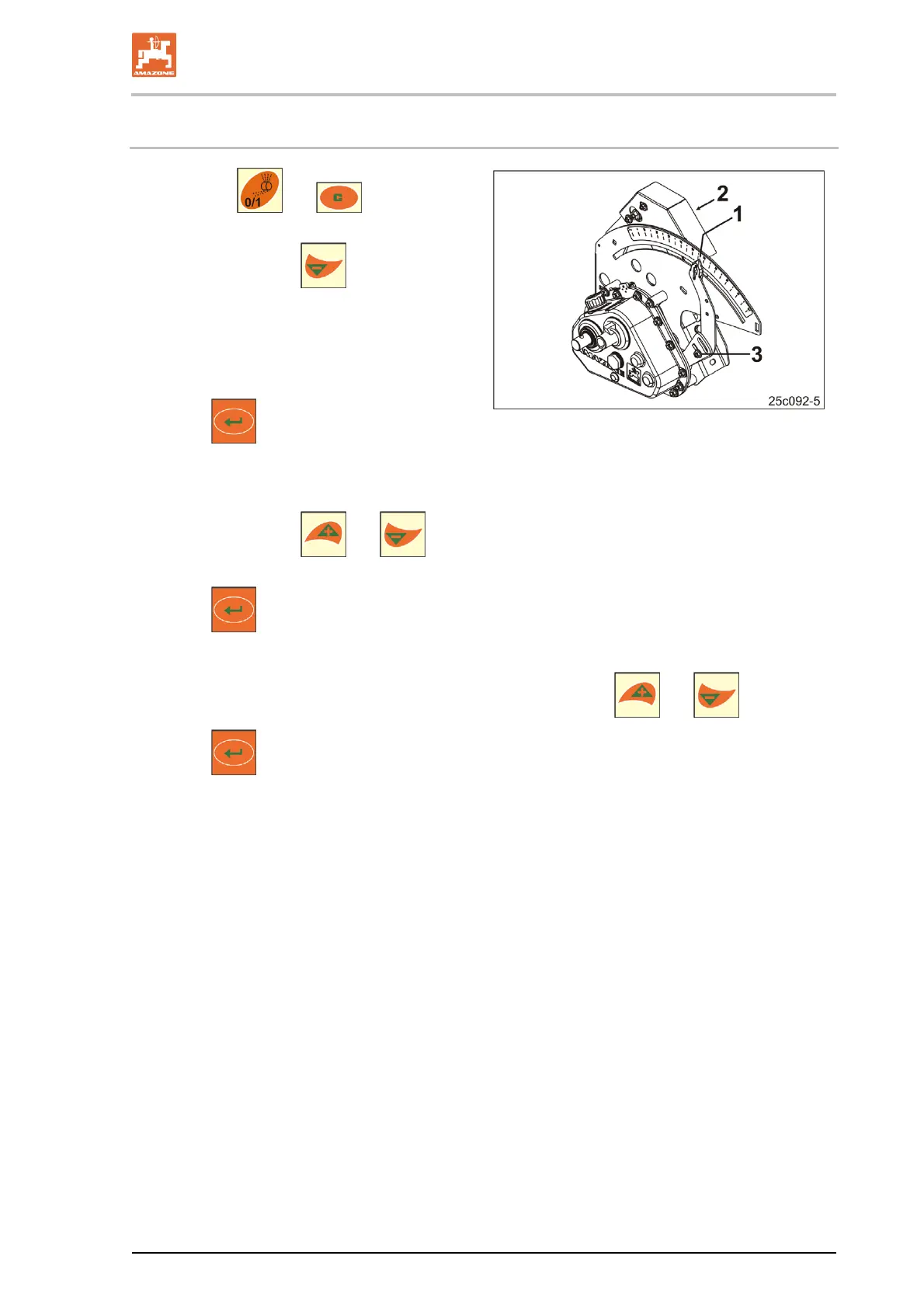
pointer (Fig. 25/1) is set to the scale value
"0" and the yellow LED (Fig. 25/2) lights up.
3. If necessary, unscrew the lever (Fig. 25/3)
until the pointer is set to "0" and the yellow
LED lights up.
4. Press
.
Save the setting.
Fig. 25
5. Press and hold the
and buttons until the pointer indicates a scale value greater
than "80".
6. Press
.
Store the setting.
7. Read the scale value and enter it on the control terminal with the
and buttons.
8. Press
.
Save the value.



 To Next Page