Work commencement
AMADRILL+ BAH0040-9 01.19
45
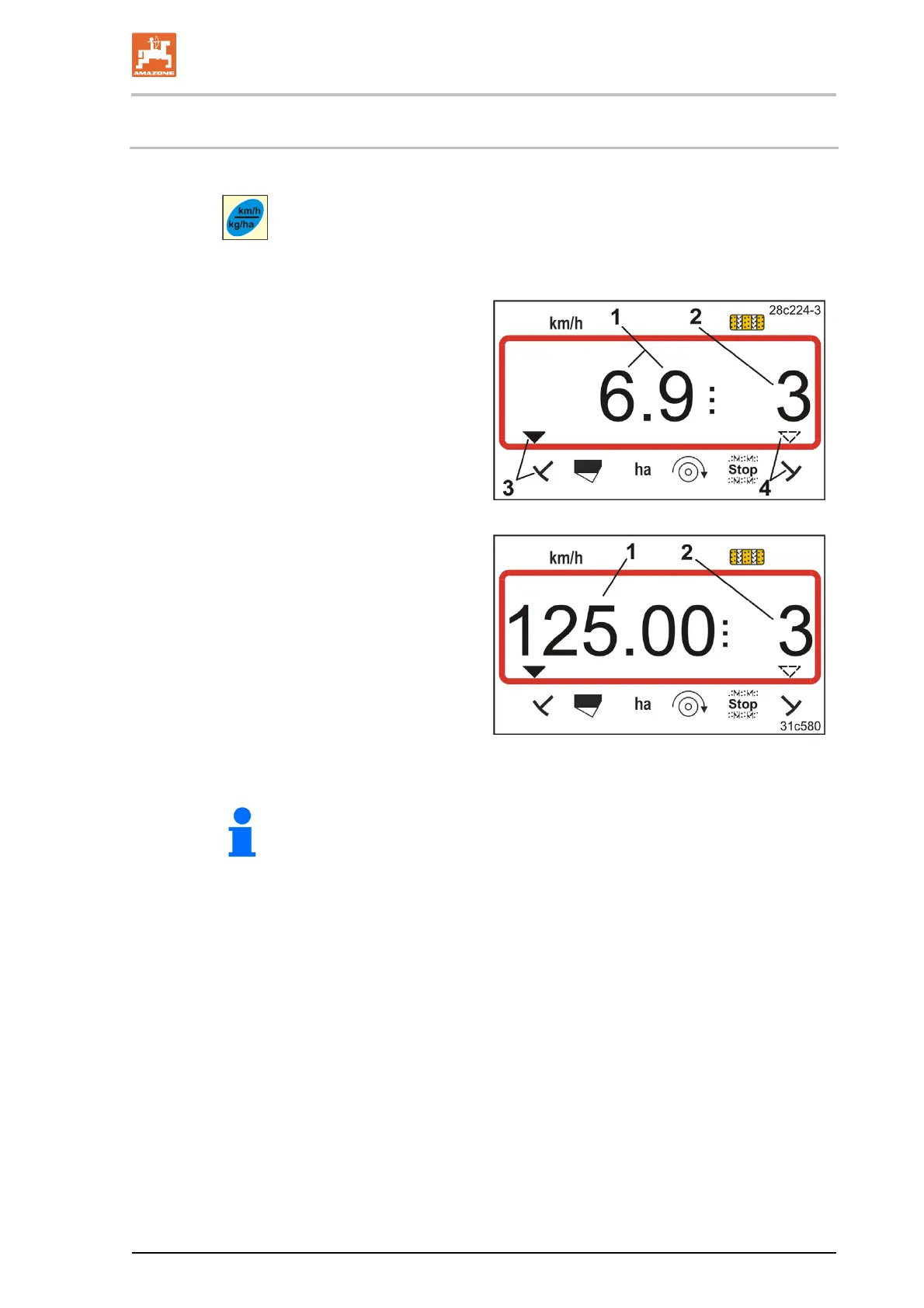
7.3 Display during work
Pressing the
button during operation
switches the display (Fig. 36 and Fig. 37).
Display during work (Fig. 36):
the travel speed (Fig. 36/1),
e.g. 6.9 km/h
the setting
of the tramline counter (Fig. 36/2),
e.g. tramline counter 3
the left track marker (Fig. 36/3)
is in the working position
the right track marker (Fig. 36/4)
is raised.
Fig. 36
Display during work (Fig. 37):
current spread rate (Fig. 37/1),
e.g. 125.0 [kg/ha]
the setting
of the tramline counter (Fig. 37/2),
e.g. tramline counter 3
Fig. 37
The counting process of the tramline counter is supported by an
acoustic signal.



 To Next Page