EasyManua.ls Logo

Ametek Surgex UPS-17202-53R - User Manual

Ametek Surgex UPS-17202-53R
52 pages
Print Icon
To Next Page IconTo Next Page
Loading...
Online Battery Backup
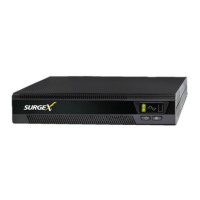
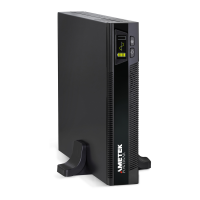
UPS-17202-53R 2000 VA UPS
UPS-17302-60R 3000 VA UPS
User Manual
© 2019 AMETEK Electronic Systems Protection / Technical Support: 1-800-645-9721 / surgex.com/
UM-UPS-Global-2-3kVA-REV-A

Table of Contents

Questions and Answers

  • R
    Rachel BeasleyAug 3, 2025
    What to do if Ametek Surgex 17202-53R UPS is overloaded?
    • R
      Rebecca BrennanAug 3, 2025
      If your Ametek UPS is overloaded, remove some of the connected devices from the UPS output. If, after repetitive overloads, the UPS is locked in bypass mode, remove excess loads, then shut down the UPS and restart it. This happens because the UPS is overloaded, and devices connected to the UPS are fed directly by the electrical network via the bypass.
  • M
    Martin MartinezAug 12, 2025
    What to do if the Ametek Surgex 17202-53R icon is flashing?
    • S
      Susan OsborneAug 13, 2025
      If the icon is flashing on your Ametek UPS, it indicates that the external or internal battery is not connected properly. Check if all batteries are properly connected.
  • R
    Rachel BushAug 25, 2025
    How to fix Ametek Surgex 17202-53R when there is no warning or alarm?
    • B
      Brian BrownAug 25, 2025
      If your Ametek UPS shows no warning or fault indication and no alarm, even though the mains is normal, confirm that the AC input power cord is firmly connected to both the input of the UPS and the mains. Also, ensure the AC input power cord is plugged firmly into the AC input and not connected to the UPS output.

Summary

Setting Up UPS Parameters

UPS Operation

Maintenance Procedures

Troubleshooting

UPS Fault

Information on UPS fault conditions and fault codes.

Safety Information

General Safety Precautions

General safety information and precautions for UPS use.

Safety Warnings and Notices

General Warnings

Important safety warnings for operating the UPS unit.

Safety Notices

Critical safety instructions and precautions for UPS installation and maintenance.

Battery Safety and Handling

Battery Safety

Precautions and hazards related to UPS batteries.

Rear Panel Views

LCD Display Layouts

LCD Display Functions

Installation

Tower Installation

Instructions for installing the UPS in a tower configuration.

Rack Installation

Rack Installation Procedures

Procedures for mounting the UPS in a four-post rack.

Rack Assembly

Assembly Steps

Detailed steps for assembling the rack mounting hardware.

Electrical Preparations

Electrical Preparations

Precautions before making electrical connections to the UPS.

Battery Connections

Details on connecting UPS models to specific battery cabinets.

UPS Parameter Setup

Changing Default Settings

How to modify the UPS's operational parameters.

Bypass Mode Display

Parameter Configuration

Output Voltage Setting

How to select the desired output voltage for the UPS.

Advanced Parameter Settings

UPS Operational Modes

UPS Mode Displays and Power-Up

Turn on the UPS

Steps to power on the UPS into online mode.

UPS Battery Mode Operation

The UPS in Battery Mode

How the UPS operates and is indicated in battery mode.

UPS Shutdown Procedure

Communication Interfaces and EPO

Emergency Power Off (EPO)

How to enable/disable the Emergency Power Off function.

Maintenance Procedures

Replacing Batteries

Instructions for replacing UPS batteries.

Troubleshooting Guide

Troubleshooting Table

Guide to diagnosing and resolving common UPS operational issues.

Troubleshooting Details

Warning Indicators Explained

UPS Fault Conditions

UPS Fault Overview

Information about UPS fault conditions.

Fault Reference Codes

Table linking fault codes to events and icons.

Extension Battery Cabinet Specs (Cont.)

Ametek Surgex UPS-17202-53R Specifications

General IconGeneral
Input Frequency50/60 Hz
Output Frequency50/60 Hz
Battery TypeSealed Lead-Acid
Operating Temperature0 to 40°C
Protection FeaturesOverload, Short Circuit

Related product manuals